
QuickForm - Autofill & Form Filler
Record any form once, autofill it forever in one click. Works on React & complex web apps. Free, private, no account needed.
As of June 2026, QuickForm - Autofill & Form Filler has 50,000 users and a 4.39/5 rating from 134 reviews in the Productivity category.
Usersup 66.7 percent+66.7%
50.0K
50,000
Ratingup 9.2 percent+9.2%
4.39
134 reviews
Reviewsup 139.3 percent+139.3%
134
Version
1.17.3
Manifest V3
90-day change · In the last 90 days this extension gained 20.0K users, 6 version updates.
History
16 snapshotsTracking since Apr 2, 2026.
View as table
| Date | Users | Rating | Reviews | Version |
|---|---|---|---|---|
| Apr 2, 2026 | 30.0K | 4.02 | 56 | 1.10.5 |
| Apr 4, 2026 | 30.0K | 4.02 | 58 | 1.10.5 |
| Apr 14, 2026 | 40.0K | 4.08 | 59 | 1.10.5 |
| Apr 25, 2026 | 40.0K | 4.08 | 59 | 1.10.5 |
| May 7, 2026 | 40.0K | 4.05 | 61 | 1.10.5 |
| May 9, 2026 | 40.0K | 4.08 | 63 | 1.10.6 |
| May 16, 2026 | 40.0K | 4.08 | 65 | 1.10.6 |
| May 21, 2026 | 40.0K | 4.03 | 66 | 1.10.6 |
| May 23, 2026 | 40.0K | 4.03 | 67 | 1.13.0 |
| May 26, 2026 | 40.0K | 4.03 | 67 | 1.14.0 |
| May 29, 2026 | 50.0K | 4.01 | 68 | 1.14.0 |
| Jun 6, 2026 | 50.0K | 3.97 | 69 | 1.14.0 |
| Jun 9, 2026 | 50.0K | 3.94 | 70 | 1.14.0 |
| Jun 12, 2026 | 50.0K | 3.94 | 70 | 1.16.0 |
| Jun 17, 2026 | 50.0K | 4.22 | 99 | 1.17.1 |
| Jun 25, 2026 | 50.0K | 4.34 | 120 | 1.17.1 |
| Now | 50.0K | 4.39 | 134 | 1.17.3 |
Changelog
- Jun 17, 2026description
QuickForm is a free form auto fill Chrome extension and form filler that lets you fill out any online form in one click. Unlike browser autofill or other auto fill extensions, QuickForm works on complex web apps: React, Angular, Vue, dynamic SPAs, internal tools, staging environments, and enterprise portals.

🔴 How It Works:

1. Activate Record Mode on any web form
2. Fill it out naturally - QuickForm saves every field automatically
3. One click to autofill that form anytime, instantly and accurately, every time

⚡ Features:

☁️ Sync Across Devices — Your profiles are securely stored and available on every Chrome instance you use. Switch machines, keep your forms.
🔥 Record Mode - Automatically detect and capture form fields. No manual configuration needed.
🖱️ Auto-Click - Automate clicks between form steps, buttons, and navigation.
⏳ Smart Delays - Set timed pauses for pages with loading states or dynamic content.
✅ All Field Types - Input, textarea, checkbox, radio buttons, select dropdowns, date pickers, and more.
🏎️ Multiple Profiles - Create different profiles for different forms or environments.
📄 Duplicate Profiles - Clone and modify profiles for similar forms.
🔗 URL-Specific Profiles - Link profiles to specific websites for automatic form filling.
📥📤 Import/Export - Backup, share, and transfer profiles between devices.
🎨 Autofill Animation - Customize the speed of form filling.
⚡ Fast Access - Fill forms from the toolbar icon or right-click context menu.

🎯 Built For:

- QA engineers and testers running the same test forms hundreds of times across staging, dev, and production
- Developers working with admin panels, staging forms, internal tools and environment-specific forms.
- Job seekers tired of retyping the same details across every application portal
- Data entry teams who need fast, accurate, repeatable form filling and repeatable submissions at scale.
- Anyone who's tired of typing the same information into forms

🏆 Why QuickForm Over Other Autofill Extensions?

- Works where others fail - Supports React, Angular, Vue, and dynamic web apps that break generic autofill tools.
- Record Mode means zero setup - No CSS selectors, no field mapping, no technical knowledge needed.
- 100% free - No premium tier, no paywalled features, no usage limits.
- No account required - Install and start using immediately, no sign-up.

🔒 Privacy & Security:
Your profiles are encrypted and stored securely — accessible across your devices, never sold or shared. QuickForm does not monitor your browsing activity or transmit form data to third parties.

Automate form filling in Chrome today. Download QuickForm, the fast, free, and private form filler and autofill extension trusted by 50,000+ users 🌟. Free forever.
QuickForm is a free form auto fill Chrome extension and form filler that lets you fill out any online form in one click. Unlike browser autofill or other auto fill extensions, QuickForm works on complex web apps: React, Angular, Vue, dynamic SPAs, internal tools, staging environments, and enterprise portals.

🔴 How It Works:

1. Activate Record Mode on any web form
2. Fill it out naturally - QuickForm saves every field automatically
3. One click to autofill that form anytime, instantly and accurately, every time

⚡ Features:

☁️ Sync Across Devices — Your profiles are securely stored and available on every Chrome instance you use. Switch machines, keep your forms.
🔥 Record Mode - Automatically detect and capture form fields. No manual configuration needed.
🤖 Smart Field Recognition - Recognize and fill new forms automatically across sites, even without recording them first. Opt out anytime in Settings.
🖱️ Auto-Click - Automate clicks between form steps, buttons, and navigation.
⏳ Smart Delays - Set timed pauses for pages with loading states or dynamic content.
✅ All Field Types - Input, textarea, checkbox, radio buttons, select dropdowns, date pickers, and more.
🏎️ Multiple Profiles - Create different profiles for different forms or environments.
📄 Duplicate Profiles - Clone and modify profiles for similar forms.
🔗 URL-Specific Profiles - Link profiles to specific websites for automatic form filling.
📥📤 Import/Export - Backup, share, and transfer profiles between devices.
🎨 Autofill Animation - Customize the speed of form filling.
⚡ Fast Access - Fill forms from the toolbar icon or right-click context menu.

🎯 Built For:

- QA engineers and testers running the same test forms hundreds of times across staging, dev, and production
- Developers working with admin panels, staging forms, internal tools and environment-specific forms.
- Job seekers tired of retyping the same details across every application portal
- Data entry teams who need fast, accurate, repeatable form filling and repeatable submissions at scale.
- Anyone who's tired of typing the same information into forms

🏆 Why QuickForm Over Other Autofill Extensions?

- Works where others fail - Supports React, Angular, Vue, and dynamic web apps that break generic autofill tools.
- Record Mode means zero setup - No CSS selectors, no field mapping, no technical knowledge needed.
- 100% free - No premium tier, no paywalled features, no usage limits.
- No account required - Install and start using immediately, no sign-up.

🔒 Privacy & Security:

Your profiles stay on your device — encrypted, synced privately across your Chromes, never sold or shared. To make autofill smarter over time, QuickForm can learn from form structure and on-screen content while the extension is active on a tab.

Automate form filling in Chrome today. Download QuickForm, the fast, free, and private form filler and autofill extension trusted by 50,000+ users 🌟. Free forever.
- Jun 9, 2026description
QuickForm is a free form autofill Chrome extension and form filler that lets you fill out any online form in one click. Unlike browser autofill or other auto fill extensions, QuickForm works on complex web apps: React, Angular, Vue, dynamic SPAs, internal tools, staging environments, and enterprise portals.
🔴 How It Works:

1. Activate Record Mode on any web form
2. Fill it out naturally - QuickForm saves every field automatically
3. One click to autofill that form anytime, instantly and accurately

⚡ Features:

🔥 Record Mode - Automatically detect and capture form fields. No manual configuration needed.
🖱️ Auto-Click - Automate clicks between form steps, buttons, and navigation.
⏳ Smart Delays - Set timed pauses for pages with loading states or dynamic content.
✅ All Field Types - Input, textarea, checkbox, radio buttons, select dropdowns, date pickers, and more.
🏎️ Multiple Profiles - Create different profiles for different forms or environments.
📄 Duplicate Profiles - Clone and modify profiles for similar forms.
🔗 URL-Specific Profiles - Link profiles to specific websites for automatic form filling.
📥📤 Import/Export - Backup, share, and transfer profiles between devices.
🎨 Autofill Animation - Customize the speed of form filling.
⚡ Fast Access - Fill forms from the toolbar icon or right-click context menu.

🎯 Built For:

- QA testers who fill the same test forms hundreds of times
- Developers working with admin panels, staging forms, and internal tools
- Job seekers filling out repetitive application forms across multiple sites
- Data entry teams who need fast, accurate, repeatable form filling
- Anyone who's tired of typing the same information into forms

🏆 Why QuickForm Over Other Autofill Extensions?

- Works where others fail - Supports React, Angular, Vue, and dynamic web apps that break generic autofill tools.
- Record Mode means zero setup - No CSS selectors, no field mapping, no technical knowledge needed.
- 100% free - No premium tier, no paywalled features, no usage limits.
- No account required - Install and start using immediately, no sign-up.

🔒 Privacy & Security:

Note: Profiles are stored in plain text locally, so ensure your device is secure to prevent unauthorized access.

Automate form filling in Chrome today. Download QuickForm, the fast, free, and private form filler and autofill extension trusted by 30,000+ users 🌟
QuickForm is a free form auto fill Chrome extension and form filler that lets you fill out any online form in one click. Unlike browser autofill or other auto fill extensions, QuickForm works on complex web apps: React, Angular, Vue, dynamic SPAs, internal tools, staging environments, and enterprise portals.

🔴 How It Works:

1. Activate Record Mode on any web form
2. Fill it out naturally - QuickForm saves every field automatically
3. One click to autofill that form anytime, instantly and accurately, every time

⚡ Features:

☁️ Sync Across Devices — Your profiles are securely stored and available on every Chrome instance you use. Switch machines, keep your forms.
🔥 Record Mode - Automatically detect and capture form fields. No manual configuration needed.
🖱️ Auto-Click - Automate clicks between form steps, buttons, and navigation.
⏳ Smart Delays - Set timed pauses for pages with loading states or dynamic content.
✅ All Field Types - Input, textarea, checkbox, radio buttons, select dropdowns, date pickers, and more.
🏎️ Multiple Profiles - Create different profiles for different forms or environments.
📄 Duplicate Profiles - Clone and modify profiles for similar forms.
🔗 URL-Specific Profiles - Link profiles to specific websites for automatic form filling.
📥📤 Import/Export - Backup, share, and transfer profiles between devices.
🎨 Autofill Animation - Customize the speed of form filling.
⚡ Fast Access - Fill forms from the toolbar icon or right-click context menu.

🎯 Built For:

- QA engineers and testers running the same test forms hundreds of times across staging, dev, and production
- Developers working with admin panels, staging forms, internal tools and environment-specific forms.
- Job seekers tired of retyping the same details across every application portal
- Data entry teams who need fast, accurate, repeatable form filling and repeatable submissions at scale.
- Anyone who's tired of typing the same information into forms

🏆 Why QuickForm Over Other Autofill Extensions?

- Works where others fail - Supports React, Angular, Vue, and dynamic web apps that break generic autofill tools.
- Record Mode means zero setup - No CSS selectors, no field mapping, no technical knowledge needed.
- 100% free - No premium tier, no paywalled features, no usage limits.
- No account required - Install and start using immediately, no sign-up.

🔒 Privacy & Security:
Your profiles are encrypted and stored securely — accessible across your devices, never sold or shared. QuickForm does not monitor your browsing activity or transmit form data to third parties.

Automate form filling in Chrome today. Download QuickForm, the fast, free, and private form filler and autofill extension trusted by 50,000+ users 🌟. Free forever.
- Jun 9, 2026category
productivity/workflow
productivity/tools
Permissions & access
- Permissions
- storageactiveTabtabscontextMenus
- Host access
- https://*/*
Screenshots
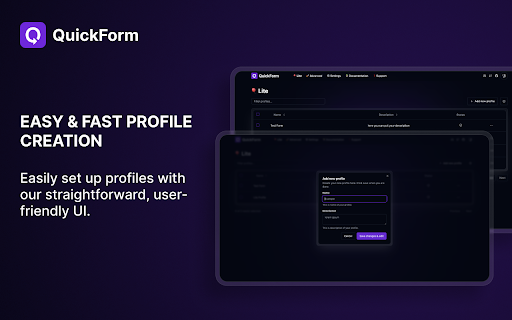


About
QuickForm is a free form auto fill Chrome extension and form filler that lets you fill out any online form in one click. Unlike browser autofill or other auto fill extensions, QuickForm works on complex web apps: React, Angular, Vue, dynamic SPAs, internal tools, staging environments, and enterprise portals.

🔴 How It Works:

1. Activate Record Mode on any web form
2. Fill it out naturally - QuickForm saves every field automatically
3. One click to autofill that form anytime, instantly and accurately, every time

⚡ Features:

☁️ Sync Across Devices — Your profiles are securely stored and available on every Chrome instance you use. Switch machines, keep your forms.
🔥 Record Mode - Automatically detect and capture form fields. No manual configuration needed.
🤖 Smart Field Recognition - Recognize and fill new forms automatically across sites, even without recording them first. Opt out anytime in Settings.
🖱️ Auto-Click - Automate clicks between form steps, buttons, and navigation.
⏳ Smart Delays - Set timed pauses for pages with loading states or dynamic content.
✅ All Field Types - Input, textarea, checkbox, radio buttons, select dropdowns, date pickers, and more.
🏎️ Multiple Profiles - Create different profiles for different forms or environments.
📄 Duplicate Profiles - Clone and modify profiles for similar forms.
🔗 URL-Specific Profiles - Link profiles to specific websites for automatic form filling.
📥📤 Import/Export - Backup, share, and transfer profiles between devices.
🎨 Autofill Animation - Customize the speed of form filling.
⚡ Fast Access - Fill forms from the toolbar icon or right-click context menu.

🎯 Built For:

- QA engineers and testers running the same test forms hundreds of times across staging, dev, and production
- Developers working with admin panels, staging forms, internal tools and environment-specific forms.
- Job seekers tired of retyping the same details across every application portal
- Data entry teams who need fast, accurate, repeatable form filling and repeatable submissions at scale.
- Anyone who's tired of typing the same information into forms

🏆 Why QuickForm Over Other Autofill Extensions?

- Works where others fail - Supports React, Angular, Vue, and dynamic web apps that break generic autofill tools.
- Record Mode means zero setup - No CSS selectors, no field mapping, no technical knowledge needed.
- 100% free - No premium tier, no paywalled features, no usage limits.
- No account required - Install and start using immediately, no sign-up.

🔒 Privacy & Security:

Your profiles stay on your device — encrypted, synced privately across your Chromes, never sold or shared. To make autofill smarter over time, QuickForm can learn from form structure and on-screen content while the extension is active on a tab.

Automate form filling in Chrome today. Download QuickForm, the fast, free, and private form filler and autofill extension trusted by 50,000+ users 🌟. Free forever.
Technical
- Version
- 1.17.3
- Manifest
- V3
- Size
- 2.54MiB
- Min Chrome
- 88
- Languages
- 1
- Featured
- Yes
Metadata
- ID
- hmbnbbbknglecphfogchkhpdjiodfclh
- Developer ID
- ue8e2971707c7b5807d7bba7425ba0d28
- Developer Email
- [email protected]
- Created
- Jan 29, 2024
- Last Updated (Store)
- Jun 23, 2026
- Last Scraped
- Jun 25, 2026
- Website
- quickform.pro
- Support URL
- https://www.quickform.pro/support
- Privacy Policy
- https://www.quickform.pro/privacy
Similar extensions
Alternatives to QuickForm - Autofill & Form Filler, ranked by description similarity.

QuickFill - Your Ultimate Form Autofiller
QuickFill simplifies the process of filling out online forms. Say goodbye to repetitive typing and hello to QuickFill!
91

Easy AutoFill Forms With 1 Click - Any Website
Save form data and autofill it when needed.
130

Auto Fill Input Form
Smart form filler with auto-suggestions and context menu integration.
26
★ 5.0

Form Autofill Pro
Capture, save and auto-fill forms with your profiles
33

Smart Form Fill
Smart Form Fill is a Chrome extension that automatically fills out forms using your personal data.
19

Form Autofill
Form Autofill Assistance
14

Form Filler Pro
FormFiller Pro: Boost Your Productivity with Smart Form Automation
Tired of repetitive form filling? Say goodbye to tedious data…
66

AutoFill Pro - Smart Profiles, Recorder By Patilweb
Advanced form auto-fill extension with smart profiles, recorder, and auto-detect features.
20
★ 5.0
Data sourced from the Chrome Web Store · last verified Jun 25, 2026.