
DocKit — PDF, Word & Excel Tools, eSign & Translate
All your PDF, Word & Excel tools in one place. Merge, split, compress, convert, sign and translate — 100% on your device.
As of July 2026, DocKit — PDF, Word & Excel Tools, eSign & Translate has — users in the Productivity category.
Usersno change0%
—
—
Ratingno change0%
—
— reviews
Reviewsno change0%
—
Version
1.4.0
Manifest V3
History
1 snapshotsTracking since Jul 8, 2026.
Not enough history yet for this metric — the chart fills in as we collect more snapshots.
View as table
| Date | Users | Rating | Reviews | Version |
|---|---|---|---|---|
| Jul 8, 2026 | — | — | — | 1.4.0 |
| Now | — | — | — | 1.4.0 |
Permissions & access
- Permissions
- storage
- Host access
- None declared
Screenshots


About
DocKit — every PDF, Word and Excel tool in one place, 100% on your device.

DocKit is a complete document toolkit for your browser. Merge, split, compress, convert, edit, eSign, OCR, redact and translate PDF, Word and Excel files — all without uploading a single file. Every tool runs entirely on your own device, so your documents never leave your browser. No account, no sign-up, nothing sent to a server. It's the fast, private way to handle PDFs and documents right where you already work.

Most online PDF tools upload your files to their servers to process them. DocKit doesn't. Whether you're merging a contract, signing an agreement, redacting sensitive data or translating a report, everything happens locally — private by design, and it even works offline.

📄 Organise & edit PDFs
Merge multiple PDFs into one, split them apart, rotate, reorder, delete and duplicate pages, and compress large files down to size — all in one clean drag-and-drop workspace.
🔄 Convert to and from PDF
Turn Word documents, Excel spreadsheets, CSV files and images into PDFs, and convert PDFs back out. Combine multiple files into a single document in one step.
✍️ eSign documents
Draw, type or upload your signature and place it anywhere on the page. Sign contracts, agreements and forms in seconds — no printing, no scanning.
📝 Fill PDF forms
Complete interactive PDF forms and flatten them for sending, with support for text fields, checkboxes and dropdowns.
🔍 OCR — make scans searchable
Turn scanned pages and photos of documents into fully searchable, selectable text. Runs entirely on your device using on-device text recognition.
⬛ True redaction
Permanently remove sensitive information — redacted text is destroyed, not just hidden behind a black box, so the words underneath are gone for good. Essential for legal, medical, HR and financial documents.
🔢 Bates numbering, headers & footers
Add sequential Bates numbers for legal and discovery documents, plus custom headers and footers with automatic page numbers and dates.
💧 Watermarks & page numbers
Stamp documents with text watermarks and add page numbers in any position.
🔒 Protect & unlock PDFs
Add password protection to keep documents secure, remove passwords from files you own, and repair damaged PDFs.
🌐 Translate whole documents
Translate Word documents in place while keeping their original formatting — powered by on-device translation, with no file ever uploaded.
📚 Batch processing
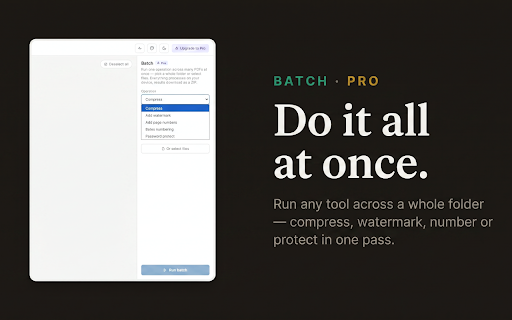
Run any tool across a whole folder of PDFs at once — compress, watermark, number, apply Bates or password-protect dozens of files in a single pass. Results download as a ZIP.

Why DocKit?
✅ 100% on your device — files never leave your browser
✅ No account, no sign-up, works offline
✅ Every core tool free on a single document
✅ One clean workspace for every document task
✅ Fast, private and built for people who handle documents all day

Stop juggling half a dozen sketchy online converters that upload your files to who-knows-where. DocKit puts every document tool in one private, on-device place.

DocKit is a product from niallcodes — an independent software project based in the United Kingdom.
Technical
- Version
- 1.4.0
- Manifest
- V3
- Size
- 8.47MiB
- Min Chrome
- 88
- Languages
- 1
- Featured
- No
Metadata
- ID
- hlnkhgnhedehmcinodpfbjdhofckhmfc
- Developer ID
- u469fb93ba8d56ca01a4a9aadb7ec3ec5
- Developer Email
- [email protected]
- Created
- Jul 7, 2026
- Last Updated (Store)
- Jul 7, 2026
- Last Scraped
- Jul 8, 2026
- Website
- —
- Support URL
- —
- Privacy Policy
- https://niallcodes.com/dockit-privacy.html
Data sourced from the Chrome Web Store · last verified Jul 8, 2026.