
HRTE
Horizen Rewards/Transactions Exporter
As of May 2026, HRTE has 7 users in the Productivity category.
Usersdown 30.0 percent−30.0%
7
7
Ratingno change0%
—
— reviews
Reviewsno change0%
—
Version
1.4.3
Manifest V3
History
1 snapshotsTracking since Apr 25, 2026.
View as table
| Date | Users | Rating | Reviews | Version |
|---|---|---|---|---|
| Apr 25, 2026 | 10 | — | — | 1.4.3 |
| Now | 7 | — | — | 1.4.3 |
Permissions & access
- Permissions
- None declared
- Host access
- https://explorer.horizen.global/*, https://explorer.zen-solutions.io/*, https://explorer.zensystem.io/*
Screenshots

About
This application can be used to export the income of Horizen master and securenodes or mining of any address (e.g. for your tax report). You can also just export all transactions in raw format. (Github: https://github.com/FlueschPluesch/hrte)

Extension usage:

- Navigate to a Horizen Explorer, e.g. https://explorer.horizen.global/, https://explorer.horizen.io/, https://explorer.zen-solutions.io, https://explorer.zensystem.io.

- Enter your address in the top search bar of the insight explorer.

- Click the "Download all rewards/transactions" button.

- Have a look at the reward addresses. The two given addresses are for the payments from master- and securenodes. They usually do not need to be changed. You can add further addresses, for example those of a mining pool. The rewards will later be recognized as such when they came from one of these addresses.

- Click the "Start" button to fetch all transactions.

- Wait for the tool to finish querying.

- Select your time range.

- If you want to combine your transactions into one per month or year, you can use the filter "Summarize rewards". This can be useful if you would otherwise have hundreds or even thousands of transactions.

- Select your export type and format.

- Click the "Export rewards as CSV" button. Or, if you want to download all transactions in raw format and not only the rewards, click on the "Export all transactions (raw)" button.

Note that the dates are output in GMT/UTC. It should be correct for your time zone when imported.
Technical
- Version
- 1.4.3
- Manifest
- V3
- Size
- 241KiB
- Min Chrome
- 88
- Languages
- 1
- Featured
- No
Metadata
- ID
- hlcokiejfjkkafinoiknhkbhpedhbgld
- Developer ID
- u51ab5fb75263813c9f1e59d580698bb6
- Developer Email
- [email protected]
- Created
- Jun 16, 2020
- Last Updated (Store)
- Oct 6, 2023
- Last Scraped
- May 21, 2026
- Website
- —
- Support URL
- —
Similar extensions
Alternatives to HRTE, ranked by description similarity.

Wealthsimple Exporter
A browser extension that allows you to export your Wealthsimple transactions
182
★ 2.3

CurseForge Earnings Exporter
Provides an export button on the Curseforge Transactions page to export CurseForge Author Rewards transactions to a PDF summary.
11

ES Profile Exporter
Exports your ES explorer profile into a JSON file.
186

Crypto Bot Transactions Export
Export Crypto Bot (send.tg) transaction history to Raw CSV or Koinly format
5

Kromascan Profile Exporter
Exports your kromascan.com profile into a JSON file.
—

TR eXporter (CSV)
Export your data from Trade Republic to CSV
313
★ 3.0
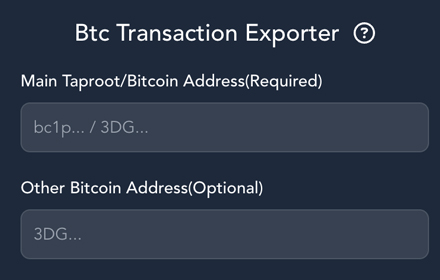
Btc Transaction Exporter
Export csv bitcoin transactions of specific wallet address
162

BlockScan Profile Export Tool
Export your blockchain explorer profiles (addresses, transactions, and tokens) quickly in JSON, CSV or TXT formats
13
Data sourced from the Chrome Web Store · last verified May 21, 2026.