Passwarden by KeepSolid – Password Manager
Passwarden is your best assistant to store and secure your passwords & any other sensitive information right in Chrome.
As of May 2026, Passwarden by KeepSolid – Password Manager has 1,000 users and a 4.05/5 rating from 19 reviews in the Workflow & Planning category.
Usersno change0%
1.0K
1,000
Ratingno change0%
4.05
19 reviews
Reviewsno change0%
19
Version
1.3.6
Manifest V3
History
1 snapshotsTracking since Apr 25, 2026.
View as table
| Date | Users | Rating | Reviews | Version |
|---|---|---|---|---|
| Apr 25, 2026 | 1.0K | 4.05 | 19 | 1.3.6 |
| Now | 1.0K | 4.05 | 19 | 1.3.6 |
Permissions & access
- Permissions
- tabsalarmsstorageactiveTab
- Host access
- *://*/*
Screenshots
About
Safeguard all your data and auto-fill passwords to all accounts that you use in your browser!

No more worries about remembering infinite amounts of passwords or any other information as Passwarden will do it for you. Choosing our Chrome extension, you have to remember only the password from your Passwarden account.

Passwarden is a part of our brand new security bundle MonoDefense. Apart from Passwarden, MonoDefense includes a reliable solution for unrestricted and secure internet access VPN Unlimited. And the range of MonoDefense solutions will be extended. So stay tuned for updates!

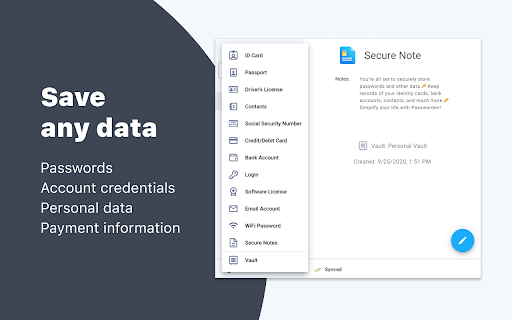
Our extension for Chrome becomes your own secure storage where you can securely keep all the following data:
- Passwords (the ones you use in all the apps and browsers)
- Credentials (email and social media accounts, WiFi passwords, etc.)
- Personal data (ID, Driver’s License, SSN, etc.)
- Payments data (credit/debit cards, bank account)

Why use Passwarden by KeepSolid? With our extension, you can:
- Keep all your passwords in one place
- Create secure notes
- Store credentials and payments data
- Generate unique strong passwords
- Encrypt your sensitive information
- Access all that data in a few taps
- Benefit from unlimited devices per account
- Securely share your data with others
- Hide your data in case of an emergency
- Use biometric unlock
- Ensure protection of your data with two-factor authentication
- Entrust your online security to cyber-security experts

Features of Passwarden by KeepSolid available in the Chrome browser:

* Rock-solid encryption
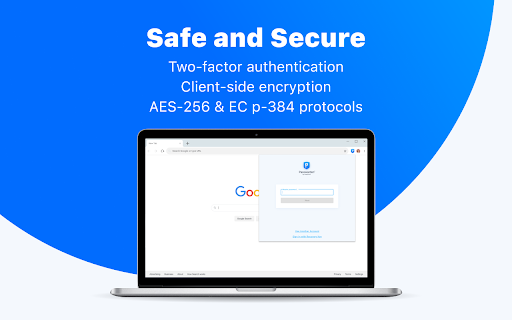
Striving to provide you with the complete security of all data you store in our app, we’ve implemented client-side data encryption via AES-256 and ЕС р-384 protocols. As a result, all your information remains unreadable and uncrackable for any unauthorized third party.

* Duress mode
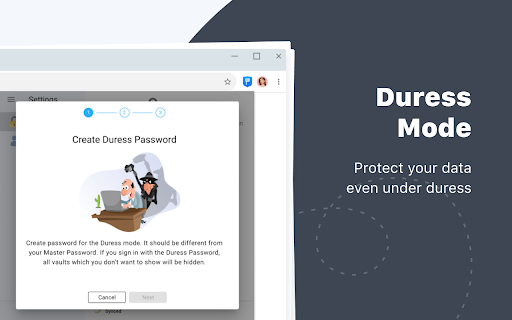
This is a super-cool feature for emergencies when you are required to show the data in our extension under duress. All you have to do is to define the data you can show in advance and then create your Duress password. In case of an emergency, you can just use the aforementioned password and the extension will show only that data you’ve prepared.

* Unlimited devices per account
You can easily access your sensitive data stored in Passwarden with any device you’ve previously added to your list. It’s extremely convenient: you store your data on one device and use them on another.

* Password generator
Tired of creating new various unique passwords for all your accounts? Our password manager is at your disposal. With this helpful feature, you can generate an unlimited number of uncrackable passwords in a matter of seconds. Passwarden helps you to stop suffering about creating and remembering new strong passwords.

* Two-factor authentication
Thanks to such an extra layer of security, you will be the only one to access your Vaults in our extension. Enable two-factor authentication, select the needed type (authenticator app and email one-time passcode), and enjoy complete security of your data.

* 24/7 friendly customer support
In case you have any questions about our password manager, feel free to drop an email to [email protected]

Legal information:
https://www.keepsolid.com/eua
https://www.keepsolid.com/privacy-policy
Technical
- Version
- 1.3.6
- Manifest
- V3
- Size
- 10.1MiB
- Min Chrome
- 116
- Languages
- 12
- Featured
- Yes
Metadata
- ID
- hlcjpjebakkiaolkpceofenleehjgeca
- Developer ID
- u07e8b5d14229f8c5e837f7a46a5f048b
- Developer Email
- [email protected]
- Created
- Sep 28, 2020
- Last Updated (Store)
- Jan 18, 2024
- Last Scraped
- May 21, 2026
- Website
- —
- Support URL
- https://www.keepsolid.com/passwarden/
- Privacy Policy
- https://www.keepsolid.com/privacy-policy
Similar extensions
Alternatives to Passwarden by KeepSolid – Password Manager, ranked by description similarity.

EasyPass – Secure Passwords in One Click
Create secure passwords instantly – simple, smart, and safe with EasyPass.
3
TweakPass: Free Password Manager
Manage your passwords on a single click
718
★ 4.7

pCloud Pass - Password manager
Easily log in to websites, autofill online forms and use suggested passwords without leaving your browser.
10.0K
★ 3.4

Pass Protect
Secure your digital life with Pass Protect, the ultimate password manager.
15

PassPocket
Generate high quality passwords with the click of a button.
2

Safepass: password generator - unique, random, and strong
SafePass – a unique, strength-driven password generator ensures your passwords are robust and random, offering security for free.
1.0K
★ 4.3

All Pass Hub | Secure Password Manager for Personal and Business
Secure Password Manager & Encrypted Vault
160
★ 5.0
1Password – Password Manager
The best way to experience 1Password in your browser. Easily sign in to sites, generate passwords, and store secure information.
6.0M
★ 2.9
Data sourced from the Chrome Web Store · last verified May 21, 2026.