
ChartSnap for Polymarket
Capture & customize Polymarket charts with backgrounds, overlays, and more. Export professional screenshots in one click.
As of June 2026, ChartSnap for Polymarket has 1 users in the Productivity category.
Usersno change0%
1
1
Ratingno change0%
—
— reviews
Reviewsno change0%
—
Version
1.0.1
Manifest V3
History
4 snapshotsTracking since Apr 1, 2026.
View as table
| Date | Users | Rating | Reviews | Version |
|---|---|---|---|---|
| Apr 1, 2026 | — | — | — | 1.0.1 |
| Apr 16, 2026 | 1 | — | — | 1.0.1 |
| Apr 26, 2026 | — | — | — | 1.0.1 |
| Jun 9, 2026 | — | — | — | 1.0.1 |
| Now | 1 | — | — | 1.0.1 |
Permissions & access
- Permissions
- clipboardWrite
- Host access
- None declared
Screenshots


About
ChartSnap adds a simple screenshot button to Polymarket market pages, letting you capture and share prediction market charts instantly.

**Key Features**

- One-Click Capture: Click the camera icon to instantly screenshot any market chart
- High-Quality Output: Renders at 2x resolution for crisp, retina-ready images
- Smart Headers: Automatically includes the market title and icon in your screenshot
- Seamless Integration: Button appears naturally alongside existing Polymarket controls
- Instant Download: Screenshots save directly to your downloads folder as PNG files

**How It Works**

1. Visit any market page on Polymarket
2. Find the camera icon in the header action bar (next to Share/Bookmark)
3. Click to capture and download the chart

**Perfect For**

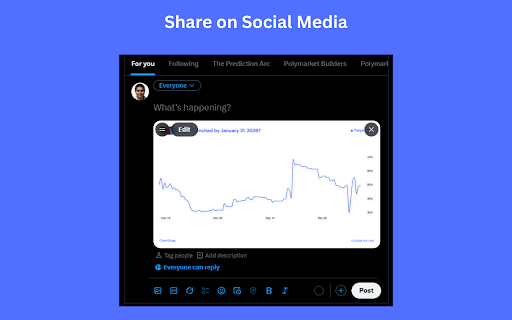
- Sharing market insights on social media
- Adding charts to research reports and articles
- Archiving market positions and predictions
- Creating content about prediction markets

**Privacy Focused**

ChartSnap requires no special permissions. It only runs on Polymarket pages and never collects, stores, or transmits any user data. All processing happens locally in your browser.
Technical
- Version
- 1.0.1
- Manifest
- V3
- Size
- 117KiB
- Min Chrome
- 88
- Languages
- 1
- Featured
- No
Metadata
- ID
- hjbhmgakfhdjpjjcanhhiogpoeaadiml
- Developer ID
- ue525d1e7559fa3832b258ab1e8c93580
- Developer Email
- [email protected]
- Created
- Jan 5, 2026
- Last Updated (Store)
- Jan 7, 2026
- Last Scraped
- Jun 9, 2026
- Website
- —
- Support URL
- —
- Privacy Policy
- —
Similar extensions
Alternatives to ChartSnap for Polymarket, ranked by description similarity.

SnapShot
Screenshot & Annotate. Capture, mark up, and share in seconds.
60
★ 5.0

QuickShot Screenshot & Crop
Select any area of a webpage and capture it as an image.
33

SnapItDropIt
Right-click to capture, manually redact what matters, then paste or auto-upload. Fast, simple, privacy-first.
5

Snapmark - Screenshot & Annotate
Capture screenshots and annotate with arrows, text, shapes, and highlights. Perfect for tutorials, bug reports, and documentation.
1

Snaply
A browser extension for taking screenshots of DOM elements
—

Screenie — Screenshot & Annotate
Take a Screenie. Draw on it. Done. Capture, annotate with arrows & text, save as PNG.
—

ScribShot - Screenshot Tool
Simple, powerful screenshots for the web
8
★ 5.0

SnipSnap
Save copied text & screenshots. Auto-organized by domain and date so you never lose track. Lightweight, private, and always on
6
★ 5.0
Data sourced from the Chrome Web Store · last verified Jun 9, 2026.