
网址导航新标签页
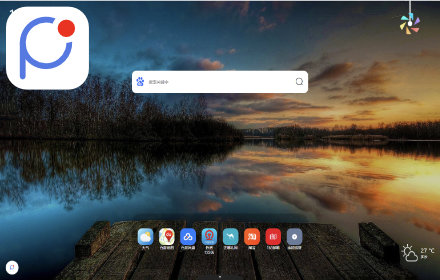
极简风格的新标签页,高度自定义的网址导航。可添加导航网站和笔记。导航在线。
As of June 2026, 网址导航新标签页 has 21 users in the Workflow & Planning category.
Usersup 10.5 percent+10.5%
21
21
Ratingno change0%
—
— reviews
Reviewsno change0%
—
Version
1.37
Manifest V3
History
5 snapshotsTracking since Apr 1, 2026.
View as table
| Date | Users | Rating | Reviews | Version |
|---|---|---|---|---|
| Apr 1, 2026 | 19 | — | — | 1.37 |
| Apr 19, 2026 | 21 | — | — | 1.37 |
| Apr 29, 2026 | 20 | — | — | 1.37 |
| May 8, 2026 | 17 | — | — | 1.37 |
| Jun 4, 2026 | 18 | — | — | 1.37 |
| Now | 21 | — | — | 1.37 |
Permissions & access
- Permissions
- storagetabsbookmarks
- Host access
- http://*/*, https://*/*
Screenshots


About
完全自定义新标签页中的网址导航。以网格形式展示网址,布局清晰直观。

无广告,无小组件。简洁纯净。


添加网址到新标签页的方式:

1.  从浏览器书签栏直接拖拽书签至格子内。

2.  浏览网页时,点击浏览器工具栏中的插件图标,一键添加当前网址。

3.  通过“导入”功能,批量添加现有书签收藏夹。


拖拽:每个格子可自由改变位置,实现个性化排列。

右键:可设置格子的背景颜色等样式,便于视觉分类与管理。右键增加行或列,灵活调整布局规模。

双击:双击空白格子可添加简易笔记,附加备忘信息,双击笔记格子可编辑内容。

框选:框选多个格子可批量操作格子。


登录后,所有网格布局、书签网址及相关笔记设置均支持跨设备同步。
Technical
- Version
- 1.37
- Manifest
- V3
- Size
- 155KiB
- Min Chrome
- 88
- Languages
- 1
- Featured
- No
Metadata
- ID
- hilfahbmfiglhfbgiapjfhicmkpbeoil
- Developer ID
- u21ca0aa0f518c62ce30c82a3fe3bbdbf
- Developer Email
- [email protected]
- Created
- Mar 6, 2025
- Last Updated (Store)
- Nov 29, 2025
- Last Scraped
- Jun 4, 2026
- Website
- ispdf.com
- Support URL
- https://f.wps.cn/g/VgkMlbQM/
- Privacy Policy
- https://www.kdocs.cn/l/cro3HxKIBYjf
Similar extensions
Alternatives to 网址导航新标签页, ranked by description similarity.
pick-newtab新标签页
pick-简约风景主题壁纸新标签,高清壁纸、主题切换、天气、时间、数据云同步、自定义导航。
35

Easy New Tab
只做新标签页书签管理,Only manage new tab bookmarks.
1

半文鱼新标签页
更懂你的新标签导航页,全新组件模式,支持任意布置,快速添加常用网站和免费无广告小组件,让您的办公生活得心应手!
266
★ 5.0

funtabs新标签页 - 简约好用的浏览器起始页!
funtabs新标签页(原趣标签页、方格桌面),简约导航,予你分享!卡片收藏,个性自创!支持自定义您新标签页上的导航卡片、文章收藏、精美壁纸以及搜索引擎,创建、编辑及分享属于您自己的浏览器标签页,美化您的浏览器主页与newtab新标签页!
168
★ 5.0

ssstab
ssstab新标签页,你的网络书签管理工具.
21

HaoTab 新标签页 - 优雅的新标签页
优雅的自定义你的新标签页
146
★ 5.0

TabUI:新起始頁
TabUI-簡潔精美實用的書簽管理頁
1

TabNest - 智能标签分组管理器
智能管理浏览器标签页,自动分组整理,支持自定义规则,让您的标签页井然有序。
144
★ 3.5
Data sourced from the Chrome Web Store · last verified Jun 4, 2026.