
Collac - Local SEO Tools
Tools for local SEO in Google Maps.
As of June 2026, Collac - Local SEO Tools has 874 users and a 5.00/5 rating from 23 reviews in the Productivity category.
Usersup 29.3 percent+29.3%
874
874
Ratingno change0%
5.00
23 reviews
Reviewsup 4.5 percent+4.5%
23
Version
1.3.30
Manifest V3
90-day change · In the last 90 days this extension 2 version updates.
History
11 snapshotsTracking since Apr 1, 2026.
View as table
| Date | Users | Rating | Reviews | Version |
|---|---|---|---|---|
| Apr 1, 2026 | 676 | 5.00 | 22 | 1.3.26 |
| Apr 16, 2026 | 703 | 5.00 | 22 | 1.3.26 |
| Apr 22, 2026 | 784 | 5.00 | 22 | 1.3.27 |
| Apr 27, 2026 | 788 | 5.00 | 22 | 1.3.27 |
| May 4, 2026 | 791 | 5.00 | 22 | 1.3.27 |
| May 10, 2026 | 794 | 5.00 | 22 | 1.3.27 |
| May 15, 2026 | 821 | 5.00 | 23 | 1.3.27 |
| May 21, 2026 | 839 | 5.00 | 23 | 1.3.27 |
| May 28, 2026 | 818 | 5.00 | 23 | 1.3.30 |
| Jun 3, 2026 | 846 | 5.00 | 23 | 1.3.30 |
| Jun 9, 2026 | 876 | 5.00 | 23 | 1.3.30 |
| Now | 874 | 5.00 | 23 | 1.3.30 |
Changelog
- May 21, 2026description
This extension is the ultimate Swiss Army knife for Local SEO professionals, developers, and digital marketers. It simplifies complex technical tasks, allowing you to retrieve hidden Google Maps identifiers, simulate local searches with precision, and export business data at scale.

  🚀 Key Features:

  1. Instant ID Extraction (CID & Place ID)
  Stop inspecting source code manually. With just one click on any Google Maps business listing, instantly retrieve:
  - CID (Customer ID): The unique decimal identifier essential for Business Profile management and SEO tools.
  - Place ID: The official Google Places API identifier, crucial for developers and integrations.
  - NAP+ Details: Address, phone number, website, category, and star rating — all extracted automatically.
  - GBP Direct URLs: Ready-to-use links to write a review and get directions.
  - CSV Export: Add multiple listings to a buffer and export them all as a spreadsheet with one click.

  2. UULE Code Generator & Local Search
  View Search Engine Results Pages (SERPs) exactly as a user sees them in a specific location.
  - Generate UULE: Enter a keyword and a location (city or zip code) to generate the corresponding UULE parameter automatically.
  - GPS Mode (a+): Hyper-local UULE generation using exact GPS coordinates.
  - Capture from Maps: Automatically fill in coordinates from the center of the active Google Maps tab.
  - Language Selection (hl): Force the search results language to verify international rankings.
  - Local Finder Mode: Perform searches in Google's Local Finder (tbm=lcl) to audit local pack results.

  3. Geolocation Simulator
  Test how websites and search results behave when browsing from specific coordinates.
  - Custom Coordinates: Enter custom latitude and longitude.
  - Browser Override: Overrides your browser's geolocation API to simulate being anywhere in the world.
  - Capture from Maps: Fill coordinates directly from the active Maps tab.

  🛠️ Additional Features:
  - Modern Interface: Clean dark/light theme, easy on the eyes.
  - Lightweight: No background resource consumption.
  - 100% Privacy Focused: No browsing data or personal information is collected. All processing happens locally in your browser.
  - Bilingual: Fully available in English and Spanish.

  🎯 Who is this extension for?
  - Local SEO experts auditing GMB/GBP listings and local pack rankings.
  - Marketers checking SERPs from different cities or regions.
  - Web developers needing Place IDs and CIDs for map integrations.
  - Agencies managing multiple business profiles that need bulk CSV exports.
This extension is the ultimate Swiss Army knife for Local SEO professionals, developers, and digital marketers. It simplifies complex technical tasks, allowing you to retrieve hidden Google Maps identifiers, simulate local searches with precision, and export business data at scale.

  🚀 Key Features:

  1. Instant ID Extraction (CID & Place ID)
  Stop inspecting source code manually. With just one click on any Google Maps business listing, instantly retrieve:
  - CID (Customer ID): The unique decimal identifier essential for Business Profile management and SEO tools.
  - Place ID: The official Google Places API identifier, crucial for developers and integrations.
  - NAP+ Details: Address, phone number, website, category, and star rating — all extracted automatically.
  - GBP Direct URLs: Ready-to-use links to write a review and get directions.
  - CSV Export: Add multiple listings to a buffer and export them all as a spreadsheet with one click.

  2. UULE Code Generator & Local Search
  View Search Engine Results Pages (SERPs) exactly as a user sees them in a specific location.
  - Generate UULE: Enter a keyword and a location (city or zip code) to generate the corresponding UULE parameter automatically.
  - GPS Mode (a+): Hyper-local UULE generation using exact GPS coordinates.
  - Capture from Maps: Automatically fill in coordinates from the center of the active Google Maps tab.
  - Language Selection (hl): Force the search results language to verify international rankings.
  - SERP Mode Selector: Switch between Default, AI Mode, and Local Finder to audit results as they appear in each Google search experience. AI Mode is available in both Region and GPS; Local Finder requires GPS mode.

  3. Geolocation Simulator
  Test how websites and search results behave when browsing from specific coordinates.
  - Custom Coordinates: Enter custom latitude and longitude.
  - Browser Override: Overrides your browser's geolocation API to simulate being anywhere in the world.
  - Capture from Maps: Fill coordinates directly from the active Maps tab.

  🛠️ Additional Features:
  - Modern Interface: Clean dark/light theme, easy on the eyes.
  - Lightweight: No background resource consumption.
  - 100% Privacy Focused: No browsing data or personal information is collected. All processing happens locally in your browser.
  - Bilingual: Fully available in English and Spanish.

  🎯 Who is this extension for?
  - Local SEO experts auditing GMB/GBP listings and local pack rankings.
  - Marketers checking SERPs from different cities or regions.
  - Web developers needing Place IDs and CIDs for map integrations.
  - Agencies managing multiple business profiles that need bulk CSV exports.
Permissions & access
- Permissions
- activeTabstoragedeclarativeNetRequesttabswebNavigation
- Host access
- <all_urls>
Screenshots


About
This extension is the ultimate Swiss Army knife for Local SEO professionals, developers, and digital marketers. It simplifies complex technical tasks, allowing you to retrieve hidden Google Maps identifiers, simulate local searches with precision, and export business data at scale.

  🚀 Key Features:

  1. Instant ID Extraction (CID & Place ID)
  Stop inspecting source code manually. With just one click on any Google Maps business listing, instantly retrieve:
  - CID (Customer ID): The unique decimal identifier essential for Business Profile management and SEO tools.
  - Place ID: The official Google Places API identifier, crucial for developers and integrations.
  - NAP+ Details: Address, phone number, website, category, and star rating — all extracted automatically.
  - GBP Direct URLs: Ready-to-use links to write a review and get directions.
  - CSV Export: Add multiple listings to a buffer and export them all as a spreadsheet with one click.

  2. UULE Code Generator & Local Search
  View Search Engine Results Pages (SERPs) exactly as a user sees them in a specific location.
  - Generate UULE: Enter a keyword and a location (city or zip code) to generate the corresponding UULE parameter automatically.
  - GPS Mode (a+): Hyper-local UULE generation using exact GPS coordinates.
  - Capture from Maps: Automatically fill in coordinates from the center of the active Google Maps tab.
  - Language Selection (hl): Force the search results language to verify international rankings.
  - SERP Mode Selector: Switch between Default, AI Mode, and Local Finder to audit results as they appear in each Google search experience. AI Mode is available in both Region and GPS; Local Finder requires GPS mode.

  3. Geolocation Simulator
  Test how websites and search results behave when browsing from specific coordinates.
  - Custom Coordinates: Enter custom latitude and longitude.
  - Browser Override: Overrides your browser's geolocation API to simulate being anywhere in the world.
  - Capture from Maps: Fill coordinates directly from the active Maps tab.

  🛠️ Additional Features:
  - Modern Interface: Clean dark/light theme, easy on the eyes.
  - Lightweight: No background resource consumption.
  - 100% Privacy Focused: No browsing data or personal information is collected. All processing happens locally in your browser.
  - Bilingual: Fully available in English and Spanish.

  🎯 Who is this extension for?
  - Local SEO experts auditing GMB/GBP listings and local pack rankings.
  - Marketers checking SERPs from different cities or regions.
  - Web developers needing Place IDs and CIDs for map integrations.
  - Agencies managing multiple business profiles that need bulk CSV exports.
Technical
- Version
- 1.3.30
- Manifest
- V3
- Size
- 47.25KiB
- Min Chrome
- 88
- Languages
- 2
- Featured
- No
Metadata
- ID
- hihnanbkpaejokojcbpokepjpabcmekn
- Developer ID
- uf9794d383d7308803f67f630b788fce4
- Developer Email
- [email protected]
- Created
- Jan 30, 2026
- Last Updated (Store)
- May 21, 2026
- Last Scraped
- Jun 9, 2026
- Website
- —
- Support URL
- —
- Privacy Policy
- —
Similar extensions
Alternatives to Collac - Local SEO Tools, ranked by description similarity.

GBP Agent Extraordinaire
GBP audit tool for Local SEO. Extract categories, reviews, NAP data & export CSV from Google Maps & Search.
13

GMB PLUG: Google Maps & Local SEO Tool for Google Business Profile
Local SEO Tool for Google Business Profile
6.0K
★ 5.0

Place ID & CID Finder for Google Maps™
Find Place ID, CID, and Business Name from Google Maps.
37
★ 5.0
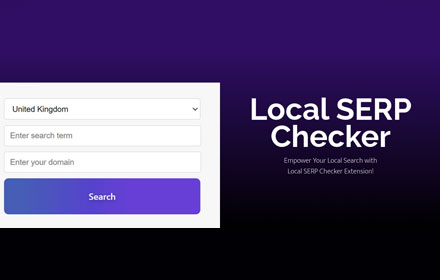
Local SERP Checker
View Google search results from any location worldwide. Accurate local SEO tool with UULE generation and multi-language support.
152
★ 5.0

Niche Finder Pro - Google and Ahrefs combined
Find low-competition local markets. Combines Google search data with Ahrefs for professional competitive analysis.
1.0K
★ 4.9

Google Search Location Changer & UULE Code Generator for Geo Results
Change your Google search location instantly with UULE codes to see geo-targeted results anywhere in the world.
684
★ 5.0

Free Local Rank Guru Tracker & Checker
Free GMB and local rank checker for Google Maps: run geo-grid scans, track keyword rankings, and save results to Local Rank Guru.
195
★ 5.0

Business Email & Social Media Leads Generator For Google Maps
View business emails, phone numbers, websites & all social links from Google Maps leads—fast, reliable, and ready to use.
610
★ 5.0
Data sourced from the Chrome Web Store · last verified Jun 9, 2026.