MasterPassword for chrome
Remember your MasterPassword, and this app will generate unique passwords for every other site you visit
As of June 2026, MasterPassword for chrome has 2,000 users and a 4.71/5 rating from 34 reviews in the Privacy & Security category.
Usersdown 33.3 percent−33.3%
2.0K
2,000
Ratingno change0%
4.71
34 reviews
Reviewsno change0%
34
Version
3.0.0
Manifest V3
90-day change · In the last 90 days this extension lost 1.0K users.
History
2 snapshotsTracking since May 3, 2026.
View as table
| Date | Users | Rating | Reviews | Version |
|---|---|---|---|---|
| May 3, 2026 | 3.0K | 4.71 | 34 | 3.0.0 |
| Jun 1, 2026 | 3.0K | 4.71 | 34 | 3.0.0 |
| Now | 2.0K | 4.71 | 34 | 3.0.0 |
Permissions & access
- Permissions
- activeTabscriptingclipboardWritestoragealarmsnativeMessaging
- Host access
- None declared
Screenshots
About
One of todays main security challenges on the web is passwords. You typically have to login at many different sites, and remembering a different password for every site is hard. Unfortunately one of the sites you use will sooner or later be hacked, and passwords leaked. If that password is reused on other sites, the hackers will have access to all your accounts.
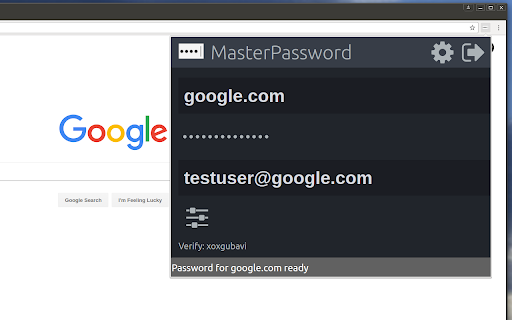
MasterPassword can help. With one master password, a unique one can be generated for each site. When you need to login, this addon will complete the site password for you. And it is impossible to guess the master password from a site password. Read more at http://masterpasswordapp.com

The MasterPassword algorithm is standardized. You can find app's for Ios, Android, Windows, Mac and Linux.

One of MasterPasswords strong points is that neither the master or site password is stored anywhere. The site password is rather generated mathematically every time. This is in clear contrast to many other password managers, like Chrome's built in password manager. If your computer or browser is hacked, solutions where the password is stored can give away all your passwords! Similar dangers exists with cloud based solutions.

The MasterPassword addon can of course co exist with other password managers and will stay out of your way until you click the MasterPassword button. If you chose to uninstall the addon, you'll just have to remember the passwords you've generated, or import them into another password manager.

Since passwords in MasterPassword are mathematically generated, it is impossible to import other custom passwords into master password. They would have to be stored on your computer, which defeats MasterPassword's working principle. As such, it is convenient to use the Chrome password manager for such passwords, until you find a time to switch a site to MasterPassword.

Also note that when MasterPassword enters a password for you, Chrome will behave like you typed it on the keyboard, and prompt you if you want to save it. You can of course accept this, but your passwords will then be stored and risk being stolen. I'd therefore suggest to reject that offer.

Protect your accounts on the web - Use MasterPassword
Technical
- Version
- 3.0.0
- Manifest
- V3
- Size
- 226KiB
- Min Chrome
- 102
- Languages
- 1
- Featured
- Yes
Metadata
- ID
- hifbblnjfcimjnlhibannjoclibgedmd
- Developer ID
- u8cad0942bcf923f0de15d21ffee37ebf
- Developer Email
- [email protected]
- Created
- Sep 11, 2015
- Last Updated (Store)
- Oct 15, 2023
- Last Scraped
- Jun 1, 2026
- Website
- —
Similar extensions
Alternatives to MasterPassword for chrome, ranked by description similarity.

Sekure Password
Store and manage your passwords. Sign into sites quicker with the autofill feature.
12
★ 5.0

Parked Password
The extension generates a password for a website based on the hash algorithm
26
★ 4.3

PasswordMaker Pro
Flexible password generator using a cryptographic hash algorithm of your choice - Fully Compatible with PasswordMaker.org
1.0K
★ 4.4

Vault Password Manager Beta
This extension will help you to manage your passwords
59
★ 4.6

Secure Password Generator - Create Strong Random Passwords for Free
Generate strong passwords in Chrome. Custom length, letters, numbers & symbols. 100% free, secure, no data collection.
6

DualSafe Password Manager & Digital Vault
DualSafe Password Manager extension lets you safely manage passwords in one place to autosave, autofill & access them anytime.
200.0K
★ 4.4

EuSonLito - Password Manager
Easy Connect from Chrome with your own Password Manager Platform
45

MindYourPass – Password Manager
MindYourPass makes authentication safe and easy.
4.0K
★ 4.6
Data sourced from the Chrome Web Store · last verified Jun 1, 2026.