
MultiHighlighter
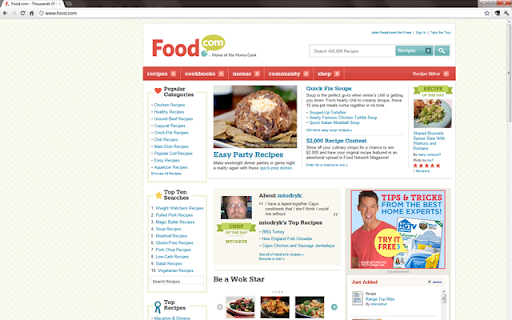
MultiHighlighter allows multi-word searching/highlighting on almost any web page. Each term is highlighted with a unique color.
As of June 2026, MultiHighlighter has 12 users in the Productivity category.
Usersno change0%
12
12
Ratingno change0%
—
— reviews
Reviewsno change0%
—
Version
1.0.124.2
Manifest V3
History
2 snapshotsTracking since Jun 2, 2026.
Not enough history yet for this metric — the chart fills in as we collect more snapshots.
View as table
| Date | Users | Rating | Reviews | Version |
|---|---|---|---|---|
| Jun 2, 2026 | — | — | — | 1.0.124.2 |
| Jun 8, 2026 | — | — | — | 1.0.124.2 |
| Now | 12 | — | — | 1.0.124.2 |
Permissions & access
- Permissions
- None declared
- Host access
- None declared
Screenshots



About
# MultiHighlighter

MultiHighlighter allows multi-word searching/highlighting on almost any web page. Each term is highlighted with a unique color.

Search and highlight or redact text quickly on almost any web page AND local files. Like keywording? MultiHighlighter is a light-weight, yet powerful extension that allows multi-word searching/highlighting on almost any web page and local files.

## Features

- The MultiHighlighter search bar is wired to a hotkey combination (Ctrl+Shift+A to display, Esc to close)
- All search terms are highlighted with a unique background 'highlighter' color
- A real-time count of the number of matched terms appears in the search status area
- Text redaction option allows you to redact currently highlighted terms
- MultiHighlighter does not interfere with the default Chrome browser search functionality
- Highlighting is preserved when printing to standard media or to PDF

## Instructions

- To display the MultiHighlighter search bar, click the extension icon, or press Ctrl+Shift+A in combination after a page has loaded
- Search and highlight occurs as you type in the MultiHighlighter search box
- Highlighting persists after closing the MultiHighlighter search bar
- Highlighting can be removed by clearing all text in the MultiHighlighter search box
- To close the MultiHighlighter search box, press the Esc key, or click the 'X' on the right-hand side
- Only words with a length greater than or equal to 2 are searchable
- Search is currently case-insensitive
- Redaction functionality is currently in-process and will be available soon
- This does not work when viewing PDF documents in Chrome

## Note

If you notice any issues when updating to a new version of this extension, try clearing your browser cache, and then restarting your browser session.
Technical
- Version
- 1.0.124.2
- Manifest
- V3
- Size
- 272KiB
- Min Chrome
- 88
- Languages
- 1
- Featured
- No
Metadata
- ID
- hhopekpldkldcjkjnepicdigdjmhaofm
- Developer ID
- u055e57200ce1be1d077903a10c301a15
- Developer Email
- [email protected]
- Created
- Jun 1, 2026
- Last Updated (Store)
- Jun 1, 2026
- Last Scraped
- Jun 8, 2026
- Website
- —
- Support URL
- —
- Privacy Policy
- —
Data sourced from the Chrome Web Store · last verified Jun 8, 2026.