
Liso: Listen to Highlights
Highlight text on any page and turn it into audio in your Liso library.
As of July 2026, Liso: Listen to Highlights has — users in the Productivity category.
Usersno change0%
—
—
Ratingno change0%
—
— reviews
Reviewsno change0%
—
Version
1.0.0
Manifest V3
History
1 snapshotsTracking since Jul 13, 2026.
Not enough history yet for this metric — the chart fills in as we collect more snapshots.
View as table
| Date | Users | Rating | Reviews | Version |
|---|---|---|---|---|
| Jul 13, 2026 | — | — | — | 1.0.0 |
| Now | — | — | — | 1.0.0 |
Permissions & access
- Permissions
- contextMenusstorageactiveTabalarms
- Host access
- https://resolute-ptarmigan-304.convex.site/*
Screenshots



About
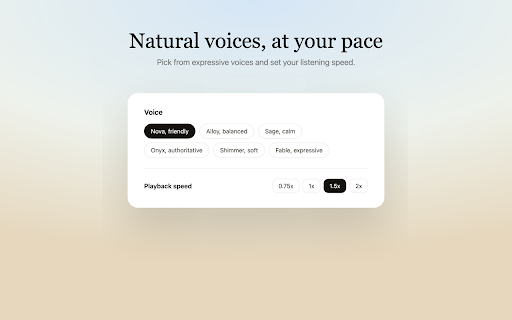
Liso turns anything you read into audio you can listen to. Highlight text on any web page, right-click, and choose "Listen with Liso." It's instantly turned into natural-sounding audio and saved to your Liso library at getliso.app - ready to play on your commute, on a walk, or anytime you'd rather listen than read.

HOW IT WORKS:
1. Add the extension and pair it with your Liso account using a one-time code from Settings.

2. Select text on any page, right-click, and pick "Listen with Liso."

3. Open your library at getliso.app and press play. A toolbar badge shows how many listens are waiting. Liso is perfect for articles, newsletters, blog posts, and anything else you want to get through without staring at a screen. You'll need a free Liso account at getliso.app.
Technical
- Version
- 1.0.0
- Manifest
- V3
- Size
- 9.08KiB
- Min Chrome
- 88
- Languages
- 1
- Featured
- No
Metadata
- ID
- hhnbencljonfillfkbogcefhdfmkajph
- Developer ID
- ua687a28a915f6c5d5b12431bc0770d7d
- Developer Email
- [email protected]
- Created
- Jul 12, 2026
- Last Updated (Store)
- Jul 12, 2026
- Last Scraped
- Jul 13, 2026
- Website
- —
- Support URL
- https://getliso.app
- Privacy Policy
- https://getliso.app/privacy
Data sourced from the Chrome Web Store · last verified Jul 13, 2026.