
Text To Speech, Udemy Course Subtitle Reader with AI Voices | Readio Pro
Experience the power of realistic AI voices that can effortlessly read aloud webpages, EPUBs, PDFs.
As of June 2026, Text To Speech, Udemy Course Subtitle Reader with AI Voices | Readio Pro has 2,000 users and a 4.15/5 rating from 61 reviews in the Productivity category.
Usersno change0%
2.0K
2,000
Ratingno change0%
4.15
61 reviews
Reviewsno change0%
61
Version
1.3.9
Manifest V3
History
2 snapshotsTracking since May 29, 2026.
View as table
| Date | Users | Rating | Reviews | Version |
|---|---|---|---|---|
| May 29, 2026 | 2.0K | 4.15 | 61 | 1.3.9 |
| Jun 6, 2026 | 1.0K | 4.15 | 61 | 1.3.9 |
| Now | 2.0K | 4.15 | 61 | 1.3.9 |
Permissions & access
- Permissions
- storagecontextMenus
- Host access
- *://*/*
Screenshots


About
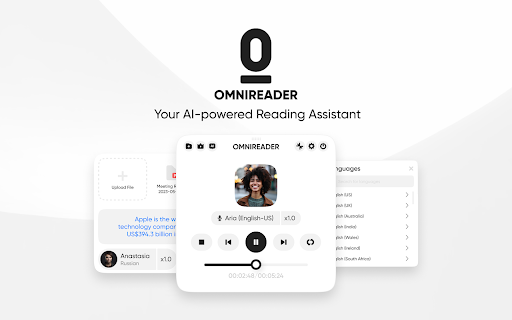
Introducing Readio(formerly OmniReader), the ultimate text-to-speech Chrome extension that brings web content to life with natural-sounding voices. Enjoy seamless auditory experiences for web pages, PDFs, and EPUBs.

(This extension requires a license key to use.)

**Key Features:**

1. **Auto-Pick Web Content:** Simply click the play button, and Readio automatically selects and reads aloud the web content, making it effortless to listen to articles and documents.

2. **Customized Reading:** Readio offers multiple ways to customize your reading experience. You can select a specific portion of text to be read, choose a specific web element, or even right-click to initiate instant audio playback.

3. **Upload and Read PDFs and EPUBs:** Readio allows you to upload your own PDFs and EPUBs for reading. Enjoy your favorite books, reports, and documents as audio content.

4. **Settings Section:** Tailor your experience with handy settings. Configure shortcuts for quick access and fine-tune your reading experience with skip-reading settings to skip over unwanted sections.

5. **Bilingual Reading Experience:** With a simple click, experience web articles in multiple languages as Readio automatically translates paragraphs. Enjoy the convenience of reading both the original text and its translation while listening to synchronized bilingual voices.
Technical
- Version
- 1.3.9
- Manifest
- V3
- Size
- 1.32MiB
- Min Chrome
- 88
- Languages
- 1
- Featured
- No
Metadata
- ID
- hghepaogndoaijlgelomneagnjlhaled
- Developer ID
- u6a56218c04e01f7ac395ff128b2e6253
- Developer Email
- [email protected]
- Created
- May 23, 2023
- Last Updated (Store)
- Feb 9, 2026
- Last Scraped
- Jun 6, 2026
- Website
- readio.online
- Support URL
- —
- Privacy Policy
- https://readio.online/privacy-policy
Data sourced from the Chrome Web Store · last verified Jun 6, 2026.