
My YouTube Video Tweaks
Personalize your YouTube experience with autoplay blocking, volume control, quality selection, and single playback mode.
As of June 2026, My YouTube Video Tweaks has 5 users and a 5.00/5 rating from 1 reviews in the Productivity category.
Usersno change0%
5
5
Ratingno change0%
5.00
1 reviews
Reviewsno change0%
1
Version
1.3
Manifest V3
90-day change · In the last 90 days this extension 1 version update, changed permissions.
History
9 snapshotsTracking since Apr 1, 2026.
View as table
| Date | Users | Rating | Reviews | Version |
|---|---|---|---|---|
| Apr 1, 2026 | — | — | — | 1.2 |
| Apr 16, 2026 | 2 | — | — | 1.2 |
| Apr 24, 2026 | 3 | — | — | 1.2 |
| May 1, 2026 | 6 | 5.00 | 1 | 1.3 |
| May 12, 2026 | 7 | 5.00 | 1 | 1.3 |
| May 18, 2026 | 6 | 5.00 | 1 | 1.3 |
| May 24, 2026 | 8 | 5.00 | 1 | 1.3 |
| May 31, 2026 | 6 | 5.00 | 1 | 1.3 |
| Jun 6, 2026 | 8 | 5.00 | 1 | 1.3 |
| Now | 5 | 5.00 | 1 | 1.3 |
Changelog
- Apr 24, 2026description
Control YouTube playback automatically: disable autoplay, enforce single-tab playback, set default volume, choose quality by FPS, enable Super Resolution (when available), and auto-resume videos with smart thresholds. Includes a searchable history dashboard with bulk actions and blacklist.

Take back control of YouTube playback with automation that stays out of your way.

Core playback controls
-Disable Autoplay: stop YouTube from auto-starting the next video.
-Single Playback Mode: when a video starts in one tab, videos in other tabs are automatically  paused.
-Default Volume + Custom Volume Control: set a preferred volume level for every new video.

Quality & enhancement
-Automatic Quality Selection with per-FPS rules (e.g., different defaults for 30fps vs 60fps).
-Same Quality for All (optional): enforce one quality choice across all videos.
-Super Resolution (optional, when available)

Smart Auto-Resume
-Automatically continue where you left off, with configurable rules:
-minimum watch time before a video is eligible
-minimum video length
-“mark played” time
-retention window (how long resume data is kept)

History dashboard
-A built-in Video History view with:
-search + pagination
-bulk actions (e.g., mark played / remove / blacklist)
-blacklist support to exclude channels/videos from automation

Works quietly in the background,no clutter, just consistent playback behavior.
Control YouTube playback automatically: disable autoplay, enforce single-tab playback, set default volume, choose quality by FPS, enable Super Resolution (when available), and auto-resume videos with smart thresholds. Includes a searchable history dashboard with bulk actions and blacklist.

Take back control of YouTube playback with automation that stays out of your way.

Core playback controls
-Auto Picture-in-Picture
-Disable Autoplay: stop YouTube from auto-starting the next video.
-Single Playback Mode: when a video starts in one tab, videos in other tabs are automatically  paused.
-Default Volume + Custom Volume Control: set a preferred volume level for every new video.

Quality & enhancement
-Automatic Quality Selection with per-FPS rules (e.g., different defaults for 30fps vs 60fps).
-Same Quality for All (optional): enforce one quality choice across all videos.
-Super Resolution (optional, when available)

Smart Auto-Resume
-Automatically continue where you left off, with configurable rules:
-minimum watch time before a video is eligible
-minimum video length
-“mark played” time
-retention window (how long resume data is kept)

History dashboard
-A built-in Video History view with:
-search + pagination
-bulk actions (e.g., mark played / remove / blacklist)
-blacklist support to exclude channels/videos from automation

Works quietly in the background,no clutter, just consistent playback behavior.

What's New in v1.3
Newly Added Functionality
Auto Picture-in-Picture: Imagine you're watching a video and an email drops, or you need to check another tab. Boom! The extension will now automatically pop out a portable mini-player so you never lose track of what's playing while you switch tabs!
Visual Improvements
Cleaner Settings Menu: We squashed a pesky visual bug where some of the longer text descriptions were stubbornly overlapping with the switches on smaller screens. Everything is perfectly organized and aligned now!
- Apr 24, 2026host_permissions
*://*.youtube.com/*, *://youtube.com/*
*://*.youtube.com/*, *://youtube.com/*, *://*.youtube-nocookie.com/*, *://youtube-nocookie.com/*
Permissions & access
- Permissions
- storageunlimitedStoragetabsscripting
- Host access
- *://*.youtube.com/*, *://youtube.com/*, *://*.youtube-nocookie.com/*, *://youtube-nocookie.com/*
Screenshots


About
Control YouTube playback automatically: disable autoplay, enforce single-tab playback, set default volume, choose quality by FPS, enable Super Resolution (when available), and auto-resume videos with smart thresholds. Includes a searchable history dashboard with bulk actions and blacklist.

Take back control of YouTube playback with automation that stays out of your way.

Core playback controls
-Auto Picture-in-Picture
-Disable Autoplay: stop YouTube from auto-starting the next video.
-Single Playback Mode: when a video starts in one tab, videos in other tabs are automatically  paused.
-Default Volume + Custom Volume Control: set a preferred volume level for every new video.

Quality & enhancement
-Automatic Quality Selection with per-FPS rules (e.g., different defaults for 30fps vs 60fps).
-Same Quality for All (optional): enforce one quality choice across all videos.
-Super Resolution (optional, when available)

Smart Auto-Resume
-Automatically continue where you left off, with configurable rules:
-minimum watch time before a video is eligible
-minimum video length
-“mark played” time
-retention window (how long resume data is kept)

History dashboard
-A built-in Video History view with:
-search + pagination
-bulk actions (e.g., mark played / remove / blacklist)
-blacklist support to exclude channels/videos from automation

Works quietly in the background,no clutter, just consistent playback behavior.

What's New in v1.3
Newly Added Functionality
Auto Picture-in-Picture: Imagine you're watching a video and an email drops, or you need to check another tab. Boom! The extension will now automatically pop out a portable mini-player so you never lose track of what's playing while you switch tabs!
Visual Improvements
Cleaner Settings Menu: We squashed a pesky visual bug where some of the longer text descriptions were stubbornly overlapping with the switches on smaller screens. Everything is perfectly organized and aligned now!
Technical
- Version
- 1.3
- Manifest
- V3
- Size
- 63.93KiB
- Min Chrome
- 88
- Languages
- 1
- Featured
- No
Metadata
- ID
- hgggpgkfcffbgkngdgpmieklbfnkindo
- Developer ID
- u9de9413f84f7cfd23db454aba509194d
- Developer Email
- [email protected]
- Created
- Feb 8, 2026
- Last Updated (Store)
- Apr 19, 2026
- Last Scraped
- Jun 6, 2026
- Website
- —
- Support URL
- —
- Privacy Policy
- —
Similar extensions
Alternatives to My YouTube Video Tweaks, ranked by description similarity.

YouTube Enhancer
YouTube Enhancer is a simple extension that adds some useful features to YouTube.
2.0K
★ 4.5

Tubepause
Automatically plays YouTube videos when active and pauses when switching tabs or apps. Enhances multitasking and saves resources.
5
★ 5.0
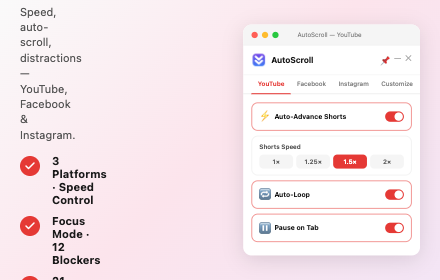
AutoScroll – Video Auto-Scroller
Auto-scroll extension for YouTube, Facebook & Instagram — smooth scrolling through video feeds with customizable speed.
266

YouTube Auto Play Scheduler
Queue up to 20 videos, 4 play modes, sleep timer, presets, import/export, watch history & Focus Mode.
63

YouTube Auto-pause
Automatically pauses YouTube videos in background tabs when switching tabs, ensuring only the active tab plays video.
11

Super Youtube
Hide Shorts, comments, sidebar & other distractions. AI summaries & chat for any video. Watch what you want, skip the rest.
51
★ 5.0

YouTube Play Controller
Control YouTube playback from any tab.
1

YouTube Enhancer
Enhance YouTube with focus mode, playback controls, Shorts hiding, quality lock, and custom themes.
6
Data sourced from the Chrome Web Store · last verified Jun 6, 2026.