
Console Importer
Import JavaScript and CSS resources from console, with one command
As of June 2026, Console Importer has 10,000 users and a 4.65/5 rating from 20 reviews in the Developer Tools category.
Usersno change0%
10.0K
10,000
Ratingno change0%
4.65
20 reviews
Reviewsno change0%
20
Version
2.1.0
Manifest V3
Permissions & access
- Permissions
- None declared
- Host access
- None declared
Screenshots

About
A tool for developers to easily import JS and CSS resources from Chrome console

Source code:
https://github.com/pd4d10/console-importer
Technical
- Version
- 2.1.0
- Manifest
- V3
- Size
- 9.55KiB
- Min Chrome
- 88
- Languages
- 1
- Featured
- No
Metadata
- ID
- hgajpakhafplebkdljleajgbpdmplhie
- Developer ID
- u8a213c47ce087d452c6e060e16645816
- Developer Email
- [email protected]
- Created
- Feb 28, 2017
- Last Updated (Store)
- May 4, 2022
- Last Scraped
- Jun 1, 2026
- Website
- —
- Support URL
- https://github.com/pd4d10/console-importer
- Privacy Policy
- —
Similar extensions
Alternatives to Console Importer, ranked by description similarity.

Console Cleaner
Deduplicate Chrome DevTools console logs, annotate counts, and copy the cleaned output with one click.
7

Open DevTools tab quicker...
Open a chrome://inspect tab wihin single click to make debugging quicker
54
★ 5.0

Quick source viewer
View current page sources: HTML + Javascript + CSS
20.0K
★ 3.6

DOMExtractor
Extract DOM elements with CSS styles from any website. For developers & designers. Export as HTML, CSS, React or Vue components.
24
★ 5.0

DevPack
A Chrome extension packed with top-tier developer resources all in one place.
517
★ 4.4

Source Map Downloader (Chrome)
Download source code from source maps in Developer Tools.
54
★ 1.0
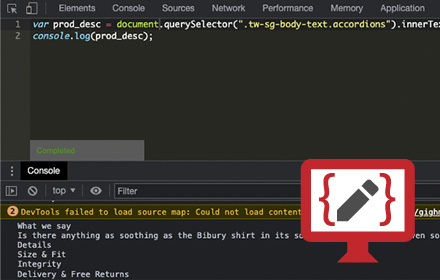
Javascript Console Editor
Lets you test Javascript against a web page.
713
★ 3.0

Wildmonkey
Lightweight userscript manager.
10.0K
★ 5.0
Data sourced from the Chrome Web Store · last verified Jun 1, 2026.