
Color Hexcode Tool
Click anywhere on a webpage to see its exact color in HEX and RGB. One click to copy.
As of June 2026, Color Hexcode Tool has 2 users in the art category.
Usersno change0%
2
2
Ratingno change0%
—
— reviews
Reviewsno change0%
—
Version
1.0
Manifest V3
History
2 snapshotsTracking since May 20, 2026.
Not enough history yet for this metric — the chart fills in as we collect more snapshots.
View as table
| Date | Users | Rating | Reviews | Version |
|---|---|---|---|---|
| May 20, 2026 | — | — | — | 1.0 |
| Jun 2, 2026 | — | — | — | 1.0 |
| Now | 2 | — | — | 1.0 |
Permissions & access
- Permissions
- activeTabscripting
- Host access
- None declared
Screenshots


About
I built this because I kept wanting to grab the color of something I saw on a webpage, and every option out there was either overcomplicated, packed with ads, or required digging into developer tools.
Here's how it works:

Click the extension icon and press "Start Picking"
Click anything on the page — text, a button, an image, a gradient, whatever
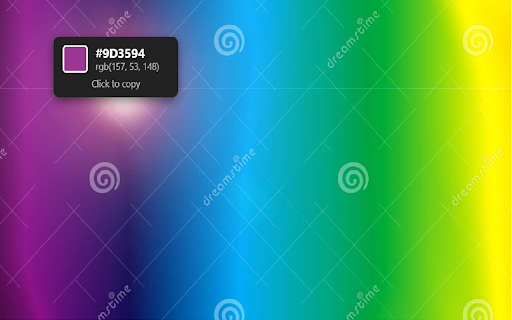
A small popup shows you the HEX code and RGB values
Click the popup to copy the HEX to your clipboard
Press Esc when you're done

Because it reads the actual pixel you click on rather than just the CSS, it works on stuff a lot of other color pickers miss — photos, video frames, fancy gradients, logos with overlays. If you can see the color, it can read it.
About privacy: nothing is collected, nothing is sent anywhere. The extension takes a quick screenshot of the visible tab to read the pixel, then the screenshot is immediately discarded by the browser. No accounts, no tracking, no analytics. That's it.
Technical
- Version
- 1.0
- Manifest
- V3
- Size
- 14.81KiB
- Min Chrome
- 88
- Languages
- 1
- Featured
- No
Metadata
- ID
- hfpafoklgkfjbkghnbcingbjjjhfbhfo
- Developer ID
- ue1feaabed081f899c75409930d3225be
- Developer Email
- [email protected]
- Created
- May 19, 2026
- Last Updated (Store)
- May 19, 2026
- Last Scraped
- Jun 8, 2026
- Website
- —
- Support URL
- —
Data sourced from the Chrome Web Store · last verified Jun 8, 2026.