
Width Adjuster for Grok
Enables user to automatically extend chat window width of Grok on grok.com and x.com, so that full display width is used.
As of June 2026, Width Adjuster for Grok has 159 users and a 5.00/5 rating from 2 reviews in the Productivity category.
Usersup 89.3 percent+89.3%
159
159
Ratingno change0%
5.00
2 reviews
Reviewsno change0%
2
Version
1.0
Manifest V3
History
7 snapshotsTracking since Apr 1, 2026.
View as table
| Date | Users | Rating | Reviews | Version |
|---|---|---|---|---|
| Apr 1, 2026 | 84 | 5.00 | 2 | 1.0 |
| Apr 19, 2026 | 89 | 5.00 | 2 | 1.0 |
| Apr 29, 2026 | 116 | 5.00 | 2 | 1.0 |
| May 8, 2026 | 128 | 5.00 | 2 | 1.0 |
| May 16, 2026 | 135 | 5.00 | 2 | 1.0 |
| May 25, 2026 | 150 | 5.00 | 2 | 1.0 |
| Jun 6, 2026 | 156 | 5.00 | 2 | 1.0 |
| Now | 159 | 5.00 | 2 | 1.0 |
Permissions & access
- Permissions
- storageactiveTab
- Host access
- https://grok.com/*, https://x.com/*
Screenshots


About
This extension automatically expands the chat and content areas to make full use of your screen width, eliminating wasted space and providing a more immersive browsing experience.

Note: This extension should not exist in the first place, yet here we are. I expect that grok.com and x.com add the capabilities of this extension natively to their Grok app in the future, which makes this extension hopefully obsolete. As long as this is not done, the extension is available in the Chrome Web Store.

Usage:
1. Install "Width Adjuster for Grok" Chrome Extension
2. Go to grok.com or x.com to see result
Optional: Toggle off the "Auto Width" entry in the extension menu to fallback to default behavior.

🎯 For:
* Table format fans, who want to see all of their table outputs at a glance
* UI/UX geeks, who are frustrated by narrow chat windows and wasted screen space

🌐 Supported sites of Grok implementation:
grok.com & x.com

💡 Key Features:
1. Automatic Width Expansion: Removes margins and optimizes sidebar positioning to maximize available screen real estate
2. Smart Content Detection: Intelligently identifies and expands Grok chat containers, tables, and content areas on both grok.com and x.com -> extension shows if width adjuster is active
3. Easy Toggle Control: Click the extension icon to quickly enable/disable the width adjustment with a simple toggle switch
4. Responsive Design: Dynamically adjusts to window resizing and handles dynamic content loading
5. Non-Intrusive: Preserves original site behavior when disabled and gracefully handles page changes

🔒 Privacy & Security:
* No data collection or external communications
* Only activates on grok.com and x.com domains
* Uses minimal permissions for optimal security
Technical
- Version
- 1.0
- Manifest
- V3
- Size
- 15.03KiB
- Min Chrome
- 88
- Languages
- 1
- Featured
- No
Metadata
- ID
- hflmnebnjbddnemjmmlegabodjdogfpf
- Developer ID
- ucf9589f8ba94d74102423632245e2ec5
- Developer Email
- [email protected]
- Created
- Nov 19, 2025
- Last Updated (Store)
- Nov 19, 2025
- Last Scraped
- Jun 6, 2026
- Website
- —
- Support URL
- https://x.com/phillippaulx
- Privacy Policy
- —
Similar extensions
Alternatives to Width Adjuster for Grok, ranked by description similarity.

Grok Fullscreen Chat
Uses a few lines of CSS to makes Grok chats full screen width for easier code reading.
269
★ 5.0
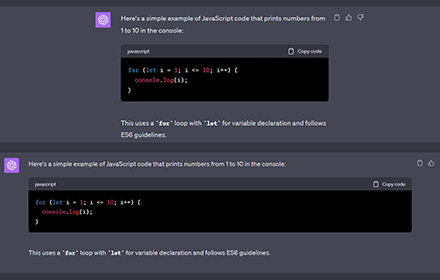
ChatGPT Full-Width Display Extension
Change contents to go full width by default
93
★ 5.0

ChatGPT Fullscreen Chat
Uses a few lines of CSS to makes ChatGPT chats full screen width for easier code reading.
32

ChatGPT ScreenSize
End the eye strain! ChatGPT ScreenSize offers bigger chat screen size for a more relaxed ChatGPT interaction.
11
★ 5.0

Claude Wide Chat
Expand Claude's chat width for better readability
295
★ 5.0

Un-Grok
Remove tweets mentioning @GROK from your Twitter/X feed
1.0K
★ 5.0

Chat gpt full Width
Make chat gpt full width.
23
★ 4.0

Minimal X - Hide X.com Right Sidebar
Hide the right sidebar and some other distracting elements on X.com for a cleaner, distraction-free browsing experience
164
★ 5.0
Data sourced from the Chrome Web Store · last verified Jun 6, 2026.