
Wizder
Save articles and videos to Wizder and get personalized daily lessons delivered to build your learning habit.
As of June 2026, Wizder has 11 users in the Education category.
Usersno change0%
11
11
Ratingno change0%
—
— reviews
Reviewsno change0%
—
Version
1.0.0
Manifest V3
History
8 snapshotsTracking since Apr 1, 2026.
View as table
| Date | Users | Rating | Reviews | Version |
|---|---|---|---|---|
| Apr 1, 2026 | — | — | — | 1.0.0 |
| Apr 17, 2026 | — | — | — | 1.0.0 |
| Apr 27, 2026 | 6 | — | — | 1.0.0 |
| May 4, 2026 | 6 | — | — | 1.0.0 |
| May 10, 2026 | 9 | — | — | 1.0.0 |
| May 21, 2026 | 10 | — | — | 1.0.0 |
| May 28, 2026 | 11 | — | — | 1.0.0 |
| Jun 10, 2026 | 10 | — | — | 1.0.0 |
| Now | 11 | — | — | 1.0.0 |
Permissions & access
- Permissions
- storagealarmsnotificationscontextMenustabs
- Host access
- https://wizder.com/*
Screenshots




About
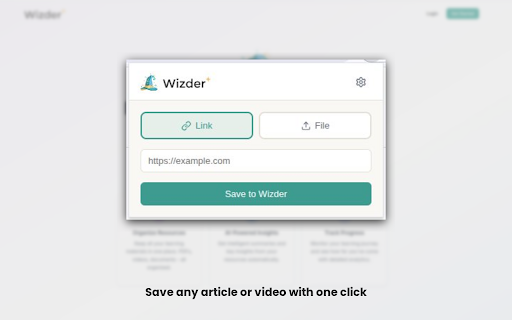
Wizder turns the interesting content you discover every day into a consistent learning habit. Save any web article or YouTube video you come across, and Wizder will queue it, break it down, and deliver a personalized daily lesson at the time you choose.

This Chrome extension is your companion for capturing learning resources effortlessly and staying on track with your daily lessons.

KEY FEATURES
1. One-Click Save — Save any web article to your Wizder library with a single click from the toolbar.
2. YouTube Video Capture — Save YouTube videos directly while watching. Wizder extracts the key takeaways for your lessons.
3. Right-Click Context Menu — Right-click on any page or link to quickly add it to your Wizder learning queue.
4. Daily Lesson Notifications — Get notified the moment your personalized daily lesson is ready, so you never miss a day.
5. PDF Support via Wizder.com — Want to learn from PDFs? The extension links you directly to Wizder.com where you can upload and manage PDF resources.

HOW IT WORKS
1. Install the Wizder extension and click “Sign in to Wizder” — this opens Wizder.com in a new tab where you can log in or create an account. The extension automatically syncs your session.
2. Browse the web as you normally do. When you find an article or video worth learning, click the Wizder icon or right-click to save it.
3. Wizder queues your saved resources and creates a personalized daily lesson based on your interests and schedule.
4. Receive a notification when your lesson is ready, and complete it at your preferred time each day.
5. Build a lasting daily learning habit, one lesson at a time.

A Wizder.com account is required. Sign up free at https://wizder.com to get started.
Technical
- Version
- 1.0.0
- Manifest
- V3
- Size
- 86.49KiB
- Min Chrome
- 88
- Languages
- 1
- Featured
- No
Metadata
- ID
- heoealbanhpnoogcenbjapefbnmognnj
- Developer ID
- u5cb55691c74325573577bf556959ba45
- Developer Email
- [email protected]
- Created
- Mar 25, 2026
- Last Updated (Store)
- Mar 25, 2026
- Last Scraped
- Jun 10, 2026
- Website
- wizder.com
- Support URL
- —
- Privacy Policy
- https://wizder.com/privacy
Data sourced from the Chrome Web Store · last verified Jun 10, 2026.