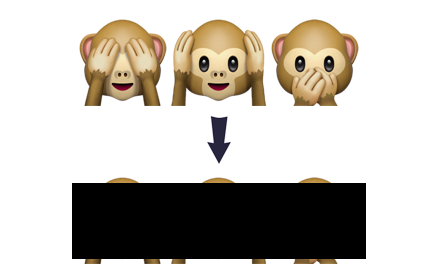
Emoji Censor
Redacts all emoji characters on a page, replacing them with black boxes
As of June 2026, Emoji Censor has 83 users and a 4.75/5 rating from 4 reviews in the fun category.
Usersup 118.4 percent+118.4%
83
83
Ratingno change0%
4.75
4 reviews
Reviewsno change0%
4
Version
1.3.0
Manifest V3
History
9 snapshotsTracking since Apr 14, 2026.
View as table
| Date | Users | Rating | Reviews | Version |
|---|---|---|---|---|
| Apr 14, 2026 | 38 | 4.75 | 4 | 1.3.0 |
| Apr 22, 2026 | 38 | 4.75 | 4 | 1.3.0 |
| Apr 26, 2026 | 50 | 4.75 | 4 | 1.3.0 |
| May 4, 2026 | 57 | 4.75 | 4 | 1.3.0 |
| May 9, 2026 | 61 | 4.75 | 4 | 1.3.0 |
| May 14, 2026 | 63 | 4.75 | 4 | 1.3.0 |
| May 20, 2026 | 68 | 4.75 | 4 | 1.3.0 |
| Jun 3, 2026 | 62 | 4.75 | 4 | 1.3.0 |
| Jun 9, 2026 | 57 | 4.75 | 4 | 1.3.0 |
| Now | 83 | 4.75 | 4 | 1.3.0 |
Permissions & access
- Permissions
- storage
- Host access
- <all_urls>
Screenshots

About
Emoji characters can be bright and fun, but sometimes you just want them to GO AWAY! This extension lets you embrace your grumpy side by redacting (blacking out) all emoji characters as you browse.

Just click the Emoji Censor icon to turn censoring on or off. While it's on, you'll see a count of how many pesky emoji have been removed from your vision.

The code is open source at https://github.com/gilmoreorless/emoji-censor, and is also available as a web page with audio censoring at https://gilmoreorless.github.io/emoji-censor/

(You could even install it together with the Emoji Translate extension and black out half the web! https://chrome.google.com/webstore/detail/emoji-translate/kkkfndlpdajmbgofkidemhkjoinhmojl )
Technical
- Version
- 1.3.0
- Manifest
- V3
- Size
- 70.96KiB
- Min Chrome
- 88
- Languages
- 1
- Featured
- No
Metadata
- ID
- heceohcbaahlibmaeheomnkpmhnggnld
- Developer ID
- u660661bf61609514b8a4f2bf914e1d0c
- Developer Email
- [email protected]
- Created
- Jul 12, 2017
- Last Updated (Store)
- Apr 12, 2026
- Last Scraped
- Jun 9, 2026
- Website
- —
- Privacy Policy
- —
Data sourced from the Chrome Web Store · last verified Jun 9, 2026.