
Logseq Quick Capture
Quick capture from Chrome to Logseq
As of May 2026, Logseq Quick Capture has 2,000 users and a 4.38/5 rating from 21 reviews in the Workflow & Planning category.
Usersdown 33.3 percent−33.3%
2.0K
2,000
Ratingno change0%
4.38
21 reviews
Reviewsno change0%
21
Version
0.2.10
Manifest V3
90-day change · In the last 90 days this extension lost 1.0K users.
History
1 snapshotsTracking since May 26, 2026.
View as table
| Date | Users | Rating | Reviews | Version |
|---|---|---|---|---|
| May 26, 2026 | 3.0K | 4.38 | 21 | 0.2.10 |
| Now | 2.0K | 4.38 | 21 | 0.2.10 |
Permissions & access
- Permissions
- scriptingactiveTabstorage
- Host access
- None declared
Screenshots

About
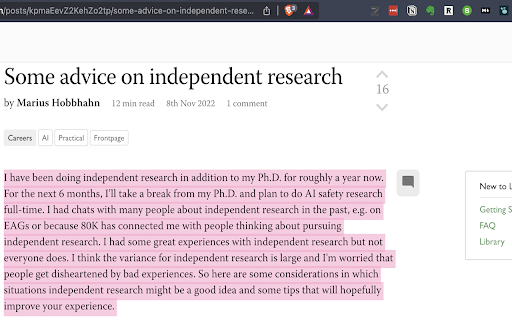
Logseq is an open-source note-taking app (www.logseq.com). This extension allows you to do a quick capture of the web-page that you are currently at and send it immediately to your open Logseq graph.

It captures the URL and title of the page; and if you've made a text selection, it would capture that as well.

(Logseq v0.8.12 onwards):
Supports customising of your quick capture preferences through the extension options.
Technical
- Version
- 0.2.10
- Manifest
- V3
- Size
- 24.68KiB
- Min Chrome
- 88
- Languages
- 1
- Featured
- No
Metadata
- ID
- hdpmdgiddmjppbeahnglgagndmahlanc
- Developer ID
- u17758eece57f6fa3922928cfd5f53e39
- Developer Email
- [email protected]
- Created
- Nov 11, 2022
- Last Updated (Store)
- Aug 31, 2024
- Last Scraped
- May 26, 2026
- Website
- —
- Support URL
- —
Similar extensions
Alternatives to Logseq Quick Capture, ranked by description similarity.

Logseq Web Clipper
Save content from the web to Logseq, in a private and durable format you can access offline.
1.0K
★ 4.8

Logseq Copilot
Logseq Copilot, Connect with you logseq API server, bring your information when you browsing.
1.0K
★ 4.9

Amplecap Beta
Capture web content to Amplenote
6.0K
★ 4.2

NoteSkrib Clipper
Capture web content, videos, and images to your NoteSkrib account
6

Minimal Notes
It's minimal. Test it.
164
★ 5.0

SnapNote
Elegant note taking, sticky notes, and media capture for every web page.
—
★ 5.0

Smart Copy
This is an extension to copy a web URL along with page title to a computer's clip board.
34

Webpage to Video
Converts web pages or local HTML files you are currently looking at into videos. The videos are produced in the mp4 (H264) format.
1.0K
★ 3.3
Data sourced from the Chrome Web Store · last verified May 26, 2026.