
Gramify
Fix grammar mistakes in selected text using MistralAI
As of May 2026, Gramify has 11 users in the Productivity category.
Usersno change0%
11
11
Ratingno change0%
—
— reviews
Reviewsno change0%
—
Version
1.1.1
Manifest V3
History
2 snapshotsTracking since Apr 29, 2026.
View as table
| Date | Users | Rating | Reviews | Version |
|---|---|---|---|---|
| Apr 29, 2026 | 11 | — | — | 1.1.1 |
| May 26, 2026 | 12 | — | — | 1.1.1 |
| Now | 11 | — | — | 1.1.1 |
Permissions & access
- Permissions
- activeTabscriptingstoragecommands
- Host access
- None declared
Screenshots


About
Gramify is a powerful browser extension that provides instant grammar corrections across any website. Simply activate it using the key combination Ctrl + K (Windows) or Command + K (macOS) to transform your text into clear, professional writing effortlessly.

How to Use:
1. Select the Text: Highlight the text you want to correct in any text area.
2. Activate Gramify: Press Ctrl + K (Windows) or Command + K (macOS).
3. Automatic Correction: Watch as Gramify instantly corrects grammar mistakes and improves your text.
Technical
- Version
- 1.1.1
- Manifest
- V3
- Size
- 13.96MiB
- Min Chrome
- 88
- Languages
- 1
- Featured
- No
Metadata
- ID
- hdjgommcconabgfjelklenpchhfaadpk
- Developer ID
- u5d8c5b3d111a9b09a6c8c53508b99288
- Developer Email
- [email protected]
- Created
- Feb 25, 2025
- Last Updated (Store)
- Feb 25, 2025
- Last Scraped
- May 26, 2026
- Website
- —
- Support URL
- —
- Privacy Policy
- https://namangupta123.github.io/Gramify_privacy
Similar extensions
Alternatives to Gramify, ranked by description similarity.

Gramify
Improve your writing instantly with Gramify — grammar fixes, rephrasing, clarity boost.
—
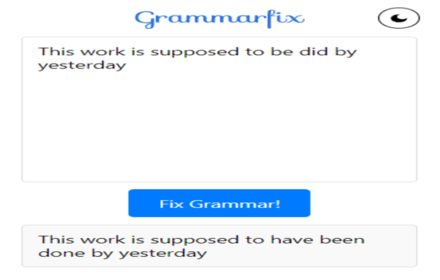
GrammarFix
Instant grammar correction. No sign-up, no hassle; just polished writing!
27
★ 5.0

Grammar Fixer (Gemini)
Instant grammar and spelling correction on any website, powered by Gemini. Privacy-focused, features manual editor and word count.
25
★ 5.0

GrammFix: AI Writer Helper
GrammFix includes grammar correction, style improvements, translations, and more. Works on all sites. Free to use.
112
★ 3.7

Grammar & Spell Checker
Automatically detects and corrects grammar and spelling mistakes.
9

Fix Grammar with Gemini
Right-click to fix grammar/english of selected text using Google's Gemini.
23
★ 5.0

AI Grammar Checker
Use AI Grammar Checker for flawless writing. Enjoy punctuation and grammar corrector, spell checker and AI grammar check in one tool
7.0K
★ 4.5

Grammarlyier - Unofficial Grammarly Autocorrect extension
Grammarlyier is an unofficial Auto-Correct & Premium Tools Extender...
2.0K
★ 3.9
Data sourced from the Chrome Web Store · last verified May 26, 2026.