
Doodlify
Turn your new tabs into a canvas for drawing
As of May 2026, Doodlify has 3 users in the art category.
Usersup 50.0 percent+50.0%
3
3
Ratingno change0%
—
— reviews
Reviewsno change0%
—
Version
1.0
Manifest V3
History
1 snapshotsTracking since May 26, 2026.
View as table
| Date | Users | Rating | Reviews | Version |
|---|---|---|---|---|
| May 26, 2026 | 2 | — | — | 1.0 |
| Now | 3 | — | — | 1.0 |
Permissions & access
- Permissions
- storage
- Host access
- None declared
Screenshots

About
Transform your browser into a canvas with Doodlify - the lightweight, intuitive drawing application that makes digital art creation simple and enjoyable.

KEY FEATURES:

Instant drawing - no setup or account required
Multiple drawing tools: pen, eraser, shapes (rectangles, circles, lines)
Precision grid overlay system
Customizable brush sizes and colors
One-click sharing and saving options
Touch-screen compatible for tablet users
Undo/redo functionality
Export drawings as PNG files
Clean, minimalist interface

Whether you're a professional looking for a quick sketching tool or a casual user wanting to express creativity, Doodlify provides the perfect balance of simplicity and functionality.
Get started instantly - no tutorials needed. Just open and start creating!
Technical
- Version
- 1.0
- Manifest
- V3
- Size
- 29.01KiB
- Min Chrome
- 88
- Languages
- 1
- Featured
- No
Metadata
- ID
- hdaanjheppnaodekeagjfjdnhnofigfp
- Developer ID
- ua0baa4e6edb5f157a1275d2d03705e0a
- Developer Email
- [email protected]
- Created
- Jan 11, 2025
- Last Updated (Store)
- Jan 11, 2025
- Last Scraped
- May 26, 2026
- Website
- —
- Support URL
- —
Similar extensions
Alternatives to Doodlify, ranked by description similarity.

Fun Draw
Simple, lightweight, drawing board with various tools like brush, eraser, rectangle, circle, and triangle.
56

PenIsFun
Draw, erase, and annotate on any web page!
27
★ 4.7
Tiny Sketchbook by cloudHQ
Create, collaborate, and share your tiny sketchbook doodle art projects
3.0K
★ 4.8

Pixel Studio
An intuitive pixel art editor for quick and easy pixel art creations.
536
★ 5.0

pinly
The extension to keep references all in one place.
376
★ 5.0

FingerCanvas
Touch-enabled drawing canvas for Chromebook. Create art with your fingertips. By AIO.com.ai
—

Tuya
A Simple Drawing Pad
500
★ 2.2
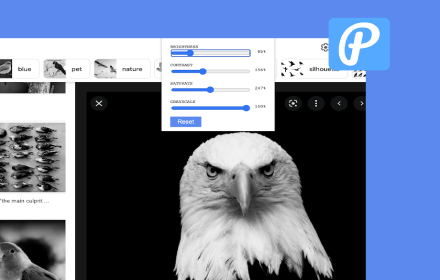
Live Photo Editor Online
Edit photos from any web page
1.0K
★ 5.0
Data sourced from the Chrome Web Store · last verified May 26, 2026.