
FPS & Performance Extension
Lightweight overlay for real-time FPS and performance metrics. Perfect for QA engineers and developers.
As of June 2026, FPS & Performance Extension has 509 users and a 4.20/5 rating from 5 reviews in the Productivity category.
Usersup 32.2 percent+32.2%
509
509
Ratingup 5.0 percent+5.0%
4.20
5 reviews
Reviewsup 25.0 percent+25.0%
5
Version
1.2.1
Manifest V3
90-day change · In the last 90 days this extension 2 version updates, changed permissions.
History
7 snapshotsTracking since Apr 18, 2026.
View as table
| Date | Users | Rating | Reviews | Version |
|---|---|---|---|---|
| Apr 18, 2026 | 385 | 4.00 | 4 | 1.1.0 |
| Apr 28, 2026 | 456 | 4.00 | 4 | 1.1.0 |
| May 7, 2026 | 450 | 4.00 | 4 | 1.1.0 |
| May 14, 2026 | 433 | 4.00 | 4 | 1.1.0 |
| May 23, 2026 | 453 | 4.00 | 4 | 1.1.0 |
| Jun 5, 2026 | 500 | 4.20 | 5 | 1.1.0 |
| Jun 12, 2026 | 471 | 4.20 | 5 | 1.2.0 |
| Now | 509 | 4.20 | 5 | 1.2.1 |
Changelog
- Jun 5, 2026description
A simple Chrome extension that shows a lightweight overlay with real-time performance metrics.
Perfect for QA engineers, developers, and game testers who want to monitor FPS, frame time, memory usage, and other browser performance stats without opening DevTools.
A simple Chrome extension that shows a lightweight overlay with real-time performance metrics.
Perfect for QA engineers, developers, and game testers who want to monitor FPS, frame time, memory usage, and other browser performance stats without opening DevTools.

UPDATE 04/06/2026: Replaced always-on overlay with a compact FPS badge
The full performance overlay is now hidden by default.
- Jun 5, 2026permissions
(empty)
storage
Permissions & access
- Permissions
- storage
- Host access
- None declared
Screenshots

About
A simple Chrome extension that shows a lightweight overlay with real-time performance metrics.
Perfect for QA engineers, developers, and game testers who want to monitor FPS, frame time, memory usage, and other browser performance stats without opening DevTools.

UPDATE 04/06/2026: Replaced always-on overlay with a compact FPS badge
The full performance overlay is now hidden by default.
Technical
- Version
- 1.2.1
- Manifest
- V3
- Size
- 582KiB
- Min Chrome
- 88
- Languages
- 1
- Featured
- No
Metadata
- ID
- hboompkpnlepeebnhlldjgamodgkgece
- Developer ID
- u21225f9524e44e2e6fd8ad93a23e4608
- Developer Email
- [email protected]
- Created
- Sep 4, 2025
- Last Updated (Store)
- Jun 5, 2026
- Last Scraped
- Jun 12, 2026
- Website
- —
- Support URL
- —
- Privacy Policy
- https://kolesnikov.dev/fps-privacy-policy
Similar extensions
Alternatives to FPS & Performance Extension, ranked by description similarity.

Internet Speed Test Badge (Real Time)
Live Internet Speed badge + popup speed test that measures your current download throughput.
434
★ 4.3

Load Time for Chrome
Shows page load time in the toolbar with navigation timings, critical rendering path insights, and key performance measures.
1.0K
★ 4.9

PC Monitor
A chrome extension for monitoring PC Stats, including network information.
114
★ 4.5

System Info
Displays information about the device's CPU,RAM,display and storage.
1.0K
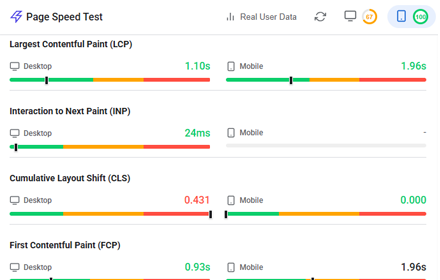
Website Page Speed Test - Core Web Vitals and Real User Data (CrUX) reports
Analyze website performance with Core Web Vitals, resource analysis, and optimization suggestions
158

Your System Monitor
Real-time CPU and memory monitoring with advanced charts and data export
43

PageSpeed Monitor
Displays accurate page load time in toolbar using Navigation Timing API by AIO.com.ai
6

StreaMetrics – Twitch Viewer & Chat Graphs
Track real-time viewer count and chat activity on Twitch with a live graph under the stream. Open-source and easy to use.
1.0K
★ 3.0
Data sourced from the Chrome Web Store · last verified Jun 12, 2026.