
Tab Utils
Toggle, duplicate and move tab to new window
As of May 2026, Tab Utils has 4 users and a 5.00/5 rating from 1 reviews in the Workflow & Planning category.
Usersdown 20.0 percent−20.0%
4
4
Ratingno change0%
5.00
1 reviews
Reviewsno change0%
1
Version
1.1.6
Manifest V3
History
1 snapshotsTracking since Apr 29, 2026.
View as table
| Date | Users | Rating | Reviews | Version |
|---|---|---|---|---|
| Apr 29, 2026 | 5 | 5.00 | 1 | 1.1.6 |
| Now | 4 | 5.00 | 1 | 1.1.6 |
Permissions & access
- Permissions
- activeTabstorage
- Host access
- None declared
Screenshots

About
Use keyboard shortcuts to toggle between your last two active tabs (Alt+Q), pop tab out into a new window (Ctrl+Shift+Down) and duplicate a tab (Alt+D).
Technical
- Version
- 1.1.6
- Manifest
- V3
- Size
- 18.98KiB
- Min Chrome
- 88
- Languages
- 1
- Featured
- No
Metadata
- ID
- hajcmehgfnhkkfbpplcimmmchdfnnkkn
- Developer ID
- uf6de46df065cc27f76b254256ed8efdc
- Developer Email
- [email protected]
- Created
- Mar 19, 2017
- Last Updated (Store)
- Feb 16, 2025
- Last Scraped
- May 25, 2026
- Website
- —
- Support URL
- —
- Privacy Policy
- —
Similar extensions
Alternatives to Tab Utils, ranked by description similarity.

samext
Samser Tab Manager Extension - Manage your tabs easily
—

DupliCATe Tab
Duplicate tabs, with a companion included
4
Tab Duplicator
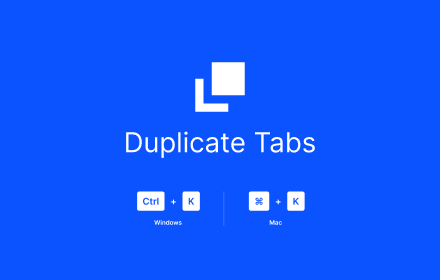
Duplicate the current tab with CTRL + K
6

Last Tab Switcher
Switches to the last active tab with a customizable hotkey. Created by JayTeck.
4

The Tab Manager
Now search for a tab in a simplified separate view of opened tabs
16
★ 5.0

Tab Groups Manager
A Chrome extension to manage tab groups
101
★ 4.0

Last Tabs
Easy switch to recent tabs
11
★ 4.0

Last Two Tabs Toggler
Toggle between the two latest active tabs using Control+Space.
4
Data sourced from the Chrome Web Store · last verified May 25, 2026.