
SEO Page Checker
Analyze on-page SEO instantly and get detailed insights with recommendations to fix issues.
As of June 2026, SEO Page Checker has 4 users and a 5.00/5 rating from 2 reviews in the Productivity category.
Usersno change0%
4
4
Ratingno change0%
5.00
2 reviews
Reviewsno change0%
2
Version
1.1
Manifest V3
History
4 snapshotsTracking since May 20, 2026.
View as table
| Date | Users | Rating | Reviews | Version |
|---|---|---|---|---|
| May 20, 2026 | — | — | — | 1.1 |
| May 26, 2026 | — | — | — | 1.1 |
| Jun 2, 2026 | 2 | 5.00 | 2 | 1.1 |
| Jun 8, 2026 | — | 5.00 | 2 | 1.1 |
| Now | 4 | 5.00 | 2 | 1.1 |
Permissions & access
- Permissions
- activeTabscriptingsidePaneltabsstorage
- Host access
- http://*/*, https://*/*
Screenshots


About
Seonio helps you check the on-page SEO of any webpage in seconds, directly from Chrome’s side panel.

Open the page you want to review, click the Seonio icon, and run a quick SEO scan without leaving the browser. Get a clear score, grouped recommendations, and practical fixes so you can spot SEO issues before publishing or during page reviews.

Use Seonio to check:
– Title tags and meta descriptions
– Indexability signals
– Canonical tags
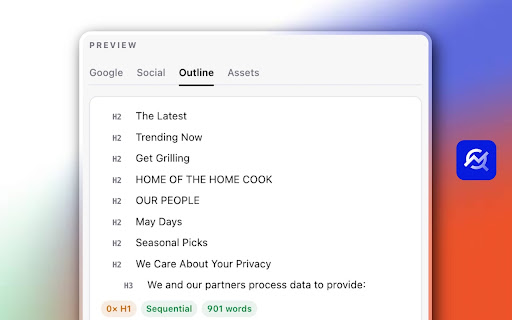
– Heading structure
– H1 issues
– Thin content signals
– Internal and external links
– Image alt text
– Open Graph and Twitter social tags
– Structured data presence
– Technical HTML signals such as viewport, charset, doctype, and DOM size

Seonio is useful for bloggers, content creators, SEO specialists, freelancers, agencies, developers, and website owners who want a fast page-by-page SEO review.

Key features
– Instant page audit: Run an SEO check on the current tab and get results in seconds.
– Clear SEO score: See an overall score with critical issues, warnings, and positive checks.
– Actionable recommendations: Each finding includes a short explanation and a suggested fix.
– HTML evidence: Review the exact page snippet that triggered an issue.
– SERP and social previews: Preview how your page metadata may appear in search and social sharing contexts.
– Export options: Export your audit report as Markdown or HTML for documentation, client work, or QA.

Private by design: Seonio runs locally in your browser. It does not use external APIs, telemetry, or a backend.
Technical
- Version
- 1.1
- Manifest
- V3
- Size
- 244KiB
- Min Chrome
- 88
- Languages
- 1
- Featured
- No
Metadata
- ID
- haienhhhlcgomlmllfimmlninjabkoaf
- Developer ID
- u17afe9cbd171889d1db21cb00e33eedc
- Developer Email
- [email protected]
- Created
- May 19, 2026
- Last Updated (Store)
- May 19, 2026
- Last Scraped
- Jun 8, 2026
- Website
- seonio.com
- Support URL
- https://seonio.com/contact
- Privacy Policy
- —
Data sourced from the Chrome Web Store · last verified Jun 8, 2026.