
Relax Your Ears - AI Audio Enhancer for Chrome Tabs
AI noise cancellation for Chrome tabs: mute crowds, traffic, keyboards — hear only voices in videos, meetings & podcasts.
As of June 2026, Relax Your Ears - AI Audio Enhancer for Chrome Tabs has 1,000 users and a 4.68/5 rating from 38 reviews in the Productivity category.
Usersup 52.2 percent+52.2%
1.0K
1,000
Ratingdown 0.6 percent−0.6%
4.68
38 reviews
Reviewsup 35.7 percent+35.7%
38
Version
1.1.1
Manifest V3
History
6 snapshotsTracking since Apr 1, 2026.
View as table
| Date | Users | Rating | Reviews | Version |
|---|---|---|---|---|
| Apr 1, 2026 | 657 | 4.71 | 28 | 1.1.1 |
| Apr 18, 2026 | 706 | 4.73 | 30 | 1.1.1 |
| Apr 28, 2026 | 798 | 4.75 | 32 | 1.1.1 |
| May 8, 2026 | 850 | 4.75 | 32 | 1.1.1 |
| May 20, 2026 | 882 | 4.76 | 34 | 1.1.1 |
| Jun 3, 2026 | 960 | 4.67 | 36 | 1.1.1 |
| Now | 1.0K | 4.68 | 38 | 1.1.1 |
Permissions & access
- Permissions
- offscreenstoragetabCapture
- Host access
- *://*/*
Screenshots


About
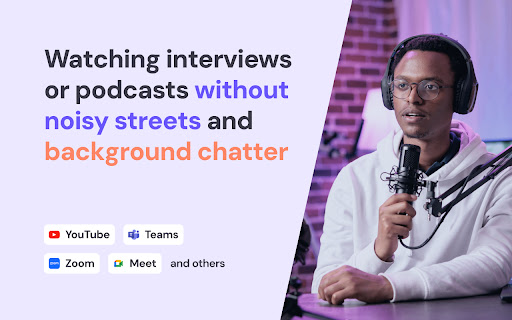
Hear only voices. Remove background noise from any Chrome tab audio with AI.
Relax Your Ears - AI Audio Enhancer for Chrome Tabs is a real-time noise cancellation / noise reduction / denoiser extension that filters the audio from any browser tab — so crowd chatter, traffic, keyboards, fans, dogs, and hum disappear, while speech stays clear and easy to follow.

✨ Key Features
✴️ Real-Time AI Noise Suppression: isolates voices while removing background sounds.
✴️ Works on Any Site: cleans audio from any tab that plays sound.
✴️ One-Click Control: press Start to enable, Stop to return to the original audio.
✴️ Lightweight & Efficient: designed for smooth playback while you browse.

👍 Perfect for
✅️ Online meetings and calls.
✅️ Videos, podcasts, and livestreams.
✅️ Online classes, webinars, and lectures.
✅️ Working or studying in noisy environments.

🗣️ Common Uses
☑️ WFH & open office: cancel mechanical keyboards, AC hum, office chatter.
☑️ Cafes & travel: mute espresso machines, airport PA, street traffic.
☑️ Home noise: reduce barking, TV in the next room, construction.
☑️ Study: make lectures, tutorials and webinars easier to follow.

💡 How it works
Unlike microphone noise suppression (which affects what others hear from you), Relax Your Ears - AI Audio Enhancer for Chrome Tabs processes only the sound you listen to. The original stream stays untouched — you just hear the cleaned, voice-only version locally on your device.

💡 How to Use
1️⃣ Install Relax Your Ears - AI Audio Enhancer for Chrome Tabs.
2️⃣ Open a tab with audio (video, meeting, podcast).
3️⃣ Click the extension icon → Start Denoise. That’s it.

🕵️ Privacy & Cost
 - Playback-only: processes audio locally for your ears; it does not send your mic or tab audio to servers.
 - Free to use. No extra hardware or paid software needed.

❓ FAQ

 - Does it change my microphone audio?
 - No. It only processes playback, not your outgoing mic signal.

 - Will it work on my favorite websites?
 - Yes. It works on any tab that plays sound in your browser.

 - Can I turn it on/off quickly?
 - Yes. Open the extension popup and click Start/Stop at any time.
Technical
- Version
- 1.1.1
- Manifest
- V3
- Size
- 9.85MiB
- Min Chrome
- 116
- Languages
- 55
- Featured
- No
Metadata
- ID
- haalkhejfckbcbheikblbllncbielmke
- Developer ID
- u01ca17ddc2acbb047e49bae4acff78ca
- Developer Email
- [email protected]
- Created
- Sep 16, 2025
- Last Updated (Store)
- Nov 5, 2025
- Last Scraped
- Jun 3, 2026
- Website
- webcameffects.app
- Support URL
- https://webcameffects.app/en/contact/
- Privacy Policy
- https://webcameffects.app/en/privacy-policy/
Similar extensions
Alternatives to Relax Your Ears - AI Audio Enhancer for Chrome Tabs, ranked by description similarity.

Remove Background Noise From Video
AI noise removal tool for video files. Process audio up to 10× faster than real time. Fully on-device for privacy.
759
★ 5.0

Web Whisper: Listen to Any Web Page Like a Podcast
Turns web pages into audios. Listen to any web page like a podcast.
276
★ 5.0

Noise Reducer for YouTube Studio
Remove background noise from videos in YouTube Studio using AI. Clean audio before publishing.
447
★ 5.0

Mute Background Audio in Google Chrome™
A tool designed to silence tabs in the Chrome™ browser.
48
★ 5.0

Simple Audio Voice Sound Recorder
A fast voice recorder and mic. Capture audio, dictate voice notes, and save high-quality MP4, WebM sound offline in the background.
302
★ 4.8

Record Meetings on Zoom, Microsoft Teams, Google Meet & more
Record meetings in one click. Original-quality video, local files, crash-safe, built-in AI noise suppression.
2.0K
★ 4.3

AI Female Voice Reader
Natural female AI voice reader extension converts text to speech. AI girl voice generator reads articles aloud with realistic audio.
483
★ 5.0

Audio Tab Finder – Find, Mute & Close Noisy Tabs
Instantly find which tab is playing sound. Jump to it, mute it, or close it in one click. No more hunting for noisy tabs.
80
★ 5.0
Data sourced from the Chrome Web Store · last verified Jun 3, 2026.