
Linkoteka
Save and import Chrome bookmarks into Linkoteka
As of June 2026, Linkoteka has — users in the Productivity category.
Usersno change0%
—
—
Ratingno change0%
—
— reviews
Reviewsno change0%
—
Version
1.1
Manifest V3
History
1 snapshotsTracking since May 30, 2026.
Not enough history yet for this metric — the chart fills in as we collect more snapshots.
View as table
| Date | Users | Rating | Reviews | Version |
|---|---|---|---|---|
| May 30, 2026 | — | — | — | 1.1 |
| Now | — | — | — | 1.1 |
Permissions & access
- Permissions
- bookmarksstoragetabs
- Host access
- https://linkoteka.com/*
Screenshots


About
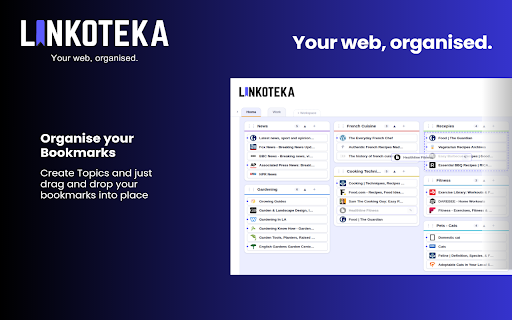
Linkoteka is a personal bookmark manager built for people whoactually use their saved links.
With this extension you can:
• Bookmark the current page in one click — add a title, notes, tags, and choose which topic to file it under, all before saving.
• Import your entire Chrome bookmark library — folders become Topics, nested folders become Tags. Duplicates are skipped automatically.
• Create a new workspace on the fly during import — keep work, personal, and project bookmarks fully separate.

Sign in with your existing Linkoteka account to get started. No new account needed if you already use linkoteka.com.
Technical
- Version
- 1.1
- Manifest
- V3
- Size
- 57.8KiB
- Min Chrome
- 88
- Languages
- 1
- Featured
- No
Metadata
- ID
- gpchlgnklibacgncjengodlkcemgdfop
- Developer ID
- u0ee968182a7bc6ebfb5aabb16180c7eb
- Developer Email
- [email protected]
- Created
- May 29, 2026
- Last Updated (Store)
- May 29, 2026
- Last Scraped
- Jun 12, 2026
- Website
- linkoteka.com
- Support URL
- —
- Privacy Policy
- https://linkoteka.com/privacy
Data sourced from the Chrome Web Store · last verified Jun 12, 2026.