
Full Page Screenshot
Capture a full-page screenshot by scrolling to the bottom and stitching the slices together.
As of June 2026, Full Page Screenshot has — users in the Productivity category.
Usersno change0%
—
—
Ratingno change0%
—
— reviews
Reviewsno change0%
—
Version
1.4.1
Manifest V3
History
1 snapshotsTracking since Jun 14, 2026.
Not enough history yet for this metric — the chart fills in as we collect more snapshots.
View as table
| Date | Users | Rating | Reviews | Version |
|---|---|---|---|---|
| Jun 14, 2026 | — | — | — | 1.4.1 |
| Now | — | — | — | 1.4.1 |
Permissions & access
- Permissions
- activeTabscriptingstorageunlimitedStorage
- Host access
- None declared
Screenshots


About
# Web Store listing — paste-ready

Everything to fill the Chrome Web Store form, kept next to the screenshots.

## Title
Full Page Screenshot

## Summary (≤132 chars)
Capture the whole page in one shot — scrolls, stitches, and lets you crop, annotate, and export to PNG, JPEG, or PDF.

## Category
Productivity

## Description (paste into the Description field)

Capture an entire web page as a single image — not just the visible part.

Full Page Screenshot scrolls through the page, captures each section, and stitches them into one tall image. Then it opens a built-in editor so you can crop, annotate, and save.

WHAT MAKES IT WORK EVERYWHERE
• Normal pages, long articles, and dashboards
• Pages that scroll inside an element (Google Docs, Gmail, Notion, web apps)
• Content inside cross-origin iframes (e.g. embedded design previews)
• Lazy-loaded images — it waits for them to render
• Very long pages — split into multiple full-resolution images, or fit one image

ANNOTATION EDITOR
• Crop (non-destructive)
• Arrow, rectangle, free-hand pencil, and text
• Hide/redact sensitive values (pixelate)
• Color, thickness, undo/redo

EXPORT
• PNG, JPEG (smaller files), or PDF
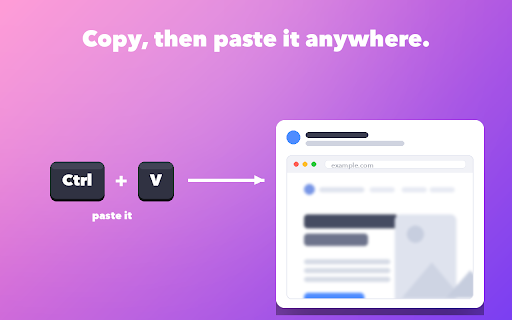
• Copy straight to the clipboard — then paste it anywhere
• Keyboard shortcut (Alt+Shift+P, configurable) and Cmd/Ctrl+S to save

PRIVATE BY DESIGN
• No tracking, no ads, no remote servers — everything stays on your device
• Installs with minimal permissions; broad access is requested only on demand, and only to capture cross-origin iframes

Open source: https://github.com/rodrigoelemesmo/full-page-screenshot

## Permission justifications (one per permission)
- activeTab — Used only when the user clicks the toolbar icon or presses the shortcut, to access the current tab so the page can be measured and captured.
- scripting — Injects the routine that measures the page, scrolls it, and waits for rendering so the full page can be captured and stitched.
- storage — Stores the finished screenshot temporarily to pass it to the result/editor page, and remembers the user's settings.
- unlimitedStorage — Full-page screenshots can be large; this avoids the default storage quota when handing the image to the editor page.
- host permissions <all_urls> (optional) — Optional permission, requested on demand only when the user captures content inside a cross-origin iframe. Not requested for normal pages.

## Remote code
No. The extension contains no remote or third-party code; everything is in the package.

## Data usage (privacy practices form)
- Collects or uses any listed data type? NO. (Screenshots are created and processed locally and never transmitted; settings are local preferences synced by Chrome itself.)
- Certify: ✅ not sold/transferred to third parties · ✅ not used for unrelated purposes · ✅ not used for creditworthiness/lending.
- Privacy policy URL: https://github.com/rodrigoelemesmo/full-page-screenshot/blob/main/PRIVACY.md
Technical
- Version
- 1.4.1
- Manifest
- V3
- Size
- 44.7KiB
- Min Chrome
- 88
- Languages
- 3
- Featured
- No
Metadata
- ID
- golhfgdokgpoppndknmplkmcjmopekho
- Developer ID
- u0ba680ab83d5c291737fb2ce94f37ab3
- Developer Email
- [email protected]
- Created
- Jun 13, 2026
- Last Updated (Store)
- Jun 13, 2026
- Last Scraped
- Jun 14, 2026
- Website
- —
- Support URL
- —
Data sourced from the Chrome Web Store · last verified Jun 14, 2026.