
SnipBox — Let's make this Meme-worthy!
Fast, easy meme creation without leaving the site.
As of June 2026, SnipBox — Let's make this Meme-worthy! has 7 users in the fun category.
Usersdown 12.5 percent−12.5%
7
7
Ratingno change0%
—
— reviews
Reviewsno change0%
—
Version
1.11
Manifest V3
History
3 snapshotsTracking since Apr 21, 2026.
View as table
| Date | Users | Rating | Reviews | Version |
|---|---|---|---|---|
| Apr 21, 2026 | 8 | — | — | 1.11 |
| May 11, 2026 | 9 | — | — | 1.11 |
| Jun 6, 2026 | 8 | — | — | 1.11 |
| Now | 7 | — | — | 1.11 |
Permissions & access
- Permissions
- contextMenusactiveTabscriptingdownloadsoffscreenstorage
- Host access
- None declared
Screenshots


About
Tired of seeing the perfect meme-able image online, only to face the hassle of downloading it, finding a generator site, uploading it, and then making your meme? SnipBox addon eliminates all those steps!

With this addon, you can create hilarious memes directly from any image you find while Browse. Simply activate the addon on an image, add your witty text, and your meme is ready!

Why You'll Love It:

⚡ Instant Creation: Turn any online image into a meme in seconds.
🚫 No External Sites: Create memes directly within your current tab. No need to visit third-party meme websites.
🖱️ Simple Workflow: Just capture the image area or right-click  and start typing.
⏱️ Save Time: Skip the download/upload/navigate process entirely.
😂 Unleash Creativity: Never let a great meme idea slip away again!
Stop juggling tabs and websites. Install SnipBox addon  and become a meme-making powerhouse directly from your browser! Perfect for quick reactions, sharing jokes with friends, or just having fun online.

How to Use:
1.Find an image or video online and right-click on it.
2.Choose "SnipBox — Let's make this Meme-worthy!" from the menu.
3.Use your mouse (left-click and drag) to draw a rectangle over the desired meme area.
4.Click the "Crop & Edit" button.
5.Enter your text in the "Text Content" box. Customize its appearance using the color and outline options.
6.Use the "Add Text Box" button for additional text elements and position them as needed.
7.Click "Generate & Download" to save the meme image to your computer.
Technical
- Version
- 1.11
- Manifest
- V3
- Size
- 87.1KiB
- Min Chrome
- 88
- Languages
- 1
- Featured
- No
Metadata
- ID
- gocelpkfimfhodknkpifbnckenhdficb
- Developer ID
- u8587d68c6efdc068ecb43f0fa0c3d177
- Developer Email
- [email protected]
- Created
- Apr 18, 2025
- Last Updated (Store)
- Apr 20, 2025
- Last Scraped
- Jun 6, 2026
- Website
- —
- Support URL
- https://forms.office.com/r/03bJZQwnaH
- Privacy Policy
- —
Similar extensions
Alternatives to SnipBox — Let's make this Meme-worthy!, ranked by description similarity.
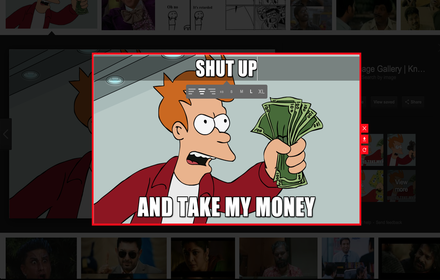
Memefy This
Make Memes Online Instantly
10.0K
★ 4.4

Meme Creator
Right-click any image to create memes with custom text overlays
10
★ 3.0

Meemly
Your fastest way to reply with a meme.
66
★ 3.0
Meme Generator Pro
Create awesome memes instantly!
113
★ 5.0
Magic Meme Machine
Drag and drop Magic Internet Money Memes!
40
★ 5.0

memeable
🐸 turn anyone into an EPIC MEME. one-click MEME generator - pick a person, choose a template, post instantly.
8
★ 5.0

Random Meme Generator
This extension generates a random meme
338
★ 5.0

memegen
meme generator extension
108
★ 4.0
Data sourced from the Chrome Web Store · last verified Jun 6, 2026.