
ReplayIQ
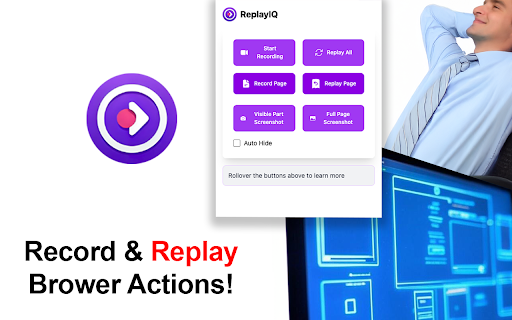
Record and replay web interactions with screenshot capabilities. Features keyboard shortcuts for screenshots and recording controls.
As of May 2026, ReplayIQ has — users in the Productivity category.
Usersno change0%
—
—
Ratingno change0%
—
— reviews
Reviewsno change0%
—
Version
1.0
Manifest V3
History
3 snapshotsTracking since Apr 1, 2026.
View as table
| Date | Users | Rating | Reviews | Version |
|---|---|---|---|---|
| Apr 1, 2026 | — | — | — | 1.0 |
| May 1, 2026 | 33 | — | — | 1.0 |
| May 29, 2026 | 27 | — | — | 1.0 |
| Now | — | — | — | 1.0 |
Permissions & access
- Permissions
- tabsactiveTabscriptingstoragecommands
- Host access
- <all_urls>
Screenshots
About
ReplayIQ: Advanced Web Interaction Recorder & Replayer
Your intelligent companion for capturing and replaying web activities with precision.

🚀 Key Features
- Capture every click, scroll, and form input across multiple pages
- Automatic path tracking and navigation recording
- Record single-page or multi-page sequences
- Professional Screenshot Tools
- Full-page screenshots with intelligent stitching
- Visible area quick captures
- Highlight indicators for visual feedback
- Precise Replay System
- Pixel-perfect recreation of user interactions
- Smooth scroll simulation with visual indicators
- Accurate form input reproduction
- Keyboard shortcuts for quick actions:
Full-page screenshot (Ctrl/Cmd + Shift + P)
Visible area capture (Ctrl/Cmd + Shift + Y)
Toggle recording (Ctrl/Cmd + Shift + S)
- Progress tracking with percentage completion
- Visual feedback for all actions

🎯 Perfect For
QA Engineers: Create detailed bug reports with exact reproduction steps
UX Researchers: Document user journeys and interaction patterns
Content Creators: Capture perfect screenshots for documentation
Developers: Test user flows and navigation paths
Support Teams: Record and share exact solutions

💪 Technical Excellence
Optimized performance with minimal overhead
Intelligent handling of dynamic web content
Smooth visual transitions and indicators
Reliable cross-browser compatibility

🔒 Privacy & Security
Works locally in your browser
No external server dependencies
Your data stays on your device
Open and transparent operation
ReplayIQ combines powerful recording capabilities with intuitive controls to deliver a premium web interaction capture and replay experience. Whether you're documenting bugs, creating tutorials, or analyzing user journeys, ReplayIQ provides the precision and reliability you need.

Download ReplayIQ today and transform how you capture, share, and understand web interactions.
Technical
- Version
- 1.0
- Manifest
- V3
- Size
- 214KiB
- Min Chrome
- 88
- Languages
- 1
- Featured
- No
Metadata
- ID
- gnaooolofnnkeepafkglbbjjnpidfgmn
- Developer ID
- u455b1a0144c7cfed98854f6415cac4a4
- Developer Email
- [email protected]
- Created
- Jan 18, 2025
- Last Updated (Store)
- Jan 18, 2025
- Last Scraped
- May 29, 2026
- Website
- —
- Support URL
- —
- Privacy Policy
- —
Similar extensions
Alternatives to ReplayIQ, ranked by description similarity.

Selfhood Screenshot & Recorder Pro
Capture full-page screenshots and screen recordings with a stylish, feature-rich UI.
4
★ 5.0

Action Replay
Automate browser interactions by recording and replaying user actions.
5.0K
★ 4.4

Hyphenbox Recorder
Records user interactions with screenshots for playback
3

Recify - Screen Recorder & Editor
Record your screen with mic + facecam, auto-zoom on clicks, edit fast, and export polished videos.
9
★ 5.0

Screen Recorder & Screenshot - SnapRec
Screen recorder & full page screenshot tool. Record in 4K, annotate with blur/arrows/text, add webcam overlay, and share instantly.
217
★ 5.0

Full QA Stack
Ultimate QA toolkit: 34+ tools including Responsive Tester, Node Snapshot, and Pro Overlays.
—

Recosite
Web screenshot and screen recording tool - supports full page screenshots and video recording
—

Recly.io
Record, edit, and share beautiful interactive product demos in minutes.
29
Data sourced from the Chrome Web Store · last verified May 29, 2026.