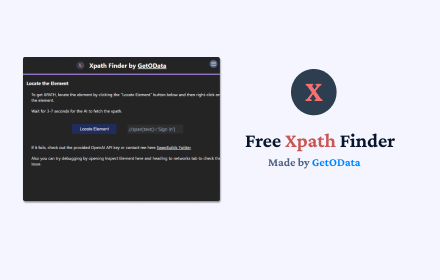
Xpath Finder
Free Xpath finder for any element using AI. Extract accurate Xpath for any element. Accurate and always Free!
As of May 2026, Xpath Finder has 149 users and a 2.33/5 rating from 3 reviews in the Developer Tools category.
Usersdown 13.4 percent−13.4%
149
149
Ratingno change0%
2.33
3 reviews
Reviewsno change0%
3
Version
1.0.6
Manifest V3
History
3 snapshotsTracking since Apr 1, 2026.
View as table
| Date | Users | Rating | Reviews | Version |
|---|---|---|---|---|
| Apr 1, 2026 | 172 | 2.33 | 3 | 1.0.6 |
| May 1, 2026 | 177 | 2.33 | 3 | 1.0.6 |
| May 29, 2026 | 165 | 2.33 | 3 | 1.0.6 |
| Now | 149 | 2.33 | 3 | 1.0.6 |
Permissions & access
- Permissions
- storageactiveTabtabs
- Host access
- None declared
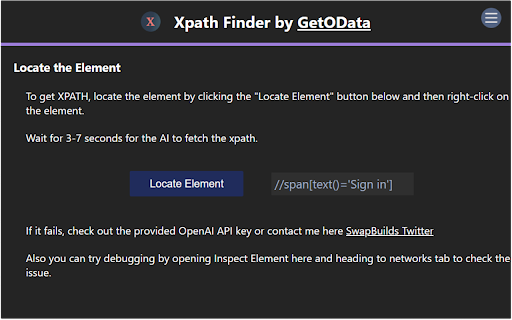
Screenshots
About
Free Xpath finder for any element using AI.

Right click on any element to get the Xpath.

This Xpath Finder by GetOData.com is an AI-powered Chrome extension for finding Xpath for any element on the webpage.

It saves you from the hassle of creating Xpath yourself.

Especially a big time saver for Data Extraction, Web Automation enthusiasts looking to locate elements using xpath.

It's the best and most accurate tool present in the market.
Technical
- Version
- 1.0.6
- Manifest
- V3
- Size
- 942KiB
- Min Chrome
- 88
- Languages
- 1
- Featured
- No
Metadata
- ID
- gmnpnkpkfgifjiobncgioblpdlmdcbec
- Developer ID
- u276eb62f8939556f615d7193287c9a1f
- Developer Email
- [email protected]
- Created
- Feb 19, 2024
- Last Updated (Store)
- Mar 25, 2024
- Last Scraped
- May 29, 2026
- Website
- —
- Support URL
- https://getodata.com/
- Privacy Policy
- https://getodata.com/privacy
Similar extensions
Alternatives to Xpath Finder, ranked by description similarity.

XPath Selector
HTML XPath Selector: instantly test and debug XPath queries in your browser. Validate your XPath expressions easily.
3.0K
★ 5.0

XPath Hunter
Smart XPath Path Extractor
25

XPath Finder
Click any element to instantly copy its unique XPath. Supports axes strategy.
7
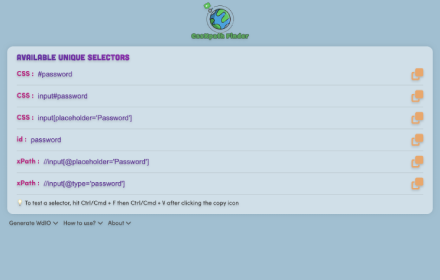
CssXpath Finder
The best CSS & Xpath finder for your web automation!
210
★ 5.0

XPath Finder
Find and copy XPath of any hovered element with lock/unlock feature.
10

XPath
Click any element to copy its XPath to clipboard.
42
★ 5.0

XPath Extractor
Extract text and attributes from web elements using XPath. Test, highlight, and export data effortlessly.
29
★ 5.0

XPathSense – AI Web Element Scanner
Smartly scan web pages and extract AI-enhanced XPaths for automation.
108
★ 5.0
Data sourced from the Chrome Web Store · last verified May 29, 2026.