
Shrink PDF Size
Easily Shrink PDF Size of any document without compromising quality. Compress and reduce PDF documents securely with a few clicks.
As of June 2026, Shrink PDF Size has 138 users and a 3.67/5 rating from 3 reviews in the Productivity category.
Usersup 16.9 percent+16.9%
138
138
Ratingno change0%
3.67
3 reviews
Reviewsno change0%
3
Version
1.0.0
Manifest V3
History
9 snapshotsTracking since Apr 1, 2026.
View as table
| Date | Users | Rating | Reviews | Version |
|---|---|---|---|---|
| Apr 1, 2026 | 118 | 3.67 | 3 | 1.0.0 |
| Apr 11, 2026 | 123 | 3.67 | 3 | 1.0.0 |
| Apr 20, 2026 | 122 | 3.67 | 3 | 1.0.0 |
| Apr 27, 2026 | 124 | 3.67 | 3 | 1.0.0 |
| May 10, 2026 | 130 | 3.67 | 3 | 1.0.0 |
| May 16, 2026 | 137 | 3.67 | 3 | 1.0.0 |
| May 22, 2026 | 143 | 3.67 | 3 | 1.0.0 |
| May 28, 2026 | 137 | 3.67 | 3 | 1.0.0 |
| Jun 4, 2026 | 139 | 3.67 | 3 | 1.0.0 |
| Now | 138 | 3.67 | 3 | 1.0.0 |
Permissions & access
- Permissions
- sidePanel
- Host access
- None declared
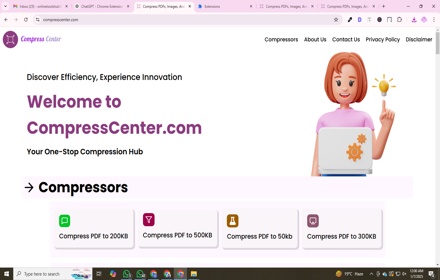
Screenshots

About
Need to shrink PDF quickly and easily? Our Chrome extension is the perfect solution to reduce PDF size while maintaining quality. Whether you need to shrink file size of PDFs for email, upload limits, or storage, this tool provides a fast and secure way to get the job done. No need for complicated software - just a few clicks and your document is optimized!

⭐ Key Features

1️⃣ Reduce PDF file size instantly without losing quality
2️⃣ Compress files to reduce load time and storage space
3️⃣ Works on all platforms, including condensing PDF files on Mac & Windows
4️⃣ Make docs smaller for email attachments and online submissions

❓Why Choose This Tool?

📌 Fast & Secure: Your files are processed instantly, and you can also opt in for local in-browser processing mode to ensure privacy.
📌 User-Friendly: Simple interface, perfect for all experience levels.
📌 Cross-Platform: Works on Windows, Mac, and ChromeOS.
📌 Almost no Quality Loss: Our advanced compressor keeps text and images sharp.

🔥 How to Use the Extension

1. Click on the extension icon in your Chrome toolbar, the side panel will be opened.
2. Upload or drag & drop your documents.
3. Click "Compress" and download your optimized version instantly!

📁 Benefits of Using Our Compressor

➤ Shrink PDF size for faster uploads and seamless sharing.
➤ Condense PDF files to meet online form requirements.
➤ Minimize documents without affecting readability.
➤ Adobe PDF compressor alternative with a lightweight, fast process.
➤ Works on large and small files (any size).

🎯 Who Needs This Tool?

- Students & Educators: Shrink PDF size to fit assignment uploads.
- Business Professionals: Decrease the size of the document for smoother email communication.
- Freelancers & Designers: Reduce  PDFs while keeping high-resolution images.
- Anyone sharing documents: Reduce files for social media, websites, and documents.

🏆 Top Reasons to Use Our Extension

- Faster document sharing
- Optimized file storage
- Improved email deliverability with smaller attachment sizes
- Hassle-free online form submissions
- Shrinking the size of a PDF in just seconds

⚡ Advanced Shrinking Technology

Our extension uses cutting-edge compression algorithms to shrink PDF size with minimal impact on readability and formatting. Whether you need a PDF size reducer for work, school, or personal use, our tool delivers unmatched efficiency.

🌍 Works Anywhere, Anytime

No need to install bulky software. Simply add this extension to Chrome and shrink PDF file size whenever you need. Whether you’re using Windows, Linux, or Mac this tool works seamlessly across all devices.

🔐 Privacy & Security

We prioritize your security. You can opt in for local compression only to maximize privacy. Unlike other tools, our PDF shrinker doesn’t store or access your data.

🎉 Get Started Now!

Install the extension today and experience the easiest way to shrink your docs! Whether you need to shrink PDF files on Mac or Windows this tool has got you covered. Compress, reduce, and optimize your files effortlessly!
Technical
- Version
- 1.0.0
- Manifest
- V3
- Size
- 148KiB
- Min Chrome
- 88
- Languages
- 52
- Featured
- No
Metadata
- ID
- glkgkjkgapmmjlfongakdlnlidcgbhhb
- Developer ID
- u3b2ce1f73d7a3bce3587d034d7d76e86
- Developer Email
- [email protected]
- Created
- May 6, 2025
- Last Updated (Store)
- Mar 2, 2026
- Last Scraped
- Jun 4, 2026
- Website
- —
- Support URL
- —
Similar extensions
Alternatives to Shrink PDF Size, ranked by description similarity.

PDF Compressor
Use PDF Compressor – a simple pdf file compressor that helps reduce pdf size by compressing the pdf and shrink pdf file size.
744
★ 5.0

Reduce PDF size
Easily reduce pdf size and compress pdf file for simple sharing. Quickly decrease file size without losing quality.
1.0K
★ 5.0

PDF File Compressor
Use PDF File Compressor to easily compress PDF files. A simple and fast tool to reduce PDF size without losing quality.
63

Decrease PDF Size
This Decrease PDF Size helps you compress pdf. Learn how to reduce PDF files easily with this file compressor.
517
★ 4.8

Minimize PDF Size
Easily minimize pdf size – compress pdf files, and optimize for sharing, reduce pdf volume. Minimize space effortlessly.
181
★ 5.0

PDF Compressor
Compress PDF to exact size: set 1, 2, 5, 10 MB target. Reduce PDF size with 4 modes, batch processing — free, 100% local.
179
★ 5.0

Сompress PDF – Fast & High-Quality Tool
Easily compress large PDF files while keeping top quality: reduce PDF size with high-speed performance and sharp resolution.
74
★ 5.0
Compress PDF to 200KB
A tool to compress PDFs to 200KB directly from Chrome.
11
Data sourced from the Chrome Web Store · last verified Jun 4, 2026.