
AggieSB+: Registration Assistant
Professor ratings, seat alerts, and schedule-fit search for Texas A&M registration.
As of June 2026, AggieSB+: Registration Assistant has 115 users and a 4.83/5 rating from 12 reviews in the Education category.
Usersdown 10.9 percent−10.9%
115
115
Ratingno change0%
4.83
12 reviews
Reviewsno change0%
12
Version
3.2.0
Manifest V3
90-day change · In the last 90 days this extension 1 version update.
History
9 snapshotsTracking since Apr 1, 2026.
View as table
| Date | Users | Rating | Reviews | Version |
|---|---|---|---|---|
| Apr 1, 2026 | 129 | 4.83 | 12 | 3.1.0 |
| Apr 16, 2026 | 121 | 4.83 | 12 | 3.1.0 |
| Apr 24, 2026 | 139 | 4.83 | 12 | 3.2.0 |
| May 7, 2026 | 145 | 4.83 | 12 | 3.2.0 |
| May 12, 2026 | 144 | 4.83 | 12 | 3.2.0 |
| May 18, 2026 | 141 | 4.83 | 12 | 3.2.0 |
| May 24, 2026 | 134 | 4.83 | 12 | 3.2.0 |
| May 31, 2026 | 122 | 4.83 | 12 | 3.2.0 |
| Jun 6, 2026 | 117 | 4.83 | 12 | 3.2.0 |
| Now | 115 | 4.83 | 12 | 3.2.0 |
Changelog
- Apr 16, 2026description
Make smarter course decisions and never miss an open seat with AggieSB+!

AggieSB+ (formerly Professor Compare) is the ultimate companion for Texas A&M registration. We bring professor insights and real-time seat tracking directly into your College Scheduler workflow, saving you from tab-switching fatigue.

🔔 NEW: Real-Time Seat Alerts
Stop refreshing! AggieSB+ now monitors full sections for you.
• Instant Notifications: Get a push notification the moment a seat opens up.
• Seamless Integration: Click "Watch" directly on the Build Schedule, Shopping Cart, or Sections pages.
• Reliable Tracking: Optimized backend monitoring ensures you're the first to know when a spot is available.

🎓 Expert Professor Insights
Make informed choices with data-driven professor profiles.
• Professor Comparison Panel: View all professors teaching a course in a sleek sidebar.
• AI-Powered Summaries: Understand teaching styles, exam difficulty, and workload through AI analysis of real student reviews.
• Grade Distributions: View historical A/B/C/D/F percentages to gauge course difficulty at a glance.
• Smart Filtering: Only shows data for professors teaching in the current semester.

🚀 Improved Experience
• 3-Tab Popup Interface: Easily manage your account, get step-by-step help, or toggle settings.
• Native Dark Mode: Beautiful, eye-friendly design that matches your system or preference.
• Compare Feature: Select multiple professors to view a side-by-side breakdown on the AggieSBP website.

🔒 Privacy & Performance
• Privacy First: No tracking or data collection. Your registration choices stay private. • Lightweight: Optimized to run fast without slowing down your browser. • Official Data: All insights are powered by the AggieSBP platform.

💡 How to Use
Log In: Open the extension popup and sign in to sync your alerts.
Browse: Navigate to any course sections page to see professor ratings.
Watch: On the Build Schedule or Cart pages, click the AggieSB+ button to add alerts for full sections.
Win: Get notified instantly when that "0 seats" becomes "1"!
Built by Aggies, for Aggies. Gig 'em! 👍

---

Works exclusively with tamu.collegescheduler.com
Data provided by AggieSBP (aggieschedulebuilderplus.vercel.app)
Make smarter course decisions and never miss an open seat with AggieSB+!

AggieSB+ (formerly Professor Compare) is the ultimate companion for Texas A&M registration. We bring professor insights and real-time seat tracking directly into your College Scheduler workflow, saving you from tab-switching fatigue.

🌟NEW: Find classes that fit your schedule
Stop manually searching every single course to see if it fits your schedule, just go to your current schedule and press the AggieSB+ button and press import schedule to immediately search between UCC courses or specific department courses to see which ones would fit in your schedule

🔔 Real-Time Seat Alerts
Stop refreshing! AggieSB+ now monitors full sections for you.
• Instant Notifications: Get a push notification the moment a seat opens up.
• Seamless Integration: Click "Watch" directly on the Build Schedule, Shopping Cart, or Sections pages.
• Reliable Tracking: Optimized backend monitoring ensures you're the first to know when a spot is available.

🎓 Expert Professor Insights
Make informed choices with data-driven professor profiles.
• Professor Comparison Panel: View all professors teaching a course in a sleek sidebar.
• AI-Powered Summaries: Understand teaching styles, exam difficulty, and workload through AI analysis of real student reviews.
• Grade Distributions: View historical A/B/C/D/F percentages to gauge course difficulty at a glance.
• Smart Filtering: Only shows data for professors teaching in the current semester.

🚀 Improved Experience
• 3-Tab Popup Interface: Easily manage your account, get step-by-step help, or toggle settings.
• Native Dark Mode: Beautiful, eye-friendly design that matches your system or preference.
• Compare Feature: Select multiple professors to view a side-by-side breakdown on the AggieSBP website.

🔒 Privacy & Performance
• Privacy First: No tracking or data collection. Your registration choices stay private. • Lightweight: Optimized to run fast without slowing down your browser. • Official Data: All insights are powered by the AggieSBP platform.

💡 How to Use
Log In: Open the extension popup and sign in to sync your alerts.
Browse: Navigate to any course sections page to see professor ratings.
Watch: On the Build Schedule or Cart pages, click the AggieSB+ button to add alerts for full sections.
Win: Get notified instantly when that "0 seats" becomes "1"!
Built by Aggies, for Aggies. Gig 'em! 👍

---

Works exclusively with tamu.collegescheduler.com
Data provided by AggieSBP (aggieschedulebuilderplus.vercel.app)
- Apr 16, 2026short_description
Professor ratings, AI review summaries, grade distributions, and real-time seat alerts for Texas A&M registration.
Professor ratings, seat alerts, and schedule-fit search for Texas A&M registration.
Permissions & access
- Permissions
- activeTabstoragecookies
- Host access
- https://tamu.collegescheduler.com/*, https://api-aggiesbp.servehttp.com/*, https://aggieschedulebuilderplus.vercel.app/*, https://aggieschedulebuilderplus-dev.vercel.app/*
Screenshots


About
Make smarter course decisions and never miss an open seat with AggieSB+!

AggieSB+ (formerly Professor Compare) is the ultimate companion for Texas A&M registration. We bring professor insights and real-time seat tracking directly into your College Scheduler workflow, saving you from tab-switching fatigue.

🌟NEW: Find classes that fit your schedule
Stop manually searching every single course to see if it fits your schedule, just go to your current schedule and press the AggieSB+ button and press import schedule to immediately search between UCC courses or specific department courses to see which ones would fit in your schedule

🔔 Real-Time Seat Alerts
Stop refreshing! AggieSB+ now monitors full sections for you.
• Instant Notifications: Get a push notification the moment a seat opens up.
• Seamless Integration: Click "Watch" directly on the Build Schedule, Shopping Cart, or Sections pages.
• Reliable Tracking: Optimized backend monitoring ensures you're the first to know when a spot is available.

🎓 Expert Professor Insights
Make informed choices with data-driven professor profiles.
• Professor Comparison Panel: View all professors teaching a course in a sleek sidebar.
• AI-Powered Summaries: Understand teaching styles, exam difficulty, and workload through AI analysis of real student reviews.
• Grade Distributions: View historical A/B/C/D/F percentages to gauge course difficulty at a glance.
• Smart Filtering: Only shows data for professors teaching in the current semester.

🚀 Improved Experience
• 3-Tab Popup Interface: Easily manage your account, get step-by-step help, or toggle settings.
• Native Dark Mode: Beautiful, eye-friendly design that matches your system or preference.
• Compare Feature: Select multiple professors to view a side-by-side breakdown on the AggieSBP website.

🔒 Privacy & Performance
• Privacy First: No tracking or data collection. Your registration choices stay private. • Lightweight: Optimized to run fast without slowing down your browser. • Official Data: All insights are powered by the AggieSBP platform.

💡 How to Use
Log In: Open the extension popup and sign in to sync your alerts.
Browse: Navigate to any course sections page to see professor ratings.
Watch: On the Build Schedule or Cart pages, click the AggieSB+ button to add alerts for full sections.
Win: Get notified instantly when that "0 seats" becomes "1"!
Built by Aggies, for Aggies. Gig 'em! 👍

---

Works exclusively with tamu.collegescheduler.com
Data provided by AggieSBP (aggieschedulebuilderplus.vercel.app)
Technical
- Version
- 3.2.0
- Manifest
- V3
- Size
- 47.51KiB
- Min Chrome
- 88
- Languages
- 1
- Featured
- No
Metadata
- ID
- glckdcnecomhlmlegmjdceblibmaljpm
- Developer ID
- ua00f073ceba4083491ebd37290206b3c
- Developer Email
- [email protected]
- Created
- May 26, 2025
- Last Updated (Store)
- Apr 15, 2026
- Last Scraped
- Jun 6, 2026
- Support URL
- —
- Privacy Policy
- —
Similar extensions
Alternatives to AggieSB+: Registration Assistant, ranked by description similarity.

Tribe Tracker
Track William & Mary course availability with real-time notifications and monitoring
7
★ 5.0

USC Schedule Helper
A tool to help you find classes at USC
20.0K
★ 4.9

FetchProf
Adds professor ratings to university course search pages.
—
★ 5.0
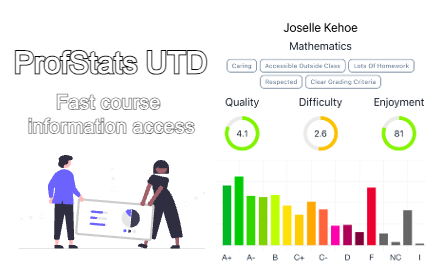
ProfStats UT Dallas
This extension offers a user-friendly interface for accessing aggregated grades and professor ratings effortlessly.
142
★ 5.0

Testudo++
A streamlined process for reviewing course and professor evaluations integrated as a browser extension on https://testudo.umd.edu/.
1.0K
★ 5.0

SAS - Student Attendance System
Student attendance tracking with CSV import, session time tracking, behavior logging, and Excel export
21
★ 5.0

RegPlus
Enhance USC WebReg with RateMyProfessors ratings, reviews, course search, ICS export, and WeChat QR sharing for classmates.
95
★ 5.0

ConuPlanner Ultimate
Unified tool: Export VSB Schedules & Scrape Grade Distributions.
32
★ 5.0
Data sourced from the Chrome Web Store · last verified Jun 6, 2026.