
FB Ad Library Helper - One-Click Ad Research
Save creatives, copy ad text, and open more ads from Meta/Facebook Ads Library faster.
As of June 2026, FB Ad Library Helper - One-Click Ad Research has 27 users and a 5.00/5 rating from 1 reviews in the Productivity category.
Usersup 28.6 percent+28.6%
27
27
Ratingno change0%
5.00
1 reviews
Reviewsno change0%
1
Version
1.0.5
Manifest V3
90-day change · In the last 90 days this extension 1 version update, changed permissions.
History
8 snapshotsTracking since Apr 17, 2026.
View as table
| Date | Users | Rating | Reviews | Version |
|---|---|---|---|---|
| Apr 17, 2026 | 21 | 5.00 | 1 | 1.0.3 |
| Apr 26, 2026 | 21 | 5.00 | 1 | 1.0.3 |
| May 7, 2026 | 22 | 5.00 | 1 | 1.0.3 |
| May 13, 2026 | 21 | 5.00 | 1 | 1.0.3 |
| May 22, 2026 | 24 | 5.00 | 1 | 1.0.3 |
| May 29, 2026 | 25 | 5.00 | 1 | 1.0.5 |
| Jun 5, 2026 | 28 | 5.00 | 1 | 1.0.5 |
| Jun 11, 2026 | 33 | 5.00 | 1 | 1.0.5 |
| Now | 27 | 5.00 | 1 | 1.0.5 |
Changelog
- May 22, 2026description
페이스북 광고 라이브러리(Meta Ad Library), 정보는 많지만 보기는 불편하지 않으셨나요?

좋은 레퍼런스를 찾으러 들어갔다가, 수많은 광고 속에 파묻혀 정작 중요한 '인사이트'를 놓치기 일쑤입니다.
이 확장 프로그램은 여러분의 '클릭'과 '시간'을 획기적으로 아껴드리기 위해 만들어졌습니다.

✅ 개발자의 한마디
"솔직히 말씀드리면, 이 도구가 제공하는 정보들은 이미 광고 라이브러리에서 다 보실 수 있는 것들입니다.
하지만 그 정보를 얻기 위해 여러분은 날짜를 계산하고, 필터를 누르고, 텍스트를 드래그하고, 복사해야 했습니다.
이 확장 프로그램은 그 모든 번거로운 과정을 '단 한 번의 클릭'으로 압축했습니다."


🚀 불필요한 과정은 삭제하고, 결과만 남기세요

1. [시간 단축] 숨은 진주 찾기 노가다 해결
   - 일일이 게시일 확인하며 스크롤 내리지 마세요.
   - 클릭 한 번으로 '3주 이상 집행중인 광고(성과가 검증된 광고)'만 필터합니다.

2. [동선 단축] 텍스트/이미지 분리 시청
   - 텍스트 카피 때문에 이미지가 한눈에 안 들어오셨죠?
   - 텍스트를 걷어내고 이미지/영상만 모아보는 모드로 디자인 레퍼런스를 빠르게 훑어보세요.

3. [입력 단축] 카피라이팅 3초 컷
   - 광고 문구, 제목, 설명... 드래그해서 복사하고 메모장에 붙여넣는 것도 일입니다.
   - 버튼 하나면 광고의 모든 텍스트 요소가 클립보드에 자동 복사됩니다.

🎯 이런 분들께 바칩니다
• "데이터는 이미 있는데, 정리하는 게 일이다"라고 느끼는 분
• 하루에 수십 개의 경쟁사 광고를 모니터링해야 하는 퍼포먼스 마케터
• 단순 반복 작업(노가다)을 싫어하고 효율을 중시하는 기획자

🔒 라이선스 안내
본 확장 프로그램은 유료 서비스입니다.
설치 후 라이선스 키를 등록하면 페이스북 광고 라이브러리에서의 업무 속도가 2배 빨라집니다.
(라이선스 구매 링크는 확장 프로그램 내 설정 화면에서 제공됩니다.)

💡 참고 사항
이 확장 프로그램은 '페이스북 광고 라이브러리(Facebook Ad Library)' 공식 페이지에서만 작동합니다.
FB Ad Library Helper is a Chrome extension built to make Meta/Facebook Ads Library research faster.

It adds active-duration badges, duration filters, creative saving, ad text copying, and same-advertiser navigation directly to ad cards and top controls.

In other words, it adds practical buttons and filters on top of Meta/Facebook Ads Library so you can reduce repetitive research steps.

If you have ever opened Ads Library to find good references, then spent time calculating dates, clicking filters, selecting text, and saving creatives one by one, this tool is designed for that workflow.

FB Ad Library Helper helps turn repetitive ad research tasks into something closer to one-click actions.

💬 Developer note

The information this tool uses is already visible in Ads Library.

The goal is not to create hidden data. The goal is to reduce the repeated calculating, clicking, copying, and saving required to use that public information efficiently.

🚀 Key features

1. Active Duration Badge: see how long an ad has been active

Each ad card shows how long the ad has been active.
For example, 592d Active means the ad has been active for roughly 592 days.
Long-running ads can be a useful research signal that an advertiser may still be investing in that campaign.

2. More Ads: open more ads from the same advertiser

Use the More Ads button to open active ads from the same advertiser faster.
It helps reduce the steps of finding the advertiser page again and rebuilding the right search context.
This is useful when reviewing a competitor's ad portfolio or comparing creative variations from the same advertiser.

3. Save Creative: save media from a single ad card

Use Save Creative to save image or video media from a single ad card.
Filenames are based on the ad library ID, making it easier to trace saved media back to the original ad later.
Saved media is downloaded to your browser's default download location.

4. Copy Text: copy ad text

Repeatedly selecting ad copy, headlines, and descriptions by hand can slow down research.
Use Copy Text to copy the main text elements from an ad card to your clipboard in a structured format.
This is useful when collecting hooks, headlines, descriptions, or comparing messaging across multiple ads.

5. Duration Filter: focus on longer-running ads

Duration filters help you focus on ads that have stayed active longer within the current search results.

Available filters:

- 3w+: active for 3 weeks or more
- 2w+: active for 2 weeks or more
- 1w+: active for 1 week or more
- 3d+: active for 3 days or more
- 2d+: active for 2 days or more

The number next to each filter indicates how many loaded ads match that condition.

6. Creative View: review ads with a creative-first layout

Ad copy and extra metadata can make it harder to focus on images and videos.
Creative View reduces text-heavy elements so you can review ad creatives more visually.
It is useful when scanning design references, creative patterns, and visual angles.

7. Save All: save loaded ad creatives in bulk

Save All bundles up to 50 currently loaded ad creatives into a ZIP file.
Ads Library loads additional ad cards as you scroll. When new cards load, the Save All count is recalculated. If you save again, the creatives loaded at that moment become the save target.
This helps collect reference files faster than saving ads one by one.

✅ Who this is for

- Marketers who repeatedly collect and organize competitor ad creatives and copy
- Performance marketers who monitor multiple competitor ads each day
- Marketers and designers who frequently search Meta/Facebook Ads Library for creative references
- Planners and operators who want to reduce repetitive work and speed up ad research

⭐ Pro access

FB Ad Library Helper includes paid Pro features.
Sign in with your Google account to start a 3-day free trial.
After the trial ends, you can upgrade to Pro inside the extension.
Pro is a one-time purchase with no monthly subscription.
Payments are processed by Polar, and the extension does not store card information.

✨ Notes

This extension works only on the official Facebook Ad Library website.
It does not collect Facebook login information, passwords, cookies, or private account data.
FB Ad Library Helper is not an official product of, or affiliated with, Meta or Facebook.
- May 22, 2026short_description
페이스북 광고 레퍼런스 수집을 원클릭으로 10배 빠르게 완료하세요!
Save creatives, copy ad text, and open more ads from Meta/Facebook Ads Library faster.
- May 22, 2026name
FB 광고 라이브러리 도우미
FB Ad Library Helper - One-Click Ad Research
- May 22, 2026host_permissions
https://*.facebook.com/*, https://*.googleapis.com/*, https://*.firebaseio.com/*, https://*.firebaseapp.com/*, https://api.gumroad.com/*
https://*.facebook.com/ads/library/*, https://identitytoolkit.googleapis.com/*, https://securetoken.googleapis.com/*, https://firestore.googleapis.com/*, https://fb-helper-workers.ohohjjimo.workers.dev/*
Permissions & access
- Permissions
- identitystorage
- Host access
- https://*.facebook.com/ads/library/*, https://identitytoolkit.googleapis.com/*, https://securetoken.googleapis.com/*, https://firestore.googleapis.com/*, https://fb-helper-workers.ohohjjimo.workers.dev/*
Screenshots


About
FB Ad Library Helper is a Chrome extension built to make Meta/Facebook Ads Library research faster.

It adds active-duration badges, duration filters, creative saving, ad text copying, and same-advertiser navigation directly to ad cards and top controls.

In other words, it adds practical buttons and filters on top of Meta/Facebook Ads Library so you can reduce repetitive research steps.

If you have ever opened Ads Library to find good references, then spent time calculating dates, clicking filters, selecting text, and saving creatives one by one, this tool is designed for that workflow.

FB Ad Library Helper helps turn repetitive ad research tasks into something closer to one-click actions.

💬 Developer note

The information this tool uses is already visible in Ads Library.

The goal is not to create hidden data. The goal is to reduce the repeated calculating, clicking, copying, and saving required to use that public information efficiently.

🚀 Key features

1. Active Duration Badge: see how long an ad has been active

Each ad card shows how long the ad has been active.
For example, 592d Active means the ad has been active for roughly 592 days.
Long-running ads can be a useful research signal that an advertiser may still be investing in that campaign.

2. More Ads: open more ads from the same advertiser

Use the More Ads button to open active ads from the same advertiser faster.
It helps reduce the steps of finding the advertiser page again and rebuilding the right search context.
This is useful when reviewing a competitor's ad portfolio or comparing creative variations from the same advertiser.

3. Save Creative: save media from a single ad card

Use Save Creative to save image or video media from a single ad card.
Filenames are based on the ad library ID, making it easier to trace saved media back to the original ad later.
Saved media is downloaded to your browser's default download location.

4. Copy Text: copy ad text

Repeatedly selecting ad copy, headlines, and descriptions by hand can slow down research.
Use Copy Text to copy the main text elements from an ad card to your clipboard in a structured format.
This is useful when collecting hooks, headlines, descriptions, or comparing messaging across multiple ads.

5. Duration Filter: focus on longer-running ads

Duration filters help you focus on ads that have stayed active longer within the current search results.

Available filters:

- 3w+: active for 3 weeks or more
- 2w+: active for 2 weeks or more
- 1w+: active for 1 week or more
- 3d+: active for 3 days or more
- 2d+: active for 2 days or more

The number next to each filter indicates how many loaded ads match that condition.

6. Creative View: review ads with a creative-first layout

Ad copy and extra metadata can make it harder to focus on images and videos.
Creative View reduces text-heavy elements so you can review ad creatives more visually.
It is useful when scanning design references, creative patterns, and visual angles.

7. Save All: save loaded ad creatives in bulk

Save All bundles up to 50 currently loaded ad creatives into a ZIP file.
Ads Library loads additional ad cards as you scroll. When new cards load, the Save All count is recalculated. If you save again, the creatives loaded at that moment become the save target.
This helps collect reference files faster than saving ads one by one.

✅ Who this is for

- Marketers who repeatedly collect and organize competitor ad creatives and copy
- Performance marketers who monitor multiple competitor ads each day
- Marketers and designers who frequently search Meta/Facebook Ads Library for creative references
- Planners and operators who want to reduce repetitive work and speed up ad research

⭐ Pro access

FB Ad Library Helper includes paid Pro features.
Sign in with your Google account to start a 3-day free trial.
After the trial ends, you can upgrade to Pro inside the extension.
Pro is a one-time purchase with no monthly subscription.
Payments are processed by Polar, and the extension does not store card information.

✨ Notes

This extension works only on the official Facebook Ad Library website.
It does not collect Facebook login information, passwords, cookies, or private account data.
FB Ad Library Helper is not an official product of, or affiliated with, Meta or Facebook.
Technical
- Version
- 1.0.5
- Manifest
- V3
- Size
- 72.95KiB
- Min Chrome
- 88
- Languages
- 3
- Featured
- No
Metadata
- ID
- gjfjmdnbcambfkhldbjeojdahnfehkdl
- Developer ID
- u0f78f907ea0240e28a14110cdeb6e700
- Developer Email
- [email protected]
- Created
- Dec 25, 2025
- Last Updated (Store)
- May 15, 2026
- Last Scraped
- Jun 11, 2026
- Website
- —
- Support URL
- —
Similar extensions
Alternatives to FB Ad Library Helper - One-Click Ad Research, ranked by description similarity.

치지직 광고 스키퍼
치지직의 광고 스킵 버튼을 자동으로 눌러줍니다. (광고 차단이 아님)
7.0K
★ 4.2

Meta Ad Library Video Fetcher
Extract video URLs from Meta Ad Library ads alongside their primary text.
43
★ 5.0

라프텔 Plus
라프텔에서 새로운 애니메이션을 더 편리하게 찾아보세요
19

Ad Library — Save & Analyze Ads
Save ads from Instagram & Facebook. Track spend, audience, reach and creatives in your personal ad library. adlibrary.com
76
★ 5.0

오토 치지직
치지직 광고차단/스트리밍 오류발생시 자동 새로고침/5초간 마우스 움직임 없을 경우 팔로우 목록 자동 새로고침
20.0K
★ 4.7

Ad Library - Ad Finder & Adspy Tool
Free AdSpy tool for Facebook™ Ad Library. Search, view & save ads of any advertiser.
20.0K
★ 4.3

Facebook & TikTok Ad Library Downloader
Ad downloaders for popular media platforms, covering wonderful ad examples from all walks of life
77
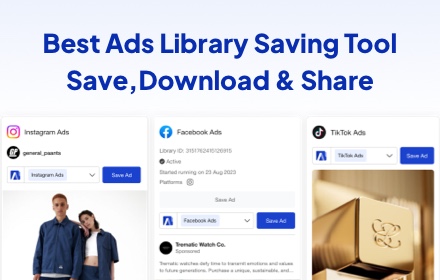
Ad Library - Save Facebook, TikTok, Youtube, Ins and Twitter Ads
The most powerful tool to save ads from Facebook, TikTok, YouTube, Twitter, Instagram, and more platforms.
20.0K
★ 3.0
Data sourced from the Chrome Web Store · last verified Jun 11, 2026.