
Audio SpeechScribe: Audio to Text
Audio-to-text conversion tool that transcribes audio from meetings, lectures, songs, and podcasts into text
As of June 2026, Audio SpeechScribe: Audio to Text has 4,000 users and a 3.40/5 rating from 10 reviews in the Communication category.
Usersno change0%
4.0K
4,000
Ratingno change0%
3.40
10 reviews
Reviewsno change0%
10
Version
2.2.0
Manifest V3
Permissions & access
- Permissions
- storagei18nweb_accessible_resources
- Host access
- https://*.linkedin.com/*
Screenshots


About
Use Audio Transcriptor to create content.

Audio Transcriptor is a transcription application that allows people to input text from audio. The accuracy of this application is comparable to manual transcription accuracy. This is because the software can accurately identify words, even if they are spoken with different accents or at different speeds.

Audio transcription is an important part of content creation for many companies. The problem is that it can be difficult to find the right people for this work. Transcribing audio material into text requires a lot of time and effort, so many companies turn to automatic transcription instead. Automatic transcription software can be used by anyone with a computer or mobile device, and it can provide the same accurate results as manual transcription.

The cheapest option without compromising quality
Audio Transcriptor is a transcription service that provides audio transcription at the lowest price. The company also offers a free trial version that can be used to transcribe interviews, podcasts, or speeches.

The transcription industry is rapidly evolving, and Audio Transcriptor wants to be at the forefront. They are constantly looking for new ways to improve their services to offer their clients the best possible experience.

Full list of Audio Transcriptor features
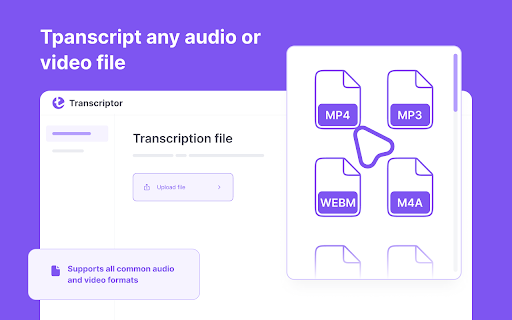
Audio Transcriptor is an audio-to-text conversion tool that transcribes audio from meetings, lectures, songs, and podcasts into text! Audio Transcriptor supports mp3, mp4, and other file formats, so you can easily convert audio into text! The speech-to-text conversion app offers 60 minutes of free transcription. So, you can check the accuracy of your dictation.

How to use Transkriptor in 5 steps?
1. Download the Transkriptor extension for Chrome.
2. Register.
4. Upload your file from which you want to get the text.
5. Click the Transkript button.

Use Transkriptor for:
* Creating subtitles for videos
* Transcribing online lectures into text
* Recording video calls in Google Docs
Technical
- Version
- 2.2.0
- Manifest
- V3
- Size
- 53.4MiB
- Min Chrome
- 120
- Languages
- 14
- Featured
- No
Metadata
- ID
- gijnkelbkbmaekkkgoalpimggbmoahol
- Developer ID
- uf61201ce253096328c211d8f6851d65d
- Developer Email
- [email protected]
- Created
- Apr 12, 2024
- Last Updated (Store)
- May 23, 2025
- Last Scraped
- Jun 1, 2026
- Website
- edu.elang.app
- Support URL
- https://elang.app/contacts
- Privacy Policy
- https://elang.app/privacy
Similar extensions
Alternatives to Audio SpeechScribe: Audio to Text, ranked by description similarity.

Text N Speech
Convert speech and audio to text. Use the Refine feature to correct grammar, spelling, and punctuation errors.
69
★ 4.2

UseVoice AI transcription and translator and speech-to-text
Speak your thoughts, create professional documents in seconds on EVERY website.
Quickly transcribe you voice to text on EVERY…
96
★ 2.3

Whisperr - Live Voice Translator
The extension allows you to listen to any audio or video and it transcribes and translates in realtime. It's the fastest and the…
587
★ 5.0

Text to MP3
Convert text to mp3 online: read aloud using tts reader that makes text to speech and save as mp3 audio file with ai natural voices.
1.0K
★ 4.9

Audio Transcriber
An extension that records audio and transcribes it to text.
29

AI Voice to Text
Use AI Voice to Text extension for fast speech into messages, audio transcription & dictation – perfect in Gmail, Slack, Notion.
622
★ 4.2

Speechwave - Speech to Text
Speechwave converts speech to text in real time. Dictate into text fields, emails, forms, docs, and web editors.
17

ChatGPT Audio Translator
Live Multilingual Transcription and Translation.
1.0K
★ 3.7
Data sourced from the Chrome Web Store · last verified Jun 1, 2026.