
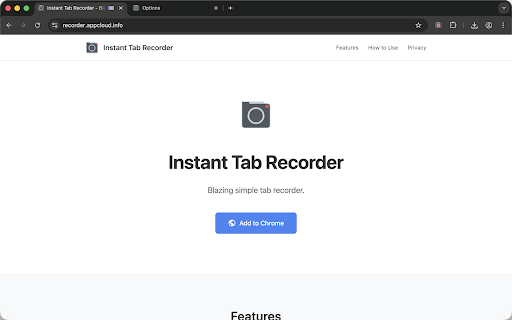
Instant Tab Recorder
Blazingly simple tab recorder.
As of June 2026, Instant Tab Recorder has 2,000 users and a 4.67/5 rating from 12 reviews in the Productivity category.
Usersdown 33.3 percent−33.3%
2.0K
2,000
Ratingdown 6.6 percent−6.6%
4.67
12 reviews
Reviewsup 50.0 percent+50.0%
12
Version
1.7.1
Manifest V3
90-day change · In the last 90 days this extension lost 1.0K users, 5 version updates.
History
11 snapshotsTracking since Apr 1, 2026.
View as table
| Date | Users | Rating | Reviews | Version |
|---|---|---|---|---|
| Apr 1, 2026 | 3.0K | 5.00 | 8 | 1.4.0 |
| Apr 5, 2026 | 3.0K | 5.00 | 8 | 1.5.0 |
| Apr 16, 2026 | 2.0K | 5.00 | 8 | 1.5.0 |
| Apr 22, 2026 | 1.0K | 5.00 | 9 | 1.6.1 |
| Apr 27, 2026 | 1.0K | 5.00 | 9 | 1.6.2 |
| May 7, 2026 | 1.0K | 5.00 | 10 | 1.6.2 |
| May 11, 2026 | 1.0K | 5.00 | 11 | 1.7.0 |
| May 14, 2026 | 1.0K | 5.00 | 11 | 1.7.1 |
| May 23, 2026 | 1.0K | 4.67 | 12 | 1.7.1 |
| May 28, 2026 | 2.0K | 4.67 | 12 | 1.7.1 |
| Jun 22, 2026 | 3.0K | 4.67 | 12 | 1.7.1 |
| Now | 2.0K | 4.67 | 12 | 1.7.1 |
Changelog
- May 11, 2026description
Record any Chrome tab instantly — video, audio, or both — with a single click.

Instant Tab Recorder is a privacy-first, open-source screen recorder built for simplicity. No account, no cloud upload, no internet connection needed. All recording and processing happens entirely on your device.

Use cases:
- Record web-based meetings and presentations for later review
- Create tutorials and how-to videos from web apps
- Save streaming content for personal use
- Capture audio from web-based music or podcasts for personal use
- Record bug reproductions for development teams

* Please ensure your use complies with applicable laws and the terms of service of the content you are recording.

Features:

🔒 Privacy First
No personal data collected. Recordings are stored locally using the browser's Origin Private File System and never leave your device. Optional crash reporting via Sentry (opt-out anytime).

⏺️ Instant Recording
Start recording any tab with one click, right-click context menu, or keyboard shortcut. Pause, resume, and stop anytime.

🎦 Flexible Recording Modes
Choose video with audio, video only, or audio only to suit your needs.

🎤 Microphone & Audio Separation
Add microphone audio with adjustable gain. Optionally save tab audio and mic audio as separate files — perfect for transcription and post-processing.

⏱️ Recording Timer
Set a timer to auto-stop recording after a specified duration. Great for scheduled captures and hands-free workflows.

🎞️ Cropping & Window Resize
Crop a specific area of the tab or resize the browser window to a target dimension before recording. Preview the crop region in real time.

⚙️ Advanced Format Options
5 containers (WebM, MP4, OGG, AAC, FLAC) × 5 video codecs (VP8, VP9, AV1, H.264, H.265) × 3 audio codecs (Opus, AAC, FLAC). Customize resolution, frame rate, and bitrate to your needs.

Open source — view the full source code:
https://github.com/ww24/instant-tab-recorder

---

# Release Notes v1.7.0

## ✨ New Features

### IndexedDB Integration for Recordings

* Recording metadata is now managed in IndexedDB, improving the loading performance of the recording list
* Existing recordings are automatically migrated on update
* Recording files themselves continue to be stored in OPFS as before
* For new recordings, the video duration is also displayed in the list

### Thumbnail Preview in Recording List

* A thumbnail image is now automatically generated from the first frame of the recorded video
* Thumbnails are displayed in the recording list for quick visual identification
* This applies only to new recordings

## 🐛 Bug Fixes

### Improved Error Handling

* Fixed an issue where the alert dialog did not open at the correct timing when a recording failed
* Enhanced error handling during recording cancellation to prevent unexpected states

### Fixed FLAC Encoder Registration Timing

* Fixed an issue where the FLAC encoder was not registered at the correct timing, causing unintended errors on the settings page
Record any Chrome tab instantly — video, audio, or both — with a single click.

Instant Tab Recorder is a privacy-first, open-source screen recorder built for simplicity. No account, no cloud upload, no internet connection needed. All recording and processing happens entirely on your device.

Use cases:
- Record web-based meetings and presentations for later review
- Create tutorials and how-to videos from web apps
- Save streaming content for personal use
- Capture audio from web-based music or podcasts for personal use
- Record bug reproductions for development teams

* Please ensure your use complies with applicable laws and the terms of service of the content you are recording.

Features:

🔒 Privacy First
No personal data collected. Recordings are stored locally using the browser's Origin Private File System and never leave your device. Optional crash reporting via Sentry (opt-out anytime).

⏺️ Instant Recording
Start recording any tab with one click, right-click context menu, or keyboard shortcut. Pause, resume, and stop anytime.

🎦 Flexible Recording Modes
Choose video with audio, video only, or audio only to suit your needs.

🎤 Microphone & Audio Separation
Add microphone audio with adjustable gain. Optionally save tab audio and mic audio as separate files — perfect for transcription and post-processing.

⏱️ Recording Timer
Set a timer to auto-stop recording after a specified duration. Great for scheduled captures and hands-free workflows.

🎞️ Cropping & Window Resize
Crop a specific area of the tab or resize the browser window to a target dimension before recording. Preview the crop region in real time.

⚙️ Advanced Format Options
5 containers (WebM, MP4, OGG, AAC, FLAC) × 5 video codecs (VP8, VP9, AV1, H.264, H.265) × 3 audio codecs (Opus, AAC, FLAC). Customize resolution, frame rate, and bitrate to your needs.

Open source — view the full source code:
https://github.com/ww24/instant-tab-recorder

---

# Release Notes v1.7.1

## 🐛 Bug Fixes

### Fixed Recording Failure When Using FLAC Codec

* There was an issue where recording failed approximately 50% of the time when using the FLAC codec with audio-only or audio separation settings that output audio files
* This has been resolved by a bug fix in the underlying library

### Improved Stability When Loading Recording List

* Fixed an issue where the recording list could fail to load after a hard refresh or extension update
* When fetching recordings fails, a clear error message is now displayed instead of showing a blank list

### Fixed Thumbnail Generation Error for Audio-Only Recordings

* Fixed an issue where an unnecessary error was reported when generating thumbnails for audio-only recordings
* Recordings without video tracks are now handled gracefully without logging errors

## 🔧 Other Improvements

### License Information Display

* License information for bundled dependencies can now be viewed from the support section on the settings page
* This is to show respect for the open-source libraries used in this extension and to comply with their license terms
- May 7, 2026description
Record any Chrome tab instantly — video, audio, or both — with a single click.

Instant Tab Recorder is a privacy-first, open-source screen recorder built for simplicity. No account, no cloud upload, no internet connection needed. All recording and processing happens entirely on your device.

Use cases:
- Record web-based meetings and presentations for later review
- Create tutorials and how-to videos from web apps
- Save streaming content for personal use
- Capture audio from web-based music or podcasts for personal use
- Record bug reproductions for development teams

* Please ensure your use complies with applicable laws and the terms of service of the content you are recording.

Features:

🔒 Privacy First
No personal data collected. Recordings are stored locally using the browser's Origin Private File System and never leave your device. Optional crash reporting via Sentry (opt-out anytime).

⏺️ Instant Recording
Start recording any tab with one click, right-click context menu, or keyboard shortcut. Pause, resume, and stop anytime.

🎦 Flexible Recording Modes
Choose video with audio, video only, or audio only to suit your needs.

🎤 Microphone & Audio Separation
Add microphone audio with adjustable gain. Optionally save tab audio and mic audio as separate files — perfect for transcription and post-processing.

⏱️ Recording Timer
Set a timer to auto-stop recording after a specified duration. Great for scheduled captures and hands-free workflows.

🎞️ Cropping & Window Resize
Crop a specific area of the tab or resize the browser window to a target dimension before recording. Preview the crop region in real time.

⚙️ Advanced Format Options
5 containers (WebM, MP4, OGG, AAC, FLAC) × 5 video codecs (VP8, VP9, AV1, H.264, H.265) × 3 audio codecs (Opus, AAC, FLAC). Customize resolution, frame rate, and bitrate to your needs.

Open source — view the full source code:
https://github.com/ww24/instant-tab-recorder

---

# Release Notes v1.6.2

## ✨ New Features

### Japanese Language Support (i18n)

* All user-facing text in the extension is now translatable via Chrome's i18n API
* Japanese language support has been added — the UI automatically switches based on your Chrome language settings

## 🐛 Bug Fixes

### Fixed Audio Separation in Audio-Only Mode

* Fixed an issue where the tab audio separation file was not created when microphone recording was enabled in audio-only mode
* Both tab audio and mic audio files are now correctly generated in this configuration

### Improved Recording Status Display

* The elapsed recording time in the recording list now displays more clearly with dedicated styling
* When recording is paused, the elapsed time blinks to provide clear visual feedback
* Fixed an issue where accurate pause/resume state was not reflected on page load
Record any Chrome tab instantly — video, audio, or both — with a single click.

Instant Tab Recorder is a privacy-first, open-source screen recorder built for simplicity. No account, no cloud upload, no internet connection needed. All recording and processing happens entirely on your device.

Use cases:
- Record web-based meetings and presentations for later review
- Create tutorials and how-to videos from web apps
- Save streaming content for personal use
- Capture audio from web-based music or podcasts for personal use
- Record bug reproductions for development teams

* Please ensure your use complies with applicable laws and the terms of service of the content you are recording.

Features:

🔒 Privacy First
No personal data collected. Recordings are stored locally using the browser's Origin Private File System and never leave your device. Optional crash reporting via Sentry (opt-out anytime).

⏺️ Instant Recording
Start recording any tab with one click, right-click context menu, or keyboard shortcut. Pause, resume, and stop anytime.

🎦 Flexible Recording Modes
Choose video with audio, video only, or audio only to suit your needs.

🎤 Microphone & Audio Separation
Add microphone audio with adjustable gain. Optionally save tab audio and mic audio as separate files — perfect for transcription and post-processing.

⏱️ Recording Timer
Set a timer to auto-stop recording after a specified duration. Great for scheduled captures and hands-free workflows.

🎞️ Cropping & Window Resize
Crop a specific area of the tab or resize the browser window to a target dimension before recording. Preview the crop region in real time.

⚙️ Advanced Format Options
5 containers (WebM, MP4, OGG, AAC, FLAC) × 5 video codecs (VP8, VP9, AV1, H.264, H.265) × 3 audio codecs (Opus, AAC, FLAC). Customize resolution, frame rate, and bitrate to your needs.

Open source — view the full source code:
https://github.com/ww24/instant-tab-recorder

---

# Release Notes v1.7.0

## ✨ New Features

### IndexedDB Integration for Recordings

* Recording metadata is now managed in IndexedDB, improving the loading performance of the recording list
* Existing recordings are automatically migrated on update
* Recording files themselves continue to be stored in OPFS as before
* For new recordings, the video duration is also displayed in the list

### Thumbnail Preview in Recording List

* A thumbnail image is now automatically generated from the first frame of the recorded video
* Thumbnails are displayed in the recording list for quick visual identification
* This applies only to new recordings

## 🐛 Bug Fixes

### Improved Error Handling

* Fixed an issue where the alert dialog did not open at the correct timing when a recording failed
* Enhanced error handling during recording cancellation to prevent unexpected states

### Fixed FLAC Encoder Registration Timing

* Fixed an issue where the FLAC encoder was not registered at the correct timing, causing unintended errors on the settings page
- Apr 22, 2026description
You can record the content displayed in the tab instantly and easily.

Features:
⏺️ Instant Recording
Start recording any Chrome tab instantly with a single click, context menu, or keyboard shortcut.

🎦 Flexible Recording Modes
Choose from three modes: video with audio, video only, or audio only, to suit your needs.

🎤 Microphone & Audio Separation
Add microphone audio to your recording. Optionally save tab and mic audio as separate files for transcription or post-processing.

🎞️ Cropping & Window Resize
Crop a portion of the visible area or resize the browser window to a specific dimension before recording.

⚙️ Customizable Settings
Configure resolution, bitrate, format, and codec. Wide range of codecs including H.265, AV1, AAC, FLAC, and more.

🌐 Works Offline
No internet connection required. All recording and processing happens locally on your device.

This is an open source project, the source code is publicly available.
https://github.com/ww24/instant-tab-recorder

We developed this extension because we needed an extension that could be used safely from the perspective of security and privacy.

---

# Release Notes v1.6.1

## 🐛 Bug Fixes

### Fixed Internal Message Handling

* Fixed an issue where starting a recording with the options page open on Chrome v146 or later could result in an unexpected state and cause the recording to fail
* Improved stability by overhauling internal message listeners

# Release Notes v1.6.0

## ✨ New Features

### Pause & Resume Recording

* You can now pause and resume during a recording session
* The recording list shows a "Paused" status indicator when recording is paused
* Pause and resume via the context menu or keyboard shortcut

### Recording Timer

* You can now set a timer to automatically stop recording in 1-minute increments
* A confirmation dialog is shown when manually stopping a recording with an active timer (can be disabled)
* Enable this feature from the Recording Timer section on the options page

### UI Theme & Dark Mode Support

* You can now choose from four UI themes: Auto, Light, Dark, and Classic
* The default Auto mode follows your OS settings and switches between Light and Dark
* Configure the theme from the Appearance section on the options page
* Existing users default to Classic, preserving the previous design

## 🔧 Other Improvements

* Optimized the build configuration, reducing the distribution size
* Improved internal message handling and session management, reducing potential bug risks
Record any Chrome tab instantly — video, audio, or both — with a single click.

Instant Tab Recorder is a privacy-first, open-source screen recorder built for simplicity. No account, no cloud upload, no internet connection needed. All recording and processing happens entirely on your device.

Use cases:
- Record web-based meetings and presentations for later review
- Create tutorials and how-to videos from web apps
- Save streaming content for personal use
- Capture audio from web-based music or podcasts for personal use
- Record bug reproductions for development teams

* Please ensure your use complies with applicable laws and the terms of service of the content you are recording.

Features:

🔒 Privacy First
No personal data collected. Recordings are stored locally using the browser's Origin Private File System and never leave your device. Optional crash reporting via Sentry (opt-out anytime).

⏺️ Instant Recording
Start recording any tab with one click, right-click context menu, or keyboard shortcut. Pause, resume, and stop anytime.

🎦 Flexible Recording Modes
Choose video with audio, video only, or audio only to suit your needs.

🎤 Microphone & Audio Separation
Add microphone audio with adjustable gain. Optionally save tab audio and mic audio as separate files — perfect for transcription and post-processing.

⏱️ Recording Timer
Set a timer to auto-stop recording after a specified duration. Great for scheduled captures and hands-free workflows.

🎞️ Cropping & Window Resize
Crop a specific area of the tab or resize the browser window to a target dimension before recording. Preview the crop region in real time.

⚙️ Advanced Format Options
5 containers (WebM, MP4, OGG, AAC, FLAC) × 5 video codecs (VP8, VP9, AV1, H.264, H.265) × 3 audio codecs (Opus, AAC, FLAC). Customize resolution, frame rate, and bitrate to your needs.

Open source — view the full source code:
https://github.com/ww24/instant-tab-recorder

---

# Release Notes v1.6.2

## ✨ New Features

### Japanese Language Support (i18n)

* All user-facing text in the extension is now translatable via Chrome's i18n API
* Japanese language support has been added — the UI automatically switches based on your Chrome language settings

## 🐛 Bug Fixes

### Fixed Audio Separation in Audio-Only Mode

* Fixed an issue where the tab audio separation file was not created when microphone recording was enabled in audio-only mode
* Both tab audio and mic audio files are now correctly generated in this configuration

### Improved Recording Status Display

* The elapsed recording time in the recording list now displays more clearly with dedicated styling
* When recording is paused, the elapsed time blinks to provide clear visual feedback
* Fixed an issue where accurate pause/resume state was not reflected on page load
- Apr 16, 2026description
You can record the content displayed in the tab instantly and easily.

Features:
* Supports video only, audio only and both.
* Microphone recording.
* Video cropping.
* Recording resolution, bitrate and frame rate customization.
* Window resizing.
* Works offline as well.

This is an open source project, the source code is publicly available.
https://github.com/ww24/instant-tab-recorder

We developed this extension because we needed an extension that could be used safely from the perspective of security and privacy.

---

# Release Notes v1.5.0

## ✨ New Features

### Audio Separation

* When recording with a microphone, you can now save separated audio files (tab audio / mic audio) alongside the main recording
* Useful for meeting transcription
* Separated audio files can be downloaded individually from the recording list via dedicated tab/mic icons
* Enable this feature from the Audio Separation section on the options page

### Recording Real-Time Status

* The extension icon tooltip now displays elapsed recording time, recording mode, and mic status in real time during recording
* The recording list also shows a live elapsed time counter for the active recording

## 🐛 Bug Fixes

### Cancel Recording on Error

* When an unexpected recording state is detected, the recording is now automatically cancelled and the error is reported
* Recording errors are displayed in the options page so users are immediately aware of issues

### Fixed Encoding Validation on Settings Load

* Fixed an issue where encoding compatibility was not validated when the settings page was loaded
You can record the content displayed in the tab instantly and easily.

Features:
⏺️ Instant Recording
Start recording any Chrome tab instantly with a single click, context menu, or keyboard shortcut.

🎦 Flexible Recording Modes
Choose from three modes: video with audio, video only, or audio only, to suit your needs.

🎤 Microphone & Audio Separation
Add microphone audio to your recording. Optionally save tab and mic audio as separate files for transcription or post-processing.

🎞️ Cropping & Window Resize
Crop a portion of the visible area or resize the browser window to a specific dimension before recording.

⚙️ Customizable Settings
Configure resolution, bitrate, format, and codec. Wide range of codecs including H.265, AV1, AAC, FLAC, and more.

🌐 Works Offline
No internet connection required. All recording and processing happens locally on your device.

This is an open source project, the source code is publicly available.
https://github.com/ww24/instant-tab-recorder

We developed this extension because we needed an extension that could be used safely from the perspective of security and privacy.

---

# Release Notes v1.6.1

## 🐛 Bug Fixes

### Fixed Internal Message Handling

* Fixed an issue where starting a recording with the options page open on Chrome v146 or later could result in an unexpected state and cause the recording to fail
* Improved stability by overhauling internal message listeners

# Release Notes v1.6.0

## ✨ New Features

### Pause & Resume Recording

* You can now pause and resume during a recording session
* The recording list shows a "Paused" status indicator when recording is paused
* Pause and resume via the context menu or keyboard shortcut

### Recording Timer

* You can now set a timer to automatically stop recording in 1-minute increments
* A confirmation dialog is shown when manually stopping a recording with an active timer (can be disabled)
* Enable this feature from the Recording Timer section on the options page

### UI Theme & Dark Mode Support

* You can now choose from four UI themes: Auto, Light, Dark, and Classic
* The default Auto mode follows your OS settings and switches between Light and Dark
* Configure the theme from the Appearance section on the options page
* Existing users default to Classic, preserving the previous design

## 🔧 Other Improvements

* Optimized the build configuration, reducing the distribution size
* Improved internal message handling and session management, reducing potential bug risks
- Apr 16, 2026short_description
Blazing simple tab recorder.
Blazingly simple tab recorder.
- Apr 1, 2026description
You can record the content displayed in the tab instantly and easily.

Features:
* Supports video only, audio only and both.
* Microphone recording.
* Video cropping.
* Recording resolution, bitrate and frame rate customization.
* Window resizing.
* Works offline as well.

This is an open source project, the source code is publicly available.
https://github.com/ww24/chrome-tab-recorder

We developed this extension because we needed an extension that could be used safely from the perspective of security and privacy.

---

# Release Notes v1.4.0

## ✨ New Features

### More Intuitive and Flexible Recording Format Selection

* You can now choose the container format: **WebM**, **MP4**, **Ogg**, **ADTS (AAC)**, **FLAC**
  * Ogg, ADTS, and FLAC are available for audio-only recording mode
* You can now independently select video and audio codecs
  * Video: VP8, VP9, AV1, H.264 (AVC), H.265 (HEVC)
  * Audio: Opus, AAC, FLAC
* Available codec options are automatically filtered based on the selected container format
* Codec compatibility is validated in real time and errors are displayed in the settings UI
* These features are powered by the new Mediabunny recording engine
* Settings from previous versions are automatically migrated to the new format — please verify your settings on the options page before recording

### Bitrate Presets

* Audio and video bitrate settings now offer **High / Medium / Low / Custom** presets
* Custom mode allows entering a specific bitrate value as before

### Audio Sample Rate Setting

* You can now configure the audio sample rate (e.g., 44.1 kHz, 48 kHz)

## 🐛 Bug Fixes

### Improved Preview Player Seeking

* Fixed an issue where seeking in the preview player did not work correctly for large recordings

## 🔧 Other Improvements

* Overhauled the recording flow for improved reliability and observability
* Fixed an issue where incomplete files during recording could be selected or downloaded
* Improved error logging throughout the extension
You can record the content displayed in the tab instantly and easily.

Features:
* Supports video only, audio only and both.
* Microphone recording.
* Video cropping.
* Recording resolution, bitrate and frame rate customization.
* Window resizing.
* Works offline as well.

This is an open source project, the source code is publicly available.
https://github.com/ww24/instant-tab-recorder

We developed this extension because we needed an extension that could be used safely from the perspective of security and privacy.

---

# Release Notes v1.5.0

## ✨ New Features

### Audio Separation

* When recording with a microphone, you can now save separated audio files (tab audio / mic audio) alongside the main recording
* Useful for meeting transcription
* Separated audio files can be downloaded individually from the recording list via dedicated tab/mic icons
* Enable this feature from the Audio Separation section on the options page

### Recording Real-Time Status

* The extension icon tooltip now displays elapsed recording time, recording mode, and mic status in real time during recording
* The recording list also shows a live elapsed time counter for the active recording

## 🐛 Bug Fixes

### Cancel Recording on Error

* When an unexpected recording state is detected, the recording is now automatically cancelled and the error is reported
* Recording errors are displayed in the options page so users are immediately aware of issues

### Fixed Encoding Validation on Settings Load

* Fixed an issue where encoding compatibility was not validated when the settings page was loaded
Permissions & access
- Permissions
- tabCaptureoffscreenstorageunlimitedStoragecontextMenus
- Host access
- None declared
Screenshots


About
Record any Chrome tab instantly — video, audio, or both — with a single click.

Instant Tab Recorder is a privacy-first, open-source screen recorder built for simplicity. No account, no cloud upload, no internet connection needed. All recording and processing happens entirely on your device.

Use cases:
- Record web-based meetings and presentations for later review
- Create tutorials and how-to videos from web apps
- Save streaming content for personal use
- Capture audio from web-based music or podcasts for personal use
- Record bug reproductions for development teams

* Please ensure your use complies with applicable laws and the terms of service of the content you are recording.

Features:

🔒 Privacy First
No personal data collected. Recordings are stored locally using the browser's Origin Private File System and never leave your device. Optional crash reporting via Sentry (opt-out anytime).

⏺️ Instant Recording
Start recording any tab with one click, right-click context menu, or keyboard shortcut. Pause, resume, and stop anytime.

🎦 Flexible Recording Modes
Choose video with audio, video only, or audio only to suit your needs.

🎤 Microphone & Audio Separation
Add microphone audio with adjustable gain. Optionally save tab audio and mic audio as separate files — perfect for transcription and post-processing.

⏱️ Recording Timer
Set a timer to auto-stop recording after a specified duration. Great for scheduled captures and hands-free workflows.

🎞️ Cropping & Window Resize
Crop a specific area of the tab or resize the browser window to a target dimension before recording. Preview the crop region in real time.

⚙️ Advanced Format Options
5 containers (WebM, MP4, OGG, AAC, FLAC) × 5 video codecs (VP8, VP9, AV1, H.264, H.265) × 3 audio codecs (Opus, AAC, FLAC). Customize resolution, frame rate, and bitrate to your needs.

Open source — view the full source code:
https://github.com/ww24/instant-tab-recorder

---

# Release Notes v1.7.1

## 🐛 Bug Fixes

### Fixed Recording Failure When Using FLAC Codec

* There was an issue where recording failed approximately 50% of the time when using the FLAC codec with audio-only or audio separation settings that output audio files
* This has been resolved by a bug fix in the underlying library

### Improved Stability When Loading Recording List

* Fixed an issue where the recording list could fail to load after a hard refresh or extension update
* When fetching recordings fails, a clear error message is now displayed instead of showing a blank list

### Fixed Thumbnail Generation Error for Audio-Only Recordings

* Fixed an issue where an unnecessary error was reported when generating thumbnails for audio-only recordings
* Recordings without video tracks are now handled gracefully without logging errors

## 🔧 Other Improvements

### License Information Display

* License information for bundled dependencies can now be viewed from the support section on the settings page
* This is to show respect for the open-source libraries used in this extension and to comply with their license terms
Technical
- Version
- 1.7.1
- Manifest
- V3
- Size
- 654KiB
- Min Chrome
- 140
- Languages
- 2
- Featured
- Yes
Metadata
- ID
- giebbnikpnedbdojlghnnegpfbgdecmi
- Developer ID
- u691c63284bf5aa8974c8bb39d01250d2
- Developer Email
- [email protected]
- Created
- Jun 22, 2024
- Last Updated (Store)
- May 10, 2026
- Last Scraped
- Jun 22, 2026
- Website
- appcloud.info
- Support URL
- —
- Privacy Policy
- https://recorder.appcloud.info/PRIVACY.html
Similar extensions
Alternatives to Instant Tab Recorder, ranked by description similarity.

Tab Sound Recorder
Record audio from any browser tab
76

Chrome Audio Capture
Easily save sound with Chrome Audio Capture, an online voice recorder and online audio recorder to capture sound from computer
20.0K
★ 4.1

Browser Audio Recorder
Record audio playing in your browser
—
Audio & Voice Recorder
Online voice recorder app helps you to record audio, voice or any sound in high-quality in 1 click.
100.0K
★ 4.5

Simple Screen Recorder
Local screen/window/tab recorder with optional microphone and local download only
6

Chrome Recorder
Record audio from your browser tabs with high quality output.
131
★ 5.0

Tab Audio Recorder
Records audio from the current tab.
129
★ 5.0

Chrome Audio Recorder
Record tab audio instantly. Save audio as high-quality MP4 or WEBM. Simple, unlimited, and free audio recorder for Chrome.
524
★ 4.5
Data sourced from the Chrome Web Store · last verified Jun 22, 2026.