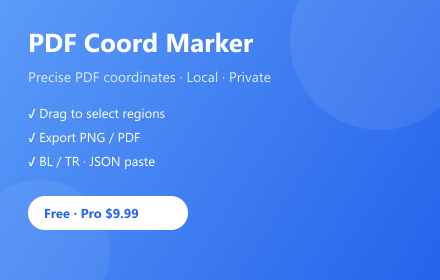
PDF Coord Marker
Precise PDF coordinate marking — local parsing, privacy-first
As of July 2026, PDF Coord Marker has — users in the Productivity category.
Usersno change0%
—
—
Ratingno change0%
—
— reviews
Reviewsno change0%
—
Version
1.1.0
Manifest V3
History
1 snapshotsTracking since Jul 7, 2026.
Not enough history yet for this metric — the chart fills in as we collect more snapshots.
View as table
| Date | Users | Rating | Reviews | Version |
|---|---|---|---|---|
| Jul 7, 2026 | — | — | — | 1.1.0 |
| Now | — | — | — | 1.1.0 |
Permissions & access
- Permissions
- storagedownloadstabs
- Host access
- https://api.gumroad.com/*
Screenshots


About
PDF Coord Marker helps developers, designers, and document reviewers mark rectangular regions on PDF pages and work with precise coordinates — without uploading your files to any server.

Everything runs locally in your browser using PDF.js. Your PDF never leaves your device.


WHAT YOU CAN DO
• Upload a PDF and open the built-in viewer
• Enter Bottom Left / Top Right coordinates (PDF point units, bottom-left origin)
• Drag on the PDF to select a region — coordinates fill in automatically
• Paste coordinates from JSON or other tool output
• Add visual box markers, navigate pages, and zoom
• Export annotated PNG or PDF
• Switch UI language: English or 中文


WHO IT'S FOR
• Developers integrating PDF extraction or layout tools
• QA teams verifying document regions
• Anyone who needs repeatable, shareable coordinate data from PDFs


FREE vs PRO
Free (always available):
• Unlimited PDF marking and viewing
• Core coordinate tools and exports
• Exports include a small corner watermark

Pro — one-time lifetime license ($9.90 via Gumroad, no subscription):
• Watermark-free exports
• Batch import (multiple regions at once)
• Fine-tune offsets
• Custom box styles (color, stroke, fill)
• Copy coordinates to clipboard
• HD export quality
• No ads

Purchase Pro on Gumroad, then activate with your purchase email and license key in the extension popup or Settings page.


PRIVACY FIRST
• PDF parsing and marking happen entirely on your device
• No PDF content is sent to our servers
• License verification contacts Gumroad’s API only when you activate Pro
• Settings and license status are stored locally in Chrome (chrome.storage.local)
• Temporary PDF data uses IndexedDB and is cleared when you start a new session


PERMISSIONS (why we need them)
• storage — save preferences and Pro license status
• downloads — save exported PNG/PDF files
• tabs — open Gumroad checkout in a new tab when you choose to upgrade

Free users may see an optional sponsored Amazon affiliate banner. Pro removes all ads.


SUPPORT
Questions or license issues: [email protected]
Technical
- Version
- 1.1.0
- Manifest
- V3
- Size
- 950KiB
- Min Chrome
- 88
- Languages
- 2
- Featured
- No
Metadata
- ID
- ghhhpaiokngocajfcckgmhehpdpdmcjf
- Developer ID
- u7fb24d8bd6faa241c4843ab8955940f8
- Developer Email
- [email protected]
- Created
- Jul 6, 2026
- Last Updated (Store)
- Jul 6, 2026
- Last Scraped
- Jul 7, 2026
- Website
- —
- Support URL
- —
Data sourced from the Chrome Web Store · last verified Jul 7, 2026.