
Zlinky: AI Bookmark and Screenshot Organization App
Elevate your productivity: save links, share screenshots, build a resource library, & access AI powered insights about a web page.
As of June 2026, Zlinky: AI Bookmark and Screenshot Organization App has 215 users and a 5.00/5 rating from 4 reviews in the Productivity category.
Usersdown 5.3 percent−5.3%
215
215
Ratingno change0%
5.00
4 reviews
Reviewsno change0%
4
Version
1.6.3
Manifest V3
History
3 snapshotsTracking since Apr 1, 2026.
View as table
| Date | Users | Rating | Reviews | Version |
|---|---|---|---|---|
| Apr 1, 2026 | 227 | 5.00 | 4 | 1.6.3 |
| May 3, 2026 | 234 | 5.00 | 4 | 1.6.3 |
| Jun 2, 2026 | 216 | 5.00 | 4 | 1.6.3 |
| Now | 215 | 5.00 | 4 | 1.6.3 |
Permissions & access
- Permissions
- activeTabstoragecontextMenusscriptingclipboardWritetabs
- Host access
- <all_urls>
Screenshots


About
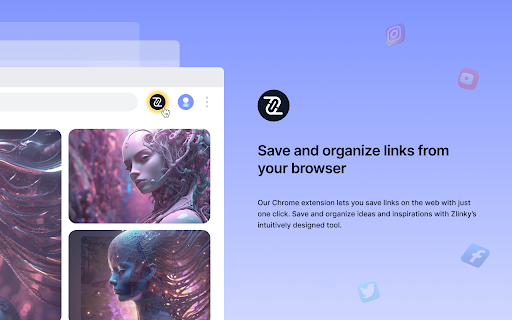
Once you set-up a Zlinky account, you can access the following features via the Zlinky Chrome Extension:

* Snip a screenshot & easily share the screenshot via a quick copy and paste into Slack, Teams, email, WhatsApp etc.
* Organize screenshots into your Zlinky folders.
* Effortlessly save links into your Zlinky folders.
* Use ZlinkyAI (powered by ChatGPT) to summarise, or find out more about the web page that you are viewing.


Uses for Zlinky include:

* Save important articles to read later
* Save links to frequently used websites & applications
* Organize project research
* Save & centralise relevant video content from Social Media sites [eg. YouTube, TikTok, Instagram Reels] into your Zlinky folders
* Save links to Podcasts for future listening
* Quickly share screenshots with colleagues
* Use the ZlinkyAI chatbot to find out more about the web page you are viewing (powered by ChatGPT)
* Use the ZlinkyAI chatbot as a general AI chatbot without leaving your browser tab (powered by ChatGPT)
* An optional note can be attached to any saved link, image or screenshot to help with context.

The Chrome extension also allows for quick access to your Zlinky folder library, via the desktop Web version of your Zlinky account.

You can access your Zlinky account via any mobile, laptop or desktop device.
Technical
- Version
- 1.6.3
- Manifest
- V3
- Size
- 6.06MiB
- Min Chrome
- 88
- Languages
- 1
- Featured
- No
Metadata
- ID
- ggojaldfgpakjphophpmehaokjcbnjpa
- Developer ID
- u213b14a81cc38dd4971e622c3843149b
- Developer Email
- [email protected]
- Created
- Nov 16, 2022
- Last Updated (Store)
- Mar 26, 2025
- Last Scraped
- Jun 2, 2026
- Website
- —
- Support URL
- —
- Privacy Policy
- https://zlinky.com/privacy/
Similar extensions
Alternatives to Zlinky: AI Bookmark and Screenshot Organization App, ranked by description similarity.

Snap Links
Streamline your workflow with Snap Links extension, effortlessly managing application links and opening links with a simple way.
927
★ 3.5

Save to LinkySave
Save the current page to your LinkySave account with one click.
4

Link App
Link App Extension
79
★ 5.0

Lindle: Save, Manage Web Links
Say goodbye to scattered links and hello to streamlined productivity. All-in-one web link saver and bookmark manager
146
★ 5.0

LinkSnap
LinkSnap - Easily copy and highlight all <a> tags on any webpage with a customizable floating button.
1

Minzo - URL Shortener
Shorten URLs, generate QR codes, and track clicks in real time directly from your browser.
2
★ 5.0

Save to aLynks
Save links to aLynks
1

Looplink
Looplink — Save, Organize, and Share Your Favorite Content in Social Loops
Looplink for Chrome lets you instantly save links,…
4
Data sourced from the Chrome Web Store · last verified Jun 2, 2026.