
Pixel to REM
Easily convert pixels to REM or vise-versa
As of May 2026, Pixel to REM has 422 users and a 3.50/5 rating from 2 reviews in the Developer Tools category.
Usersdown 4.7 percent−4.7%
422
422
Ratingno change0%
3.50
2 reviews
Reviewsno change0%
2
Version
1.0
Manifest V3
History
3 snapshotsTracking since Apr 1, 2026.
View as table
| Date | Users | Rating | Reviews | Version |
|---|---|---|---|---|
| Apr 1, 2026 | 443 | 3.50 | 2 | 1.0 |
| May 1, 2026 | 438 | 3.50 | 2 | 1.0 |
| May 31, 2026 | — | 3.50 | 2 | 1.0 |
| Now | 422 | 3.50 | 2 | 1.0 |
Permissions & access
- Permissions
- None declared
- Host access
- None declared
Screenshots

About
Pixel2REM - Simple Pixels to REM Converter Chrome Extension

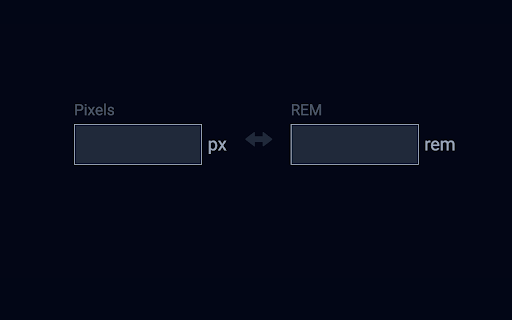
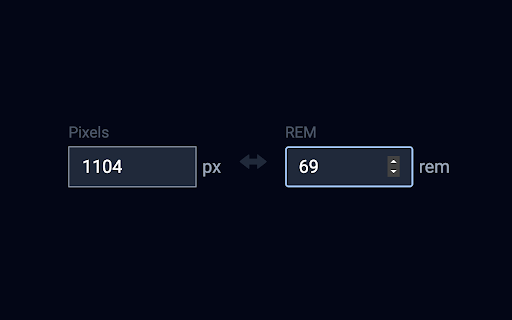
Pixel2REM is your essential Chrome extension for seamless pixel-to-REM conversions and vice versa. Easily switch between these units, making responsive web design a breeze.

Key Features:

Effortless Pixel to REM Conversion: Say goodbye to manual calculations. Pixel2REM allows you to convert pixel values to REM units with a single click. Ensure pixel-perfect precision in responsive layouts.

Intuitive REM to Pixel Conversion: Convert REM values back to pixels effortlessly. Seamlessly adapt your design elements across different screen sizes without the headache of complex math.

Real-Time Results: Witness instant conversions as you input pixel or REM values. No waiting, just quick and accurate results at your fingertips.

User-Friendly Interface: Pixel2REM boasts a straightforward and intuitive interface, making it accessible to web designers of all levels.

Customization Options: Tailor the extension to your preferences by selecting the base font size for REM calculations, ensuring optimal flexibility in your design workflow.

Privacy-Minded: Rest assured that Pixel2REM operates locally within your browser. Your data remains private and never leaves your device.

Free and Unlimited: Pixel2REM is free to download and use. Enjoy limitless pixel-to-REM and REM-to-pixel conversions without any limitations.

How It Works:

Install the Extension: Visit the Chrome Web Store, search for "Pixel2REM," and click "Add to Chrome" to install the extension.

Activate the Extension: Once installed, the Pixel2REM icon appears in your browser's toolbar. Click on it to open the converter.

Choose Your Conversion: Select whether you want to convert pixels to REM or REM to pixels.

Enter the Value: Input the pixel or REM value in the designated field.

View the Result: Instantly view the converted value in the other unit.

Stay Productive: Effortlessly switch between units as you fine-tune your responsive designs.

Simplify Responsive Design:

Pixel2REM empowers web designers with a user-friendly tool for seamless pixel-to-REM conversions and vice versa. Download Pixel2REM now and elevate your responsive design experience to new heights!
Technical
- Version
- 1.0
- Manifest
- V3
- Size
- 18.27KiB
- Min Chrome
- 88
- Languages
- 1
- Featured
- Yes
Metadata
- ID
- geenmcdnflmeghgkkklekaepmbochanh
- Developer ID
- u448b7935aa8a81406e06077f4c3ca4c9
- Developer Email
- [email protected]
- Created
- Jul 25, 2023
- Last Updated (Store)
- Jul 25, 2023
- Last Scraped
- May 31, 2026
- Website
- —
- Support URL
- —
- Privacy Policy
- https://primalabs-pp-docs.netlify.app/
Similar extensions
Alternatives to Pixel to REM, ranked by description similarity.

PX to REM Converter
Converts pixel (px) to rem and vice versa
75
★ 5.0

PX to REM
Easily convert PX to REM and REM to PX.
1.0K
★ 4.9

Measure Pixel
Discover Measure Pixel — the ultimate solution for precise pixel measurements on webpages.
1.0K
★ 4.0

PX - REM Converter
Convert between pixels and rem units (bi-direction). Easily copy and paste.
24

Ruler Online
Ruler Online: Measure pixel distances on any webpage instantly. Get precise Ruler Online with Ruler tool for Chrome.
31

Pixel measurement
Pixel measurement: An online ruler for measuring pixels on screen
100.0K
★ 4.5

Pix 2 Per
Converts pixel values to percentages.
14
★ 5.0

Px to Rem to Px Converter
A very simple pixel unit to rem unit (and back again) converter - just copy, paste, done.
65
★ 5.0
Data sourced from the Chrome Web Store · last verified May 31, 2026.