
Tab Lock Forever
Keep Your Browser Tabs Forever
As of May 2026, Tab Lock Forever has 179 users and a 4.25/5 rating from 8 reviews in the Workflow & Planning category.
Usersup 16.2 percent+16.2%
179
179
Ratingno change0%
4.25
8 reviews
Reviewsno change0%
8
Version
1.0
Manifest V3
History
3 snapshotsTracking since Apr 1, 2026.
View as table
| Date | Users | Rating | Reviews | Version |
|---|---|---|---|---|
| Apr 1, 2026 | 154 | 4.25 | 8 | 1.0 |
| May 1, 2026 | 164 | 4.25 | 8 | 1.0 |
| May 30, 2026 | 186 | 4.25 | 8 | 1.0 |
| Now | 179 | 4.25 | 8 | 1.0 |
Permissions & access
- Permissions
- storagetabs
- Host access
- None declared
Screenshots


About
Tab Lock Forever

Overview
Tab Lock Forever is a user-friendly Chrome extension designed for individuals who frequently open specific tabs at the start of their browsing session. This extension simplifies tab management, ensuring that your preferred URLs are always accessible without the hassle of manual re-opening.

Features
Easy URL Addition: Click the extension icon and hit the "Add URL" button to enter the URLs you want to lock. This action redirects you to a new tab where you can conveniently add your desired URLs.

Automatic Tab Restoration: Upon starting Chrome, Tab Lock Forever automatically checks for the URLs you’ve added. If any tab is missing, it will open those URLs immediately and pin them for easy access.

Domain Similarity Control: A unique feature of this extension is the blue checkbox that allows you to prevent the opening of URLs from similar domains if one is already open. For instance, if google.com is open, the extension will not open mail.google.com or maps.google.com, ensuring your workspace remains organized.

Installation
Download the Tab Lock Forever extension from the Chrome Web Store.
Click on the extension icon in the toolbar to access the features.
Add your desired URLs and enjoy a seamless browsing experience.
Usage
To add a URL, click the extension icon and select "Add URL."
The extension will handle the rest by ensuring your specified tabs open automatically each time you start Chrome.
Conclusion
Tab Lock Forever is the perfect solution for those who rely on specific tabs for their daily browsing activities. With its intuitive interface and powerful features, it streamlines your workflow, allowing you to focus on what matters most.

For support or feedback, please contact us at [email protected].
Technical
- Version
- 1.0
- Manifest
- V3
- Size
- 301KiB
- Min Chrome
- 88
- Languages
- 1
- Featured
- No
Metadata
- ID
- gcjbnbbomkfcefeeakgnihgbndlbgilh
- Developer ID
- u2d75025a9433ee1437d7882ca751ad4a
- Developer Email
- [email protected]
- Created
- Sep 23, 2024
- Last Updated (Store)
- Sep 23, 2024
- Last Scraped
- May 30, 2026
- Website
- —
- Support URL
- —
Similar extensions
Alternatives to Tab Lock Forever, ranked by description similarity.
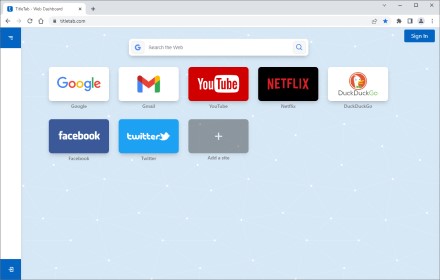
TitleTab - Speed Dial Dashboard
TitleTab Extension: speed dial dashboard, prevent accidental tab closure, and easy open tab saving.
1.0K
★ 4.4

Tabnormal
Prevents duplicate tabs by redirecting to existing tabs with the same URL
4

Tabstract
A basic Chrome extension that prevents duplicate tabs
19

Secure Tab
This extension lock current tab and hide the content of that tab with password
143
★ 2.0

CopyTab URLs
Effortlessly copy and organize the URLs of your open tabs in one click.
10.0K
★ 4.6

Advanced Tab Manager
Comprehensive tab management: close duplicates, star favorites, set reminders, and organize your tabs
4

Copy All URLs - Tab URL Manager
Professional tab URL management tool by StartAndGrow.co. Copy URLs from all open tabs with a single click.
623
★ 5.0

quickee
Tabs on steroids
10
★ 5.0
Data sourced from the Chrome Web Store · last verified May 30, 2026.