
Site Note
Easily create, save, and manage notes for specific websites and pages directly from your browser!
As of May 2026, Site Note has 7 users in the Productivity category.
Usersup 75.0 percent+75.0%
7
7
Ratingno change0%
—
— reviews
Reviewsno change0%
—
Version
1.1
Manifest V3
History
3 snapshotsTracking since Apr 1, 2026.
View as table
| Date | Users | Rating | Reviews | Version |
|---|---|---|---|---|
| Apr 1, 2026 | 4 | — | — | 1.1 |
| May 1, 2026 | 3 | — | — | 1.1 |
| May 30, 2026 | 8 | — | — | 1.1 |
| Now | 7 | — | — | 1.1 |
Permissions & access
- Permissions
- tabsactiveTab
- Host access
- None declared
Screenshots


About
Site Note: Transform Your Browsing Experience with Intuitive Note-Taking

In today’s digital landscape, browsing isn’t just about visiting websites; it’s about creating, collecting, and organizing information efficiently. With Site Note, you have the ultimate tool to enhance your productivity and streamline your online activities. Designed for users who juggle multiple tabs, dive deep into research, or want to keep track of ideas, Site Note is your all-in-one solution for browser-based note-taking.

Key Features
1. Create Notes Linked to Specific URLs
Write detailed notes for specific web pages, making it easy to recall important details when revisiting sites.
Automatically associate notes with the exact domain, path, or even query parameters of a URL, ensuring precise context for every note.
2. Quick Access to Notes
Seamlessly access your saved notes from the Site Note interface.
The extension integrates smoothly with your browser, offering a dedicated space for viewing, editing, and organizing your notes.
3. Persistent Storage
Your notes are stored securely in your browser, ensuring they’re always available when you need them.
Even if you close the browser or reboot your system, your notes remain accessible.
4. User-Friendly Editor
Featuring a robust Markdown-compatible editor, you can format your notes with headings, bullet points, code snippets, and more.
The intuitive design ensures a smooth note-writing experience for all users.
5. Advanced Search and Filter Options
Quickly locate notes based on domain, URL path, or keyword.
Built-in filtering tools allow you to manage your notes efficiently, even as your collection grows.
6. Customizable Settings
Choose between light and dark modes to suit your preferences.
Configure keyboard shortcuts for faster access and streamlined workflows.
7. Cross-Tab Note Management
View all notes associated with your currently open tabs.
Quickly identify which tabs have notes, ensuring no important details are overlooked.
8. Secure and Private
Your data remains private and secure, as all notes are stored locally in your browser or optionally synchronized via trusted storage APIs.
Why Use Site Note?
For Researchers and Students
Save summaries, key points, and references for academic papers, articles, or study materials.
Organize your research by associating notes with the corresponding resources.
For Professionals
Jot down meeting notes, client feedback, or project ideas while browsing tools and dashboards.
Keep track of frequently visited resources with detailed annotations.
For Casual Users
Track recipes, shopping lists, or travel plans with notes tied to specific sites.
Make personal annotations for entertainment content, such as movie reviews or book recommendations.
How It Works
Install Site Note: Add the extension to your browser with just a click.
Activate the Popup: Open the Site Note popup to create a note for the current page.
Write Your Note: Use the rich editor to draft and format your note.
Save Automatically: Notes are auto-saved and associated with the current tab or URL.
Access Anytime: Revisit your notes through the popup or view them from the main dashboard.
Customization Options
Note Editor: Choose formatting styles and customize the toolbar to suit your needs.
Data Backup: Export your notes to external formats or sync them across devices with cloud storage options.
Notifications: Receive reminders for pages with notes to ensure nothing is forgotten.
Built for Productivity
Whether you’re managing a multi-tab research session or keeping track of casual browsing, Site Note enhances your efficiency by minimizing the need to switch between applications. The browser-integrated experience ensures you stay focused and organized.

Future Updates
We’re committed to making Site Note the most comprehensive note-taking solution for browsers. Upcoming features include:

Cloud Synchronization: Sync notes across devices for a seamless experience.
Collaboration: Share notes with team members or collaborators in real time.
Offline Mode: Create and manage notes even without an internet connection.
Support and Feedback
We value your feedback to improve Site Note continuously. If you have suggestions, feature requests, or encounter any issues, please contact our support team directly from the extension or visit our website for more resources.

Site Note is more than just a browser extension—it’s your partner in productivity, designed to help you organize your online world effortlessly. Install it today and transform the way you interact with the web.

This detailed description highlights the core functionalities, benefits, and potential use cases for Site Note. Let me know if you'd like further refinements! 😊

# Feature

## v1.1
- Move notes within the same domain to a related URL
Technical
- Version
- 1.1
- Manifest
- V3
- Size
- 2.15MiB
- Min Chrome
- 88
- Languages
- 1
- Featured
- No
Metadata
- ID
- gcdckhpfjejnladdaefcbdkihlginlgp
- Developer ID
- u48dafff716a76eafb4b356a66f6b2d20
- Developer Email
- [email protected]
- Created
- Jan 18, 2025
- Last Updated (Store)
- Jan 20, 2025
- Last Scraped
- May 30, 2026
- Website
- —
- Support URL
- —
Similar extensions
Alternatives to Site Note, ranked by description similarity.

SiteNotes - Your Ultimate Browsing Companion
Take and save notes for any website in a beautiful sidebar
43
★ 5.0

Page Notes Pro
Save notes for pages. Unlock full features with a license key.
2
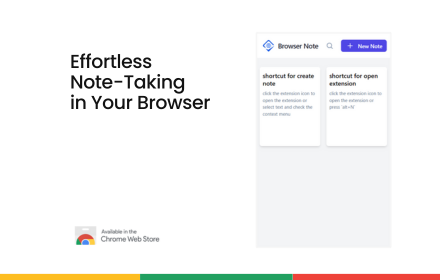
Browser Note - no more random sticky notes!
Finally, no more random sticky notes scattered across desktop!
200
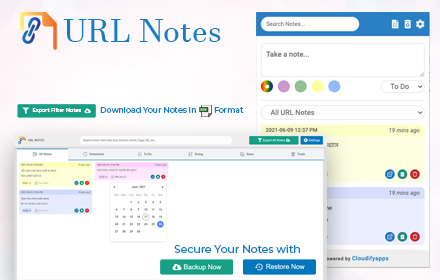
URL Notes: Best Tool to Take, Manage, and Export Notes While Browsing
Stay focused and organized with URL Notes! Effortlessly take, manage, and export notes directly from any webpage, even offline.
656
★ 4.3

Simple Note Saver
A simple extension to save notes.
16
★ 4.0

Note EveryPage
Take contextual notes on any website
16
★ 5.0

Quick Note Tab
Take quick notes while browsing any webpage
31
★ 5.0

cknote
A Chrome extension for taking notes on web pages with highlighting, list checkboxes, and link summaries
20
Data sourced from the Chrome Web Store · last verified May 30, 2026.