
POS IP Camera
Improve the web interface for Chinese IP cameras based on HI3510 embedded web server. Hi3516, HI3518, etc
As of May 2026, POS IP Camera has 622 users and a 2.33/5 rating from 3 reviews in the Workflow & Planning category.
Usersdown 2.0 percent−2.0%
622
622
Ratingdown 22.3 percent−22.3%
2.33
3 reviews
Reviewsup 50.0 percent+50.0%
3
Version
0.0.0.1
Manifest V3
History
3 snapshotsTracking since Apr 1, 2026.
View as table
| Date | Users | Rating | Reviews | Version |
|---|---|---|---|---|
| Apr 1, 2026 | 635 | 3.00 | 2 | 0.0.0.1 |
| May 1, 2026 | 637 | 3.00 | 2 | 0.0.0.1 |
| May 30, 2026 | 625 | 2.33 | 3 | 0.0.0.1 |
| Now | 622 | 2.33 | 3 | 0.0.0.1 |
Permissions & access
- Permissions
- activeTabscripting
- Host access
- None declared
Screenshots


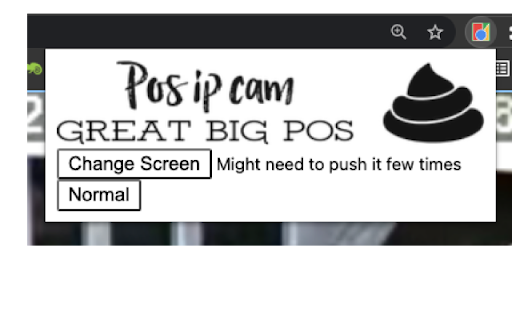

About
PTZ KEYBOARD CONTROLS:
Z = ZoomIn
X = ZoomOut
Arrows = Up/Down/Left/Right

Click screen to center camera focus on that position.

__________________________________________________________________________________________
Why?
The embedded web server for most Chinese based Camera are pure sh*t.

And if you're on a Mac, you don't even have the option to install the sketchy flash plugin for Internet Explorer.

I've managed to use the javascript libraries from the camera to render video on a canvas, but it's all done over http and ws, unsecured.

Every time I try to make something that will allow other people to use it, I run into road blocks. CORS, HTTPS, WSS, AUTH....

So, I made a simple chrome extension.

It will:
- work while you're logged into the camera's embedded web server. (192.168.xxx.xxx)
- protect your privacy - won't ask for your credentials
- make the video full screen
- enables PTZ control via keyboard (<-- this is awesome)
- centers camera position where ever you click

Lots of additional functionality coming:
- Play h265 video directly from the device (<CAMERA_IP>/sd)
- SET/CALL commands
- Command macros, so you don't need to remember all the weird codes
- On screen PTZ controls, semi-transparent overlay

Also, if you just want a simple interface w/o this extension, try visiting your camera at <CAMERA_IP>/mobile.html

*PLEASE DON'T LEAVE BAD RATINGS. I'm offering this for free.
If it doesn't work for you, send me an email and maybe I can help you out.
Or just uninstall it and have a nice day!

[email protected]
Technical
- Version
- 0.0.0.1
- Manifest
- V3
- Size
- 24.98KiB
- Min Chrome
- 88
- Languages
- 1
- Featured
- No
Metadata
- ID
- gbmahbabdhohnepmlfchdhlkgneodhjo
- Developer ID
- ub174b6be84f132ba589b7b50fe379fb7
- Developer Email
- [email protected]
- Created
- Feb 1, 2022
- Last Updated (Store)
- Feb 1, 2022
- Last Scraped
- May 30, 2026
- Website
- chrismclellen.app
- Support URL
- https://www.chrismclellen.app/index.html
- Privacy Policy
- —
Similar extensions
Alternatives to POS IP Camera, ranked by description similarity.

tinyCam Monitor
tinyCam Monitor is the best app available for Chrome OS for remote surveillance, control and digital video recording for your…
—
★ 3.3

Camera Picture In Picture (PIP Overlay)
Put your camera on top of any other applications in picture-in-picture mode
2.0K
★ 4.4
Camera Pan Tilt Zoom
Control camera pan, tilt, and zoom
2.0K
★ 4.2

QRYomi
QR code reader extension 【QRYomi】
71

Screenity - Screen Recorder & Annotation Tool
The free and privacy-friendly screen recorder for everyone. Capture, annotate, edit videos and more - all with no sign in needed.
200.0K
★ 4.4

PIPX - Take Control of Picture-in-Picture, Automatically
Never lose your video again, Automatic Picture-in-Picture (PiP) mode when you switch tabs.
1.0K
★ 4.5

Clipy — Screen Recorder, Annotate & Share
Record screen, tab, or webcam in Chrome. Annotate, blur, spotlight cursor. Get a shareable link the second you stop.
128
★ 5.0

Videoyards - Screen Recorder with Custom Cursor & Auto Zoom
Create stunning, professional-quality screen recordings effortlessly. Perfect for tutorials, product demos, and more.
430
★ 4.5
Data sourced from the Chrome Web Store · last verified May 30, 2026.