
Quick Clip — Highlight & clip (local)
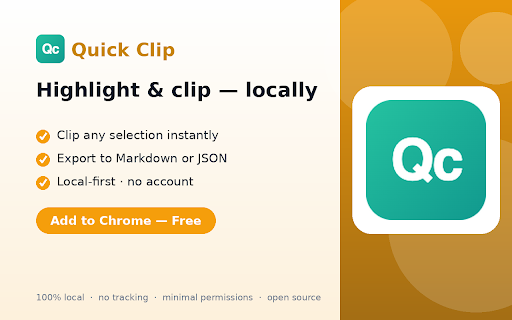
Clip snippets from web pages and keep them locally. Fast, zero tracking, minimal permissions. Export to Markdown / JSON.
As of June 2026, Quick Clip — Highlight & clip (local) has — users in the Productivity category.
Usersno change0%
—
—
Ratingno change0%
—
— reviews
Reviewsno change0%
—
Version
0.2.1
Manifest V3
History
1 snapshotsTracking since Jun 25, 2026.
Not enough history yet for this metric — the chart fills in as we collect more snapshots.
View as table
| Date | Users | Rating | Reviews | Version |
|---|---|---|---|---|
| Jun 25, 2026 | — | — | — | 0.2.1 |
| Now | — | — | — | 0.2.1 |
Permissions & access
- Permissions
- activeTabscriptingstorage
- Host access
- None declared
Screenshots


About
Quick Clip lets you save snippets from any web page and keep them locally — fast, private, and exportable.

Why Quick Clip:
• Clip any selection in one click.
• Search and filter your saved clips.
• 100% local-first: your clips stay in your browser, no account, no tracking.
• Export to a real Markdown or JSON file, or copy clips as Markdown to the clipboard.
• Minimal permissions.

Free forever for local clipping and export. Pro (coming soon) adds tags and saved searches.
Technical
- Version
- 0.2.1
- Manifest
- V3
- Size
- 23.06KiB
- Min Chrome
- 88
- Languages
- 1
- Featured
- No
Metadata
- ID
- gblhkmdoblkdeoomggmlflhdlepgodep
- Developer ID
- ue110129ce2aaaa80435bbc4dc8f2557f
- Developer Email
- [email protected]
- Created
- Jun 24, 2026
- Last Updated (Store)
- Jun 24, 2026
- Last Scraped
- Jun 25, 2026
- Website
- —
- Support URL
- https://github.com/Tomi-Tom/quickclip/issues
- Privacy Policy
- https://tomi-tom.github.io/legal/quickclip.html
Data sourced from the Chrome Web Store · last verified Jun 25, 2026.