
Keyboard shortcuts for HBO Max [QVI]
Extension allows using customizable keyboard shortcuts on HBO Max.
As of June 2026, Keyboard shortcuts for HBO Max [QVI] has 598 users and a 4.67/5 rating from 6 reviews in the fun category.
Usersdown 0.5 percent−0.5%
598
598
Ratingno change0%
4.67
6 reviews
Reviewsno change0%
6
Version
1.5.37
Manifest V3
90-day change · In the last 90 days this extension 1 version update.
History
11 snapshotsTracking since Apr 1, 2026.
View as table
| Date | Users | Rating | Reviews | Version |
|---|---|---|---|---|
| Apr 1, 2026 | 601 | 4.67 | 6 | 1.5.36 |
| Apr 16, 2026 | 607 | 4.67 | 6 | 1.5.36 |
| Apr 22, 2026 | 594 | 4.67 | 6 | 1.5.37 |
| Apr 27, 2026 | 617 | 4.67 | 6 | 1.5.37 |
| May 4, 2026 | 600 | 4.67 | 6 | 1.5.37 |
| May 10, 2026 | 595 | 4.67 | 6 | 1.5.37 |
| May 15, 2026 | 584 | 4.67 | 6 | 1.5.37 |
| May 21, 2026 | 588 | 4.67 | 6 | 1.5.37 |
| May 27, 2026 | 606 | 4.67 | 6 | 1.5.37 |
| Jun 3, 2026 | 607 | 4.67 | 6 | 1.5.37 |
| Jun 9, 2026 | 604 | 4.67 | 6 | 1.5.37 |
| Now | 598 | 4.67 | 6 | 1.5.37 |
Permissions & access
- Permissions
- storagealarms
- Host access
- *://*.hbomax.com/*, *://*.max.com/*
Screenshots
![Keyboard shortcuts for HBO Max [QVI] screenshot 2](https://lh3.googleusercontent.com/Blub0uMh0J9ufqXOV8BqWX56wsjZvSW0ck8VD0ibO-7dj0sLNwkAsA5c7yuOctMtzdDSkNFueQpzbK_pIs_Ibc_1BA)
About
Say goodbye to mouse clicking: use your keyboard as a remote and control the HBO Max player.

How does it work? It’s simple- use keyboard shortcuts:
- Rewind 10 seconds (left arrow)
- Fast forward 10 seconds (right arrow)
- Increase volume (up arrow)
- Decrease volume (down arrow)
- Go full screen (F)

All you need to do is add the HBO Max Hotkeys extension to your browser, enable the keyboard shortcuts using a built-in toggle and control the HBO Max player without any clicks. It's as simple as that!

This extension is part of the Quality Viewership Initiative, a collaborative effort to enhance the understanding of audience engagement. It collects anonymous, aggregated viewing insights to support creators and studios in improving the quality of their content. You can stop sharing your information at any time by switching the toggle on the options page.

Disclaimer: HBO is a trademark of Home Box Office, Inc. This website & extension hold no association or affiliation with HBO Max or any third-party companies.
Technical
- Version
- 1.5.37
- Manifest
- V3
- Size
- 159KiB
- Min Chrome
- 88
- Languages
- 8
- Featured
- No
Metadata
- ID
- gbbcblgjbfgamjghehalljfbimljlcap
- Developer ID
- u7d51e6b4088d44a768f979b18eb2e299
- Developer Email
- [email protected]
- Created
- Apr 9, 2022
- Last Updated (Store)
- Apr 2, 2026
- Last Scraped
- Jun 9, 2026
- Website
- —
- Privacy Policy
- https://thebestchromeextensions.com/privacy_policy_qvi/
Similar extensions
Alternatives to Keyboard shortcuts for HBO Max [QVI], ranked by description similarity.

Mouse Off for HBO Max: hide cursor [QVI]
Hide the mouse cursor on HBO Max. New features: go full screen with double click & keyboard shortcuts added.
477
★ 4.0

HBO Max Extended: tools to fix HBO [QVI]
Useful tool to fix your HBO Max watching experience: adjust playback speed, hide mouse cursor, rotate screen, make custom subtitles.
4.0K
★ 3.1

HBOmax Skipper: skip ads and intros
Automatically skip ads, intros and recaps, and click the next episode button on HBOMax
20.0K
★ 3.6
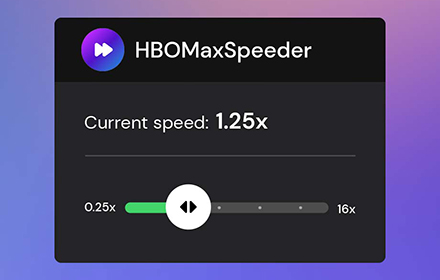
HBO Max Speeder: adjust playback speed [QVI]
Extension allows you to adjust playback speed on HBO Max according to your preferences
10.0K
★ 4.4

Viaplay Hotkeys: keyboard shortcuts
Extension allows using keyboard shortcuts on Viaplay
1
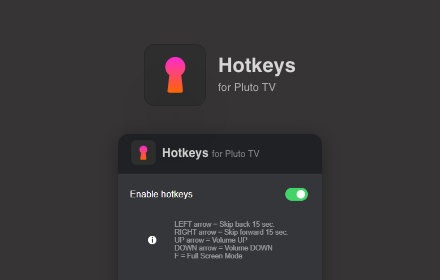
Hotkeys for PlutoTV: keyboard shortcuts
Extension allows using keyboard shortcuts on PlutoTV
56
★ 5.0

HBOMax Video Bender: rotate and zoom video [QVI]
Extension to rotate the screen while watching HBO Max. You can also zoom video in and out according to preferences.
388
★ 3.7

Roku Channel Hotkeys: keyboard shortcuts
Extension allows using keyboard shortcuts on Roku Channel
156
★ 5.0
Data sourced from the Chrome Web Store · last verified Jun 9, 2026.