
Shortcut 2 Calendar - Fastest way to Add Events into your Calendar
Automatically Adds Events into your Calendar
As of June 2026, Shortcut 2 Calendar - Fastest way to Add Events into your Calendar has 119 users and a 4.67/5 rating from 3 reviews in the Workflow & Planning category.
Usersno change0%
119
119
Ratingno change0%
4.67
3 reviews
Reviewsno change0%
3
Version
2.2
Manifest V3
History
4 snapshotsTracking since Apr 1, 2026.
View as table
| Date | Users | Rating | Reviews | Version |
|---|---|---|---|---|
| Apr 1, 2026 | 119 | 4.67 | 3 | 2.2 |
| Apr 21, 2026 | 123 | 4.67 | 3 | 2.2 |
| May 11, 2026 | 120 | 4.67 | 3 | 2.2 |
| Jun 6, 2026 | 116 | 4.67 | 3 | 2.2 |
| Now | 119 | 4.67 | 3 | 2.2 |
Permissions & access
- Permissions
- identityidentity.emailactiveTabcommandsnotificationscontextMenus
- Host access
- None declared
Screenshots


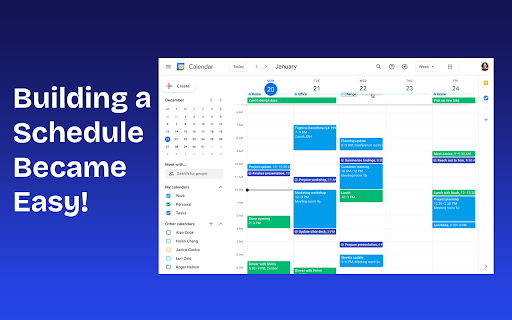
About
⚡Introducing Screenshot to Calendar: Add Events Effortlessly to your Calendar⚡

In the fast-paced world we navigate daily, keeping track of events and appointments can often feel like juggling with too many balls in the air. We've all been there—spotting an important event online or receiving an event invitation via email, only to think, "I'll add that to my calendar later," and then, inevitably, it slips through the cracks. 📅

Recognizing this common challenge, we are thrilled to introduce Screenshot to Calendar, a Chrome extension designed to seamlessly ensure that no event or meeting dates are ever overlooked again.

Why Screenshot to Calendar? 🤯

Screenshot to Calendar is not just a tool; it's your personal hack in the digital realm, dedicated to making life simpler 🔮 and more organized. With a quick shortcut, this  extension allows you to capture any event you come across on your browser and instantly adds it to your calendar. It's that easy—no more switching tabs, no more manual entries, and definitely no more forgotten commitments. 🔥🔥🔥
Technical
- Version
- 2.2
- Manifest
- V3
- Size
- 37.26KiB
- Min Chrome
- 88
- Languages
- 1
- Featured
- No
Metadata
- ID
- gammjonjphjepohlgahhdoikcalfljap
- Developer ID
- uf7b7e53014741ee8c1c99e8e6dd07013
- Developer Email
- [email protected]
- Created
- Mar 25, 2024
- Last Updated (Store)
- Apr 14, 2025
- Last Scraped
- Jun 6, 2026
- Website
- —
- Support URL
- —
- Privacy Policy
- https://screenshot2calendar.com/policy
Similar extensions
Alternatives to Shortcut 2 Calendar - Fastest way to Add Events into your Calendar, ranked by description similarity.

Calendify: Add to Calendar w/ AI
Calendify – No More Copy-Pasting Events like it's 1999.
Tired of manually copying and pasting event details into your calendar?…
22

Event Catcher
Catches events from emails instantly.
79
★ 5.0

Easy Add to Calendar - Text to Events in Seconds
Add events to your calendar instantly—just highlight text and right-click. Fast, private, and works with any calendar.
312
★ 5.0

Fast Events
Create calendar events from text or image
5
★ 5.0

Pic to Event - Image to Calendar Converter
Convert event images to Google Calendar events with one click. Works on Instagram, Facebook, email, and any website.
21
★ 5.0

Screenshot to Calendar
AI screenshot assistant that turns meeting invites into calendar events and syncs instantly to Google Calendar or Outlook.
18
★ 5.0

Calendar AI - Text & Screenshot to Event
Quickly add events to Google Calendar using natural language or images. Just type or paste a screenshot!
4
★ 3.0

Scheduling Calendar
This Scheduling Calendar: Manage events, calendar reminders & sync calendars. Join video meetings in a shared calendar app.
5.0K
★ 4.5
Data sourced from the Chrome Web Store · last verified Jun 6, 2026.