
One Paragraph
Select text and get a summary using OpenAI API
As of May 2026, One Paragraph has 25 users and a 5.00/5 rating from 1 reviews in the Workflow & Planning category.
Usersup 31.6 percent+31.6%
25
25
Ratingno change0%
5.00
1 reviews
Reviewsno change0%
1
Version
1.3
Manifest V3
History
2 snapshotsTracking since Apr 26, 2026.
View as table
| Date | Users | Rating | Reviews | Version |
|---|---|---|---|---|
| Apr 26, 2026 | 19 | 5.00 | 1 | 1.3 |
| May 23, 2026 | 23 | 5.00 | 1 | 1.3 |
| Now | 25 | 5.00 | 1 | 1.3 |
Permissions & access
- Permissions
- storageactiveTabcontextMenusscripting
- Host access
- https://api.openai.com/*
Screenshots

About
🚀 Introducing One Paragraph

⭐️ The ultimate Chrome extension for on-the-go professionals, students, and information enthusiasts! Harness the power of OpenAI's ChatGPT technology to instantly generate a concise, one-paragraph summary of any text from your favorite websites. With just a simple text selection and a click of a button, One Paragraph revolutionizes the way you consume and retain information, saving you valuable time and effort. Experience unparalleled convenience and efficiency as you effortlessly extract key insights from articles, research papers, blog posts, and more. Don't miss out on the opportunity to revolutionize your online reading experience - download One Paragraph today and unlock the power of AI-driven summarization!


🚀 Get your OpenAI API Key
1. Go to the OpenAI website and sign up for an account.
2. Once you have created an account, click on the "API Keys" tab.
3. Click on the "Create new secret key" button.
4. Enter a name for your API key and click on the "Create" button.
5. Your API key will be displayed on the screen.
6. Copy your API key and paste it into the "OpenAI API Key" field in your Chrome extension options.

Here are some additional tips for keeping your OpenAI API key safe:

* Keep your API key secret. Do not share it with anyone else.
* Do not store your API key in plain text. Make sure to encrypt it.
* Do not use your API key for any other purpose than using it with your Chrome extension.

If you have any questions about getting an OpenAI API key, please contact OpenAI support.
Technical
- Version
- 1.3
- Manifest
- V3
- Size
- 17.08KiB
- Min Chrome
- 88
- Languages
- 1
- Featured
- No
Metadata
- ID
- gafllcdndipbphnlmhbjlppgebmanpdl
- Developer ID
- uac5617a4ebbef2ef838249305bd60912
- Developer Email
- [email protected]
- Created
- Mar 30, 2023
- Last Updated (Store)
- Apr 25, 2023
- Last Scraped
- May 23, 2026
- Website
- —
- Support URL
- —
- Privacy Policy
- —
Similar extensions
Alternatives to One Paragraph, ranked by description similarity.

AI Page & Youtube Summaries using ChatGPT
AI summaries for Youtube videos, webpages and articles. Uses ChatGPT. Supports text-to-speech.
7

Smart Paragraph Writer Pro
AI-powered paragraph generator. Pro version: $2.99/year.
—
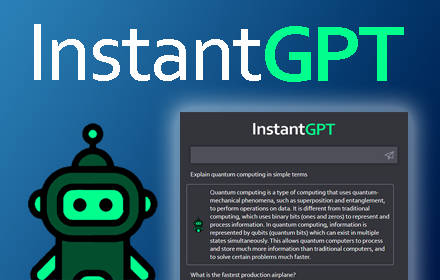
InstantGPT - ChatGPT Powered Assistant
Access ChatGPT instantly! Summarize articles with one click.
InstantGPT is a chrome extension that utilizes the power of OpenAI's…
1.0K
★ 3.4
AI ON THE GO
Get instant, personalized AI assistance on any website with AI ON THE GO, powered by ChatGPT. Streamline your workflow today!
104

ReaderGPT: ChatGPT based Web Page Summariser
Generates summary of any readable web page using ChatGPT with just a single click.
50.0K
★ 3.4

SummarAI
SummarAI is a Chrome extension that uses AI to instantly summarize highlighted text on any webpage.
23
ChatGPT Summarizer
Send selected text to ChatGPT and ask it to summarize in your desired language
86

Scriboost
Your AI scribe.
—
★ 5.0
Data sourced from the Chrome Web Store · last verified May 23, 2026.