
Checklistz
A simple and elegant todo list for everyday productivity.
As of June 2026, Checklistz has 37 users and a 5.00/5 rating from 1 reviews in the Productivity category.
Usersup 27.6 percent+27.6%
37
37
Ratingno change0%
5.00
1 reviews
Reviewsno change0%
1
Version
2026.1.1
Manifest V3
90-day change · In the last 90 days this extension 1 version update, changed permissions.
History
12 snapshotsTracking since Apr 19, 2026.
View as table
| Date | Users | Rating | Reviews | Version |
|---|---|---|---|---|
| Apr 19, 2026 | 29 | 5.00 | 1 | 2025.09.04 |
| Apr 24, 2026 | 35 | 5.00 | 1 | 2026.1.1 |
| Apr 29, 2026 | 32 | 5.00 | 1 | 2026.1.1 |
| May 5, 2026 | 30 | 5.00 | 1 | 2026.1.1 |
| May 9, 2026 | 36 | 5.00 | 1 | 2026.1.1 |
| May 12, 2026 | 37 | 5.00 | 1 | 2026.1.1 |
| May 16, 2026 | 35 | 5.00 | 1 | 2026.1.1 |
| May 21, 2026 | 36 | 5.00 | 1 | 2026.1.1 |
| May 30, 2026 | 33 | 5.00 | 1 | 2026.1.1 |
| Jun 4, 2026 | 36 | 5.00 | 1 | 2026.1.1 |
| Jun 8, 2026 | 32 | 5.00 | 1 | 2026.1.1 |
| Jun 14, 2026 | 33 | 5.00 | 1 | 2026.1.1 |
| Now | 37 | 5.00 | 1 | 2026.1.1 |
Changelog
- Apr 19, 2026description
ToDo App – Simple & Secure Task Manager

ToDo App is a clean, free, and ad-free Chrome extension designed to help you manage your daily tasks and stay focused on what matters today.

✅ No sign-up required – Just install and start using.
✅ Privacy first – Unlike many other extensions, ToDo App does not request permissions to read your browsing data.
✅ Cloud sync – Your tasks are saved using Chrome’s storage sync. Log in on any device with Chrome, and your tasks will automatically sync.

Features:

Create and manage a list of tasks for today.

Mark tasks as completed with a single click.

Remove tasks easily with the close icon.

Your productivity stays private, simple, and secure.

💡 Feedback or questions? Reach out anytime at: [email protected]
Stay productive with Checklistz – your lightweight, privacy-focused to-do list that’s always just one click away.

Why choose Checklistz?
• Instant access – Click the extension icon to quickly add and manage tasks without leaving your current page
• Smart organization – Filter tasks by All, Active, or Completed and track progress with real-time stats
• Badge counter – See your pending task count directly on the extension icon
• Auto sync – Tasks sync automatically across Chrome browsers where you’re signed in
• Privacy first – Only storage permission required. No access to browsing data or websites
• Works offline – Manage tasks even without an internet connection
• No account required – Install and start instantly. No signup, no login

How it works:
Click the extension icon to open your task list
Add tasks instantly using Enter or the Add button
Mark tasks complete with one click
Filter tasks: All, Active, or Completed
Delete tasks when no longer needed
Everything syncs automatically across devices

Perfect for:
• Daily task management
• Quick note-taking
• Staying focused on priorities
• Simple, clutter-free organization

100% free. No ads. No tracking.

Contact & Support:
Email: [email protected]
LinkedIn: https://www.linkedin.com/in/rajeevjayaswal/
- Apr 19, 2026short_description
Quick todo list to focus on everyday work.
A simple and elegant todo list for everyday productivity.
- Apr 19, 2026name
ToDo App
Checklistz
- Apr 19, 2026permissions
storage, sidePanel
storage
Permissions & access
- Permissions
- storage
- Host access
- None declared
Screenshots

About
Stay productive with Checklistz – your lightweight, privacy-focused to-do list that’s always just one click away.

Why choose Checklistz?
• Instant access – Click the extension icon to quickly add and manage tasks without leaving your current page
• Smart organization – Filter tasks by All, Active, or Completed and track progress with real-time stats
• Badge counter – See your pending task count directly on the extension icon
• Auto sync – Tasks sync automatically across Chrome browsers where you’re signed in
• Privacy first – Only storage permission required. No access to browsing data or websites
• Works offline – Manage tasks even without an internet connection
• No account required – Install and start instantly. No signup, no login

How it works:
Click the extension icon to open your task list
Add tasks instantly using Enter or the Add button
Mark tasks complete with one click
Filter tasks: All, Active, or Completed
Delete tasks when no longer needed
Everything syncs automatically across devices

Perfect for:
• Daily task management
• Quick note-taking
• Staying focused on priorities
• Simple, clutter-free organization

100% free. No ads. No tracking.

Contact & Support:
Email: [email protected]
LinkedIn: https://www.linkedin.com/in/rajeevjayaswal/
Technical
- Version
- 2026.1.1
- Manifest
- V3
- Size
- 80.07KiB
- Min Chrome
- 88
- Languages
- 1
- Featured
- Yes
Metadata
- ID
- fpoanfppddmmkkjckjomcbmjiimeaahn
- Developer ID
- u0be46ba0171d89bf03444691f5768816
- Developer Email
- [email protected]
- Created
- Sep 6, 2020
- Last Updated (Store)
- Apr 19, 2026
- Last Scraped
- Jun 14, 2026
- Support URL
- https://rajeev-xyz.github.io/
- Privacy Policy
- https://rajeev-xyz.github.io/checklistz/privacy/
Similar extensions
Alternatives to Checklistz, ranked by description similarity.

Taskora
Stay organized with a simple and elegant to-do list. Themes, filters, favorites — all in one place.
3

Daily Task Manager & Time Tracker Manager
Manage daily tasks, track time, and boost productivity with a simple all-in-one task and time tracker.
13

Simply Todo
A simple todo app with dark/light themes and drag-and-drop reordering
21
★ 5.0

Simple Todo's
Create Todo's in a handy location in your browser's side panel.
20
★ 5.0

Taskify
A clean and modern todo list extension with date/time tracking, reminders, and accessibility features
3
★ 5.0

SilentTasks – A Private Todo List
A privacy-focused todo list with local and sync storage options for managing tasks your way.
2

Hari's To Do List
A simple to-do list with checkboxes that strikes through and removes tasks.
2
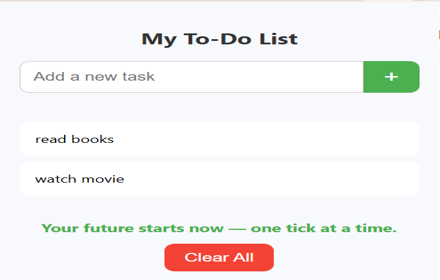
My To-Do List
A simple Chrome extension to manage your tasks with motivational feedback.
11
★ 4.5
Data sourced from the Chrome Web Store · last verified Jun 14, 2026.