
telegram downloader - Telegram Download Assistant
Telegram Video Downloader: Effortlessly download videos and other media files from Telegram with a simple, user-friendly tool.
As of June 2026, telegram downloader - Telegram Download Assistant has 7,000 users and a 4.85/5 rating from 331 reviews in the Productivity category.
Usersdown 12.5 percent−12.5%
7.0K
7,000
Ratingno change0%
4.85
331 reviews
Reviewsup 66.3 percent+66.3%
331
Version
1.0.1
Manifest V3
90-day change · In the last 90 days this extension lost 1.0K users.
History
14 snapshotsTracking since Apr 3, 2026.
View as table
| Date | Users | Rating | Reviews | Version |
|---|---|---|---|---|
| Apr 3, 2026 | 8.0K | 4.85 | 199 | 1.0.1 |
| Apr 8, 2026 | 8.0K | 4.85 | 200 | 1.0.1 |
| Apr 17, 2026 | 9.0K | 4.85 | 208 | 1.0.1 |
| Apr 23, 2026 | 4.0K | 4.85 | 225 | 1.0.1 |
| Apr 28, 2026 | 4.0K | 4.86 | 232 | 1.0.1 |
| May 8, 2026 | 5.0K | 4.86 | 243 | 1.0.1 |
| May 11, 2026 | 5.0K | 4.86 | 260 | 1.0.1 |
| May 15, 2026 | 5.0K | 4.86 | 270 | 1.0.1 |
| May 19, 2026 | 5.0K | 4.85 | 279 | 1.0.1 |
| May 24, 2026 | 6.0K | 4.85 | 285 | 1.0.1 |
| May 28, 2026 | 7.0K | 4.85 | 293 | 1.0.1 |
| Jun 2, 2026 | 6.0K | 4.84 | 300 | 1.0.1 |
| Jun 7, 2026 | 6.0K | 4.85 | 312 | 1.0.1 |
| Jun 12, 2026 | 6.0K | 4.85 | 320 | 1.0.1 |
| Now | 7.0K | 4.85 | 331 | 1.0.1 |
Permissions & access
- Permissions
- storageactiveTab
- Host access
- https://web.telegram.org/*, https://web.telegram.org/*, https://*.kodepay.io/*, https://docs.google.com/*, https://tg-video-downloader.net/*
Screenshots


About
# Telegram Download Assistant - Your Ultimate Content Saver

The **Telegram Download Assistant** is a versatile and user-friendly tool designed to help you effortlessly download audio, video, images, and other media files from Telegram directly to your computer. Whether for personal use, academic research, or archiving, this plugin ensures you can access your favorite content anytime, anywhere. We emphasize the importance of respecting copyright laws and encourage users to download only content they have permission to use.

---

## **🚀 Key Features**

- **One-Click Bulk or Single Download**:
  Easily select and download multiple files at once or choose individual files with a single click, making the process fast and hassle-free.

- **Wide Format Support**:
  Download a variety of media formats, including videos, images, GIFs, music, audiobooks, and more, all in one convenient tool.

- **Access Restricted Channels and Groups**:
  Save audio and video files from restricted or private Telegram channels and groups directly to your device.

- **Secure Private Content Extraction**:
  Safely download media shared in private chats or personal messages.

- **No Password or API Required**:
  Start downloading instantly without the need for additional credentials or API keys.

- **24/7 Support**:
  Enjoy round-the-clock technical assistance to resolve any issues you may encounter.

- **Effortless Downloads of 1GB+ Content**:
  Handle large-scale downloads with ease.

- **Comprehensive Compatibility**:
  Supports both A and K versions of Telegram channels and groups, ensuring seamless access to all your favorite content.

---

## **🔧 How to Get Started**

1. **Install the Chrome Extension**:
   Add the Telegram Download Assistant to your browser from the Chrome Web Store.

2. **Pin the Extension**:
   - Click the **Extensions** icon next to your profile picture in the browser toolbar.
   - Locate the newly installed plugin and click the **Pin** icon to add it to your toolbar for quick access.

3. **Access Telegram Web**:
   Open the Telegram web version in your browser:
   - [https://web.telegram.org/k](https://web.telegram.org/k)
   - [https://web.telegram.org/a](https://web.telegram.org/a)

4. **Batch Download Chat Content**:
   - Browse the chat history of the channel or group you want to download from.
   - The extension icon in the toolbar will display the number of captured resources.
   - Click the extension icon to open the plugin window, select the desired content, and start batch downloading.

5. **Batch Download Group Information Content**:
   - Enter the channel or group you’re interested in and view the group information.
   - Click the **Download All Media** or **Download This Month’s Media** button to quickly save all media files from the group.

6. **Single File Download**:
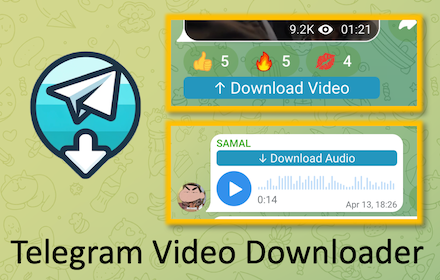
   - In the chat window of the channel or group, you’ll see a **Download** button below each media file (e.g., music, videos, images).
   - Click the button to download individual files instantly.

---

## **📝 Disclaimer**

This plugin is independently developed and is not officially affiliated with Telegram or its services. Users are responsible for ensuring compliance with local laws and regulations when downloading content. Please refrain from downloading copyrighted material without proper authorization.

---

## **Why Choose Telegram Download Assistant?**

- **Efficiency**: Save time with one-click downloads for both single and multiple files.
- **Flexibility**: Supports a wide range of media formats and Telegram versions.
- **Privacy**: Securely access and save private or restricted content.
- **Simplicity**: No technical expertise required—just install, pin, and start downloading.

---

**Start saving your Telegram content today with the Telegram Download Assistant!**
Technical
- Version
- 1.0.1
- Manifest
- V3
- Size
- 397KiB
- Min Chrome
- 88
- Languages
- 50
- Featured
- Yes
Metadata
- ID
- fpapnfccelgjjlebjpcoleffhmgjendl
- Developer ID
- u9af8fb5e1c6f522104379317a9ec63d9
- Developer Email
- [email protected]
- Created
- Dec 24, 2024
- Last Updated (Store)
- Mar 26, 2026
- Last Scraped
- Jun 12, 2026
- Website
- —
- Support URL
- —
Similar extensions
Alternatives to telegram downloader - Telegram Download Assistant, ranked by description similarity.

Telegram Video Downloader - download telegram video
Download Telegram videos, movies, and images from any group or channel in one click. Save your favorite media easily with our fast,…
6.0K
★ 4.9

Telegram Video Downloader - TG Downloader & Media Saver
Telegram Video Downloader - Download Telegram Videos, Photos, Music, GIFs from Private/Restricted Channels and Groups & Export Chats
30.0K
★ 4.8

Telegram Downloader - Batch download Telegram images, videos, and audio
Bulk download photos, videos, files from Telegram. Works with private channels. Original quality, fast speeds. For Telegram Web.
772
★ 4.2
Telegram Video Downloader - TVD
Download private restrict video from private group/channel or public group/channel
10.0K
★ 4.5

Telegram Media Downloader - TG Downloader
Save Telegram photos and videos in 1 click. Free Telegram Media Downloader for private channels, groups & chats.
591
★ 4.2

Telegram Video Downloader - Download Restricted and Private Telegram Videos
Download telegram video link for free, Download videos photos from Telegram privacy channels/restricted groups with just on click
20.0K
★ 4.0

Telegram Video Downloader - TG Downloader
Download Telegram videos fast & free from private channels and groups with one-click. Best Telegram video downloader tool.
4.0K
★ 3.9

Telegram Video Downloader - TG Downloader
Telegram video downloader is a free tool that helps you download videos from Telegram private channels & groups in one click.
200.0K
★ 4.6
Data sourced from the Chrome Web Store · last verified Jun 12, 2026.