
PineTab
Organize your tabs across all windows. Select, close in bulk, or save as bookmarks in a chosen folder. Simple, fast tab management.
As of June 2026, PineTab has 35 users and a 5.00/5 rating from 3 reviews in the Workflow & Planning category.
Usersup 6.1 percent+6.1%
35
35
Ratingno change0%
5.00
3 reviews
Reviewsno change0%
3
Version
1.0.7
Manifest V3
90-day change · In the last 90 days this extension 1 version update.
History
8 snapshotsTracking since Apr 26, 2026.
View as table
| Date | Users | Rating | Reviews | Version |
|---|---|---|---|---|
| Apr 26, 2026 | 33 | 5.00 | 3 | 1.0.5 |
| May 3, 2026 | 34 | 5.00 | 3 | 1.0.7 |
| May 9, 2026 | 33 | 5.00 | 3 | 1.0.7 |
| May 14, 2026 | 31 | 5.00 | 3 | 1.0.7 |
| May 20, 2026 | 34 | 5.00 | 3 | 1.0.7 |
| May 26, 2026 | 36 | 5.00 | 3 | 1.0.7 |
| Jun 3, 2026 | 33 | 5.00 | 3 | 1.0.7 |
| Jun 8, 2026 | 36 | 5.00 | 3 | 1.0.7 |
| Now | 35 | 5.00 | 3 | 1.0.7 |
Changelog
- Apr 26, 2026description
PineTab is an intuitive Chrome extension designed to streamline your browsing experience by efficiently organizing your tabs. It provides a user-friendly interface to view, select, and manage tabs across all open windows. With a simple drag or click, users can select multiple tabs for closure or save them as bookmarks in a specific directory.

PineTab offers customization options to further enhance your browsing experience. You can choose to save tabs directly under a designated folder or as part of a subfolder.

Designed with simplicity and user experience in mind, PineTab turns tab management into a smooth and organized process. Whether you're a heavy browser with dozens of tabs or someone who prefers a minimalistic workspace, PineTab has got you covered. Make the most of your digital space with PineTab!

How to use?: https://admghng.blogspot.com/2023/07/how-to-use-pinetab.html

Version 1.0.2 Release Notes (2024.06.02)

1. User Experience Improvements:
- Enhanced the design of the tab close button for better visibility and usability.
- Improved hover effect on the selected window to provide clearer feedback.

2. Bug Fixes:
- Fixed 'X' Concatenation Issue: Resolved the issue where an 'X' was being concatenated to the tab title when closing multiple tabs.
- Handled Unknown Favicon Image URL: Implemented a solution to deal with tabs that have an unknown favicon URL, ensuring the display of a default logo instead.

3. New Features:
- Double-Click to Move to Tab/Window: Added a feature that allows users to move directly to a clicked tab or window by double-clicking on it, enhancing navigation efficiency.

Version 1.0.3, 1.0.4 Release Notes (2024.07.05)
1. Scrolling with mouse wheel enabled on tab list
2. Small UX updates:
- Help / Credits modal added
- Setting modal improved
3. Fix bugs (1.0.4)

Version 1.0.5 Release Notes (2024.10.04)
1. Performance Boost: Refactored and optimized the code base to ensure faster and smoother tab management. PineTab now runs more efficiently, especially when managing large numbers of tabs across multiple windows.

We wish that you'll enjoy better your web environment with PineTab ! 😁
PineTab is an intuitive Chrome extension designed to streamline your browsing experience by efficiently organizing your tabs. It provides a user-friendly interface to view, select, and manage tabs across all open windows. With a simple click, users can select multiple tabs for closure or save them as bookmarks in a specific directory.

PineTab offers customization options to further enhance your browsing experience. You can choose to save tabs directly under a designated folder or as part of a subfolder.

Designed with simplicity and user experience in mind, PineTab turns tab management into a smooth and organized process. Whether you're a heavy browser with dozens of tabs or someone who prefers a minimalistic workspace, PineTab has got you covered. Make the most of your digital space with PineTab!

We wish that you'll enjoy better your web environment with PineTab! 💫

How to use?: https://admghng.blogspot.com/2023/07/how-to-use-pinetab.html

---
Version 1.0.7 Release Notes (2026.04.06)

New Features:
- Two new ways to select tabs: draw a rubber-band box over empty space, or hold and drag from one tab to another to select a range.
- Close an entire window at once with the new X button on each window badge.
- Protect Current Tab: a new setting that prevents your active tab from being accidentally closed during bulk operations. Enable it in Settings if needed.

Improvements & Fixes:
- Refreshed close button designs across the UI.
- Settings modal reworked for a cleaner, more consistent look.
- Several stability and behaviour fixes under the hood.

---
Version 1.0.6 Release Notes (2026.04.05)

Bug Fixes:
- Bookmark sync — renaming, moving, or deleting a bookmark folder in another window now immediately reflects in the extension popup.
- Tab updates — switching or reloading a tab no longer causes a full refresh of the tab list. Only the changed fields (title, URL, favicon) are updated.
- Selected tab highlight — selected tabs now correctly show their highlight colour.

Improvements:
- Bookmark folder path calculation is now memoized for faster rendering in the Change Directory modal.
- Tab selection state moved to Redux, keeping selection consistent across the full UI.

---
Version 1.0.5 Release Notes (2024.10.04)

1. Performance Boost: Refactored and optimized the code base to ensure faster and smoother tab management. PineTab now runs more efficiently, especially when managing large numbers of tabs across multiple windows.

---
Version 1.0.3, 1.0.4 Release Notes (2024.07.05)

1. Scrolling with mouse wheel enabled on tab list
2. Small UX updates:
- Help / Credits modal added
- Setting modal improved
3. Fix bugs (1.0.4)

---
Version 1.0.2 Release Notes (2024.06.02)

1. User Experience Improvements:
- Enhanced the design of the tab close button for better visibility and usability.
- Improved hover effect on the selected window to provide clearer feedback.

2. Bug Fixes:
- Fixed 'X' Concatenation Issue: Resolved the issue where an 'X' was being concatenated to the tab title when closing multiple tabs.
- Handled Unknown Favicon Image URL: Implemented a solution to deal with tabs that have an unknown favicon URL, ensuring the display of a default logo instead.

3. New Features:
- Double-Click to Move to Tab/Window: Added a feature that allows users to move directly to a clicked tab or window by double-clicking on it, enhancing navigation efficiency.
- Apr 26, 2026short_description
PineTab helps you organize your tabs and save them for later by a single click!
Organize your tabs across all windows. Select, close in bulk, or save as bookmarks in a chosen folder. Simple, fast tab management.
- Apr 26, 2026name
PineTab Tab Organizer
PineTab
Permissions & access
- Permissions
- tabsbookmarksactiveTabstoragenotifications
- Host access
- None declared
Screenshots


About
PineTab is an intuitive Chrome extension designed to streamline your browsing experience by efficiently organizing your tabs. It provides a user-friendly interface to view, select, and manage tabs across all open windows. With a simple click, users can select multiple tabs for closure or save them as bookmarks in a specific directory.

PineTab offers customization options to further enhance your browsing experience. You can choose to save tabs directly under a designated folder or as part of a subfolder.

Designed with simplicity and user experience in mind, PineTab turns tab management into a smooth and organized process. Whether you're a heavy browser with dozens of tabs or someone who prefers a minimalistic workspace, PineTab has got you covered. Make the most of your digital space with PineTab!

We wish that you'll enjoy better your web environment with PineTab! 💫

How to use?: https://admghng.blogspot.com/2023/07/how-to-use-pinetab.html

---
Version 1.0.7 Release Notes (2026.04.06)

New Features:
- Two new ways to select tabs: draw a rubber-band box over empty space, or hold and drag from one tab to another to select a range.
- Close an entire window at once with the new X button on each window badge.
- Protect Current Tab: a new setting that prevents your active tab from being accidentally closed during bulk operations. Enable it in Settings if needed.

Improvements & Fixes:
- Refreshed close button designs across the UI.
- Settings modal reworked for a cleaner, more consistent look.
- Several stability and behaviour fixes under the hood.

---
Version 1.0.6 Release Notes (2026.04.05)

Bug Fixes:
- Bookmark sync — renaming, moving, or deleting a bookmark folder in another window now immediately reflects in the extension popup.
- Tab updates — switching or reloading a tab no longer causes a full refresh of the tab list. Only the changed fields (title, URL, favicon) are updated.
- Selected tab highlight — selected tabs now correctly show their highlight colour.

Improvements:
- Bookmark folder path calculation is now memoized for faster rendering in the Change Directory modal.
- Tab selection state moved to Redux, keeping selection consistent across the full UI.

---
Version 1.0.5 Release Notes (2024.10.04)

1. Performance Boost: Refactored and optimized the code base to ensure faster and smoother tab management. PineTab now runs more efficiently, especially when managing large numbers of tabs across multiple windows.

---
Version 1.0.3, 1.0.4 Release Notes (2024.07.05)

1. Scrolling with mouse wheel enabled on tab list
2. Small UX updates:
- Help / Credits modal added
- Setting modal improved
3. Fix bugs (1.0.4)

---
Version 1.0.2 Release Notes (2024.06.02)

1. User Experience Improvements:
- Enhanced the design of the tab close button for better visibility and usability.
- Improved hover effect on the selected window to provide clearer feedback.

2. Bug Fixes:
- Fixed 'X' Concatenation Issue: Resolved the issue where an 'X' was being concatenated to the tab title when closing multiple tabs.
- Handled Unknown Favicon Image URL: Implemented a solution to deal with tabs that have an unknown favicon URL, ensuring the display of a default logo instead.

3. New Features:
- Double-Click to Move to Tab/Window: Added a feature that allows users to move directly to a clicked tab or window by double-clicking on it, enhancing navigation efficiency.
Technical
- Version
- 1.0.7
- Manifest
- V3
- Size
- 13.53MiB
- Min Chrome
- 88
- Languages
- 1
- Featured
- No
Metadata
- ID
- fokcckhehaiibdkfmkoelafjalbnepbj
- Developer ID
- uee5bc6b4b3887298044f8af4b6188801
- Developer Email
- [email protected]
- Created
- Jul 12, 2023
- Last Updated (Store)
- Apr 7, 2026
- Last Scraped
- Jun 8, 2026
- Website
- —
- Support URL
- —
- Privacy Policy
- —
Similar extensions
Alternatives to PineTab, ranked by description similarity.

Tab Manager
This extension allows you to manage and close your tabs.
88
★ 4.0

VertiTab – Vertical Tab Manager | Sessions, AI Groups & Bookmark Sync
Manage all your tabs & bookmarks from a sidebar. Tree view, workspaces, one-click save & restore, organize everything across devices
20.0K
★ 4.7

SmartTabs - Intelligent Tab Manager
Organize and archive browser tabs with productivity analytics. Automatically manage tab clutter and boost productivity.
76
★ 5.0
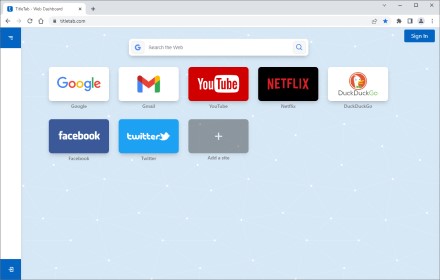
TitleTab - Speed Dial Dashboard
TitleTab Extension: speed dial dashboard, prevent accidental tab closure, and easy open tab saving.
1.0K
★ 4.4

Vertical Tabs - Tabybara
Display and manage your tabs vertically in side panel.
360
★ 4.9

OneTabStand
Keep only your current tab open and close all other tabs quickly with OneTabStand and setup a keyboard shortcut (OpenSource)
9

tabExtend - Easy Tab manager
Transform your new tab into a powerful dashboard. Add notes, set reminders, and sync across devices to boost productivity.
30.0K
★ 4.6

Tab Limiter And Restorer V3
Limit the number of tabs in a window. Hide excess tabs and restore them when there is space.
80
★ 4.0
Data sourced from the Chrome Web Store · last verified Jun 8, 2026.