AutoFill Forms
One-click form filler that supports multiple profiles and regular expression rules
As of May 2026, AutoFill Forms has 100,000 users and a 3.28/5 rating from 95 reviews in the Workflow & Planning category.
Usersno change0%
100.0K
100,000
Ratingdown 0.6 percent−0.6%
3.28
95 reviews
Reviewsup 5.6 percent+5.6%
95
Version
0.4.9
Manifest V3
History
3 snapshotsTracking since Apr 19, 2026.
View as table
| Date | Users | Rating | Reviews | Version |
|---|---|---|---|---|
| Apr 19, 2026 | 100.0K | 3.30 | 90 | 0.4.9 |
| May 16, 2026 | 100.0K | 3.30 | 90 | 0.4.9 |
| May 29, 2026 | 100.0K | 3.31 | 94 | 0.4.9 |
| Now | 100.0K | 3.28 | 95 | 0.4.9 |
Permissions & access
- Permissions
- scriptingstorageactiveTabnotificationscontextMenus
- Host access
- None declared
Screenshots

About
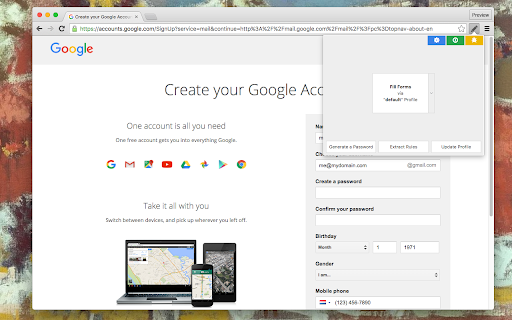
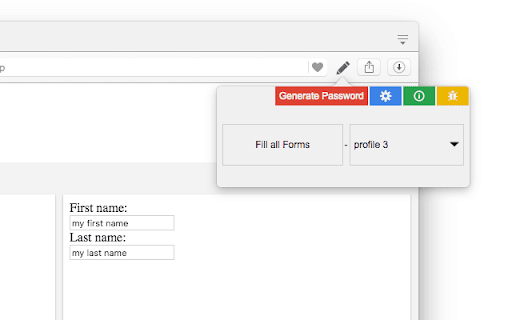
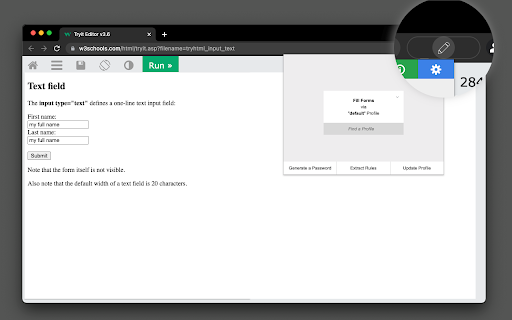
The "AutoFill Forms" extension is a user-friendly tool for automatically filling web forms, supporting multiple profiles.

Features:
1. Easily create or update profiles by detecting user-inserted data in filled forms.
   - This feature simplifies the process of creating multiple profiles or updating stored data.

2. Generate random strings using Regular Expressions.
   - Randomly fill password fields or generate new security question passphrases.

3. Request the extension to generate a random password, conveniently stored on your clipboard.

4. Manage multiple profiles.
   - Duplicate or modify existing profiles on the options page.

5. Import and export preferences.

6. Locate element positions based on their physical location within the form.

7. Supports both dark and light themes.

Notes:
Your profile data is securely stored in your browser's profile directory, with no backup created by the extension for security reasons.

--- Changes (0.3.0)
1. The extension now operates in event background page mode, consuming no resources when not in use.
2. The extension is enhanced to fill forms that don't perfectly match the predefined fields.

--- Changes (0.3.2)
1. Resolved the issue where multi-line text was not being inserted from the context menu.
Technical
- Version
- 0.4.9
- Manifest
- V3
- Size
- 88.44KiB
- Min Chrome
- 88
- Languages
- 12
- Featured
- Yes
Metadata
- ID
- focmhibpdifbdjacabpgnifhdalgfogg
- Developer ID
- u27a71bca62f6f885d2a8f00b3a49aa03
- Developer Email
- [email protected]
- Created
- Jun 21, 2016
- Last Updated (Store)
- Nov 10, 2025
- Last Scraped
- May 29, 2026
- Website
- —
- Privacy Policy
- —
Similar extensions
Alternatives to AutoFill Forms, ranked by description similarity.

Sign-Up Profile Filler
Save profiles and auto-fill sign-up forms with one click.
3

Autofillr Copilot: Autofill Job & other Forms
Autofillr is an autofill extension aiming to save you time doing repetitive work
1.0K
★ 3.5

Form Repeat-Filler
Save profiles and fill repetitive forms in one click. Trial + Pro unlock.
—

Lightningfill - Secure & Local
Securely store your personal data locally and autofill forms with a single click.
2

QuickFill - AutoFill your any Web Details/Forms in one click
👋 Welcome to QuickFill!
Okay hear me out — I made a Chrome extension because I'm sick of typing the same stuff on every form ever…
305
★ 4.5

Form Auto Filler
Select your input fields, save your answers, and click 'Auto-Fill Form; to instantly fill Forms with your custom data.
70
★ 5.0

JunkFill
Fill out web forms instantly with junk or custom data
7.0K
★ 4.0

SwiftFill AI: Smart Forms in Seconds
AI-powered Chrome extension that auto-fills web forms with speed and accuracy, saving time and minimizing data-entry errors.
30
★ 5.0
Data sourced from the Chrome Web Store · last verified May 29, 2026.