
Cat Mode — Keyboard Guard
Block your keyboard & trackpad so pets walking across them can't disrupt your video or page. Unlock with your own shortcut.
As of June 2026, Cat Mode — Keyboard Guard has — users in the Accessibility category.
Usersno change0%
—
—
Ratingno change0%
—
— reviews
Reviewsno change0%
—
Version
1.0.0
Manifest V3
History
1 snapshotsTracking since Jun 9, 2026.
Not enough history yet for this metric — the chart fills in as we collect more snapshots.
View as table
| Date | Users | Rating | Reviews | Version |
|---|---|---|---|---|
| Jun 9, 2026 | — | — | — | 1.0.0 |
| Now | — | — | — | 1.0.0 |
Permissions & access
- Permissions
- storage
- Host access
- None declared
Screenshots
About
Put on a YouTube "cat games" video — birds, mice, or fish darting across the screen — and let your cat go into full hunting mode. The problem? Every pounce lands on the keyboard or trackpad and pauses the video, skips ahead, mutes it, or opens a random app. You end up a full-time video-un-pauser.

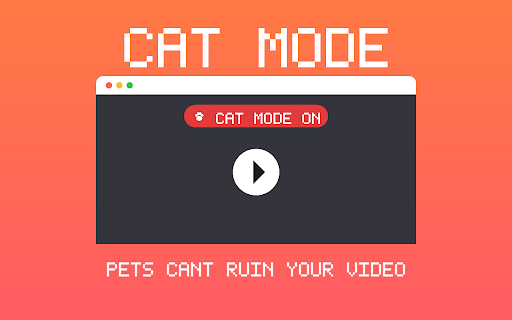
Cat Mode fixes that. Flip it on and it blocks all keyboard keys, mouse clicks, trackpad taps, scrolling, and touch on the current page — so your cat can smack the laptop all they want and the video just keeps playing. A clear "🐾 Cat Mode ON" banner reminds you it's active.

When you want control back, press your own unlock shortcut — a combo only a human would press (default Ctrl+Shift+K, fully customizable). You can also toggle it from a browser-wide shortcut or the toolbar button at any time.

Great for cats, but also for rabbits, dogs, toddlers, or anyone who shouldn't be touching the keyboard while something is playing.

 FEATURES
 • One-click on/off from the toolbar
 • Blocks keyboard, mouse, trackpad, scroll, and touch input
 • Custom unlock shortcut you set yourself
 • Browser-wide toggle shortcut (works even while input is blocked)
 • On-screen banner so you always know when it's active
 • No accounts, no tracking — everything stays on your device

 Note: Like all extensions, Cat Mode can only guard input inside web pages, not the browser's address bar or other apps.
Technical
- Version
- 1.0.0
- Manifest
- V3
- Size
- 13.61KiB
- Min Chrome
- 88
- Languages
- 1
- Featured
- No
Metadata
- ID
- fnccbbhppojahcammnnoadoajhndeion
- Developer ID
- ue4033b7f890642483c2c28497e48f771
- Developer Email
- [email protected]
- Created
- Jun 8, 2026
- Last Updated (Store)
- Jun 8, 2026
- Last Scraped
- Jun 9, 2026
- Website
- —
- Support URL
- —
Data sourced from the Chrome Web Store · last verified Jun 9, 2026.