
Daily Dash
Organize your daily tasks efficiently with Daily Dash.
As of June 2026, Daily Dash has 20 users and a 5.00/5 rating from 1 reviews in the Workflow & Planning category.
Usersup 33.3 percent+33.3%
20
20
Ratingno change0%
5.00
1 reviews
Reviewsno change0%
1
Version
1.7.1
Manifest V3
90-day change · In the last 90 days this extension 2 version updates, changed permissions.
History
7 snapshotsTracking since Apr 19, 2026.
View as table
| Date | Users | Rating | Reviews | Version |
|---|---|---|---|---|
| Apr 19, 2026 | 15 | 5.00 | 1 | 1.6.2 |
| May 4, 2026 | 13 | 5.00 | 1 | 1.6.2 |
| May 10, 2026 | 16 | 5.00 | 1 | 1.7.0 |
| May 15, 2026 | 15 | 5.00 | 1 | 1.7.0 |
| May 21, 2026 | 14 | 5.00 | 1 | 1.7.0 |
| May 27, 2026 | 18 | 5.00 | 1 | 1.7.1 |
| Jun 3, 2026 | 19 | 5.00 | 1 | 1.7.1 |
| Now | 20 | 5.00 | 1 | 1.7.1 |
Changelog
- May 27, 2026description
Organize your daily tasks efficiently with Daily Dash.
Do you need a dynamic way to track your daily to-do items? Maybe you need a clear and visual way to track client projects? Or maybe you just want to track your goals at home or at work? Then Daily Dash is for you! Daily Dash offers a dynamic and visual way to track anything.

Organization & Productivity
📊 Visual Progress Indicators: Monitor checklist and project completion with custom progress bars.
📁 High or Low Organization: Organize to your level, whether that’s a kanban-style visual workflow, specific groupings, or an easy linear list.
✅ Subtasks: Break down complex tasks into manageable nested subtasks with expandable task trees.
🔀 Drag-and-Drop Organization: Easily reorder tasks, subtasks, checklists, and groups.
⏱ Built-In Task Timers: Track time spent on tasks directly inside your workspace.
📝 Task Notes: Attach rich notes to tasks for tracking updates, ideas, or important details.

Accessibility Tools & Reliable Data Storage
🔍 Global Search: Instantly search across checklist groups, checklist names, tasks, subtasks, and notes.
🔒 Secure Data Storage: Your data is never shared. All data and settings are securely stored locally on your browser.
💾 Import, Export & Backup: Import/export your workspace as .csv files for backups, migration, or sharing.
🌙 Dark Mode & Themes: Switch between Dark Mode and Light Mode to match your preference.
♿ Accessibility Options: Make your workspace more accessible with the OpenDyslexic font, designed to improve readability for neurodiverse users.

Daily Dash works great for anyone looking to organize the different parts of their life and work into one app. This could be especially valuable to:

• Project Managers looking to track their clients in separate projects with a visual progress bar.
• Business Owners tracking customers and their progress.
• Managers tracking team member goals and progress.
• Analysts who need to track tasks for a specific user or client.

Daily Dash also works great for anyone using the Dopamine Menu Method. Those with ADHD may be familiar with the method, as it offers a unique way to stimulate the brain's reward system.

Whoever you are, Daily Dash is built to fit you and your needs, not the other way around.
Do you need a dynamic way to track your daily to-do items? Maybe you need a clear and visual way to track client projects? Or maybe you just want to track your goals at home or at work? Then Daily Dash is for you! Daily Dash offers a dynamic and visual way to track anything.

Organization & Productivity
📊 Visual Progress Indicators: Monitor checklist and project completion with custom progress bars.
📁 High or Low Organization: Organize to your level, whether that’s a kanban-style visual workflow, specific groupings, or an easy linear list.
✅ Subtasks: Break down complex tasks into manageable nested subtasks with expandable task trees.
🔀 Drag-and-Drop Organization: Easily reorder tasks, subtasks, checklists, and groups.
⏱️ Built-In Task Timers: Track time spent on tasks directly inside your workspace.
📝 Task Notes: Attach rich notes to tasks for tracking updates, ideas, or important details.

Accessibility Tools & Reliable Data Storage
🔍 Global Search: Instantly search across checklist groups, checklist names, tasks, subtasks, and notes.
🔒 Secure Data Storage: Your data is never shared. All data and settings are securely stored locally on your browser.
💾 Import, Export & Backup: Import/export your workspace as .csv files for backups, migration, or sharing.
🌙 Dark Mode & Themes: Switch between Dark Mode and Light Mode to match your preference.
♿ Accessibility Options: Make your workspace more accessible with the OpenDyslexic font, designed to improve readability for neurodiverse users.

Daily Dash works great for anyone looking to organize the different parts of their life and work into one app. This could be especially valuable to:

• Project Managers looking to track their clients in separate projects with a visual progress bar.
• Business Owners tracking customers and their progress.
• Managers tracking team member goals and progress.
• Analysts who need to track tasks for a specific user or client.

Daily Dash also works great for anyone using the Dopamine Menu Method. Those with ADHD may be familiar with the method, as it offers a unique way to stimulate the brain's reward system.

Whoever you are, Daily Dash is built to fit you and your needs, not the other way around.
- May 21, 2026description
Do you need a dynamic way to track your daily to-do items? Maybe you need a clear and visual way to track client projects? Or maybe you just want to track your goals at home or at work? Then Daily Dash is for you!

Daily Dash offers a dynamic and visual way to track anything.

Organization & Productivity

• 📁 Customizable Kanban Columns: Organize checklists into customizable columns for a kanban-style visual workflow experience.
• 📁 Group Organization: Keep larger projects organized with checklist groups instead of traditional date-based lists.
• ✅ Subtasks: Break down complex tasks into manageable nested subtasks with expandable task trees.
• 🔀 Drag-and-Drop Organization: Easily reorder tasks, subtasks, checklists, and groups.
• 📊 Visual Progress Indicators: Monitor checklist and project completion with automatic progress bars, donut charts, numeric task indicators, and percentage tracking.
• 🎨 Custom Progress Colors: Personalize each checklist with custom progress bar and checkbox colors.
• ⏱ Built-In Task Timers: Track time spent on tasks directly inside your workspace.

Search & Workflow Tools

• 🔍 Global Search: Instantly search across checklist groups, checklist names, tasks, subtasks, and notes.
• ⚡ Command Bar: Quickly create checklists, groups, and navigate your workspace from one central command interface.
• 📝 Task Notes: Attach rich notes to tasks for tracking updates, ideas, or important details.

Private Secure Storage & Reliable Backup

• 🔒 Secure Data Storage: Your data is never shared. All data and settings are securely stored locally on your browser.
• 💾 Import, Export & Backup: Import/export your workspace as .csv files for backups, migration, or sharing.

Customization & Accessibility

• 🖼 Profile Image Customization: Upload a custom avatar/profile image for a more personalized experience.
• 🌙 Dark Mode & Themes: Switch between Dark Mode and Light Mode to match your preference.
• ♿ Accessibility Options: Make your workspace more accessible with the OpenDyslexic font, designed to improve readability for neurodiverse users.

User-Focused Experience

• 🚫 Ad-Free Experience: Stay productive with a completely distraction-free experience.

Daily Dash works great for anyone looking to organize the different parts of their life and work into one application. This application can be especially valuable to:

• Project Managers looking to track their clients in separate projects with a visual progress bar.
• Business Owners tracking customers and their progress.
• Managers tracking team member goals and progress.
• Analysts who need to track tasks for a specific user or client.

Daily Dash also works great for anyone using the Dopamine Menu Method. Those with ADHD may be familiar with the method, as it offers a unique way to stimulate the brain's reward system.

Whoever you are, Daily Dash is built to fit you and your needs, not the other way around.
Organize your daily tasks efficiently with Daily Dash.
Do you need a dynamic way to track your daily to-do items? Maybe you need a clear and visual way to track client projects? Or maybe you just want to track your goals at home or at work? Then Daily Dash is for you! Daily Dash offers a dynamic and visual way to track anything.

Organization & Productivity
📊 Visual Progress Indicators: Monitor checklist and project completion with custom progress bars.
📁 High or Low Organization: Organize to your level, whether that’s a kanban-style visual workflow, specific groupings, or an easy linear list.
✅ Subtasks: Break down complex tasks into manageable nested subtasks with expandable task trees.
🔀 Drag-and-Drop Organization: Easily reorder tasks, subtasks, checklists, and groups.
⏱ Built-In Task Timers: Track time spent on tasks directly inside your workspace.
📝 Task Notes: Attach rich notes to tasks for tracking updates, ideas, or important details.

Accessibility Tools & Reliable Data Storage
🔍 Global Search: Instantly search across checklist groups, checklist names, tasks, subtasks, and notes.
🔒 Secure Data Storage: Your data is never shared. All data and settings are securely stored locally on your browser.
💾 Import, Export & Backup: Import/export your workspace as .csv files for backups, migration, or sharing.
🌙 Dark Mode & Themes: Switch between Dark Mode and Light Mode to match your preference.
♿ Accessibility Options: Make your workspace more accessible with the OpenDyslexic font, designed to improve readability for neurodiverse users.

Daily Dash works great for anyone looking to organize the different parts of their life and work into one app. This could be especially valuable to:

• Project Managers looking to track their clients in separate projects with a visual progress bar.
• Business Owners tracking customers and their progress.
• Managers tracking team member goals and progress.
• Analysts who need to track tasks for a specific user or client.

Daily Dash also works great for anyone using the Dopamine Menu Method. Those with ADHD may be familiar with the method, as it offers a unique way to stimulate the brain's reward system.

Whoever you are, Daily Dash is built to fit you and your needs, not the other way around.
- May 4, 2026description
Do you need a dynamic way to track your daily to-do items? Maybe you need a clear and visual way to track client projects? Or maybe you just want to track your goals at home or at work? Then Daily Dash is for you!

Daily Dash offers a dynamic and visual way to track anything.

- 📁 Project-based To-Do Lists: Display your to-do items organized by project/category instead of by date.
- 📊 Visual Progress Indicators: Monitor your tasks/projects with visual progress bars.
- ✅ Subtasks: Break down complex projects into manageable steps.
- 🔀 Drag-and-Drop Organization: Easily reorder tasks within your To-Do and Done lists.
- 📝 Task Notes: Create notes on any task to keep track of changes or extra details.
- 💾 Save & Backup: Ability to import/export your tasks as a .csv file for easy backup.
- 🌙 Dark Mode: Switch between Dark Mode and Light Mode to fit your needs.
- 🔒 Secure Data Storage: Your data is never shared. All checklists, themes, and notes are safely stored using Chrome’s storage.
- 🚫 Ad-Free Experience: Focus without distractions.

Daily Dash works great for anyone looking to organize the different parts of their life and work into one application. This application can be especially valuable to:

- Project Managers looking to track their clients in separate projects with a visual progress bar.
- Business Owners tracking customers and their progress.
- Managers tracking team member goals and progress.
- Analysts who need to track tasks for a specific user or client.

Daily Dash also works great for anyone using the Dopamine Menu Method. Those with ADHD may be familiar with the method, as it offers a unique way to stimulate the brain's reward system.

Whoever you are, Daily Dash is built to fit you and your needs, not the other way around.
Do you need a dynamic way to track your daily to-do items? Maybe you need a clear and visual way to track client projects? Or maybe you just want to track your goals at home or at work? Then Daily Dash is for you!

Daily Dash offers a dynamic and visual way to track anything.

Organization & Productivity

• 📁 Customizable Kanban Columns: Organize checklists into customizable columns for a kanban-style visual workflow experience.
• 📁 Group Organization: Keep larger projects organized with checklist groups instead of traditional date-based lists.
• ✅ Subtasks: Break down complex tasks into manageable nested subtasks with expandable task trees.
• 🔀 Drag-and-Drop Organization: Easily reorder tasks, subtasks, checklists, and groups.
• 📊 Visual Progress Indicators: Monitor checklist and project completion with automatic progress bars, donut charts, numeric task indicators, and percentage tracking.
• 🎨 Custom Progress Colors: Personalize each checklist with custom progress bar and checkbox colors.
• ⏱ Built-In Task Timers: Track time spent on tasks directly inside your workspace.

Search & Workflow Tools

• 🔍 Global Search: Instantly search across checklist groups, checklist names, tasks, subtasks, and notes.
• ⚡ Command Bar: Quickly create checklists, groups, and navigate your workspace from one central command interface.
• 📝 Task Notes: Attach rich notes to tasks for tracking updates, ideas, or important details.

Private Secure Storage & Reliable Backup

• 🔒 Secure Data Storage: Your data is never shared. All data and settings are securely stored locally on your browser.
• 💾 Import, Export & Backup: Import/export your workspace as .csv files for backups, migration, or sharing.

Customization & Accessibility

• 🖼 Profile Image Customization: Upload a custom avatar/profile image for a more personalized experience.
• 🌙 Dark Mode & Themes: Switch between Dark Mode and Light Mode to match your preference.
• ♿ Accessibility Options: Make your workspace more accessible with the OpenDyslexic font, designed to improve readability for neurodiverse users.

User-Focused Experience

• 🚫 Ad-Free Experience: Stay productive with a completely distraction-free experience.

Daily Dash works great for anyone looking to organize the different parts of their life and work into one application. This application can be especially valuable to:

• Project Managers looking to track their clients in separate projects with a visual progress bar.
• Business Owners tracking customers and their progress.
• Managers tracking team member goals and progress.
• Analysts who need to track tasks for a specific user or client.

Daily Dash also works great for anyone using the Dopamine Menu Method. Those with ADHD may be familiar with the method, as it offers a unique way to stimulate the brain's reward system.

Whoever you are, Daily Dash is built to fit you and your needs, not the other way around.
- May 4, 2026host_permissions
https://firestore.googleapis.com/*
(empty)
Permissions & access
- Permissions
- storagewindows
- Host access
- None declared
Screenshots


About
Do you need a dynamic way to track your daily to-do items? Maybe you need a clear and visual way to track client projects? Or maybe you just want to track your goals at home or at work? Then Daily Dash is for you! Daily Dash offers a dynamic and visual way to track anything.

Organization & Productivity
📊 Visual Progress Indicators: Monitor checklist and project completion with custom progress bars.
📁 High or Low Organization: Organize to your level, whether that’s a kanban-style visual workflow, specific groupings, or an easy linear list.
✅ Subtasks: Break down complex tasks into manageable nested subtasks with expandable task trees.
🔀 Drag-and-Drop Organization: Easily reorder tasks, subtasks, checklists, and groups.
⏱️ Built-In Task Timers: Track time spent on tasks directly inside your workspace.
📝 Task Notes: Attach rich notes to tasks for tracking updates, ideas, or important details.

Accessibility Tools & Reliable Data Storage
🔍 Global Search: Instantly search across checklist groups, checklist names, tasks, subtasks, and notes.
🔒 Secure Data Storage: Your data is never shared. All data and settings are securely stored locally on your browser.
💾 Import, Export & Backup: Import/export your workspace as .csv files for backups, migration, or sharing.
🌙 Dark Mode & Themes: Switch between Dark Mode and Light Mode to match your preference.
♿ Accessibility Options: Make your workspace more accessible with the OpenDyslexic font, designed to improve readability for neurodiverse users.

Daily Dash works great for anyone looking to organize the different parts of their life and work into one app. This could be especially valuable to:

• Project Managers looking to track their clients in separate projects with a visual progress bar.
• Business Owners tracking customers and their progress.
• Managers tracking team member goals and progress.
• Analysts who need to track tasks for a specific user or client.

Daily Dash also works great for anyone using the Dopamine Menu Method. Those with ADHD may be familiar with the method, as it offers a unique way to stimulate the brain's reward system.

Whoever you are, Daily Dash is built to fit you and your needs, not the other way around.
Technical
- Version
- 1.7.1
- Manifest
- V3
- Size
- 2.36MiB
- Min Chrome
- 88
- Languages
- 1
- Featured
- No
Metadata
- ID
- fmdblbcleechkmfnankpcjkbcdcahmjd
- Developer ID
- ue9f4d097eb4296b10d754abaf402153f
- Developer Email
- [email protected]
- Created
- Jan 16, 2025
- Last Updated (Store)
- May 21, 2026
- Last Scraped
- Jun 9, 2026
- Website
- digitalbridgeworks.com
- Support URL
- —
Similar extensions
Alternatives to Daily Dash, ranked by description similarity.

DailyDash
A modern todo list with dark mode that appears on every new tab
—

DayScope
This extension is DayScope
132
★ 5.0
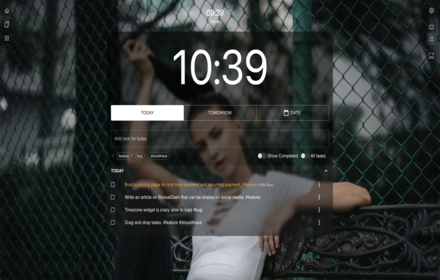
BonsaiDash - Your productivity tab
Your productivity tab
69
★ 5.0

Focus Dashboard
A premium minimalist productivity dashboard with real-time clock and dynamic backgrounds.
5
★ 5.0

Dawn: New Tab Dashboard
Replace your new tab page with a stunning, customizable dashboard, with tools to conquer the day—from dawn till dusk!
631
★ 4.5

Daily Planner
Stay organized with this Daily Planner app — an easy-to-use online planner and to-do list for perfect daily agenda planning.
769
★ 4.7

Daily Objectives Manager
Log your top 5 daily objectives and view past objectives.
3

DashDot AI – Plan. Focus. Achieve
DashDot AI – Plan. Focus. Achieve. Boost productivity with AI task management, smart reminders, and Pomodoro timer.
55
★ 5.0
Data sourced from the Chrome Web Store · last verified Jun 9, 2026.